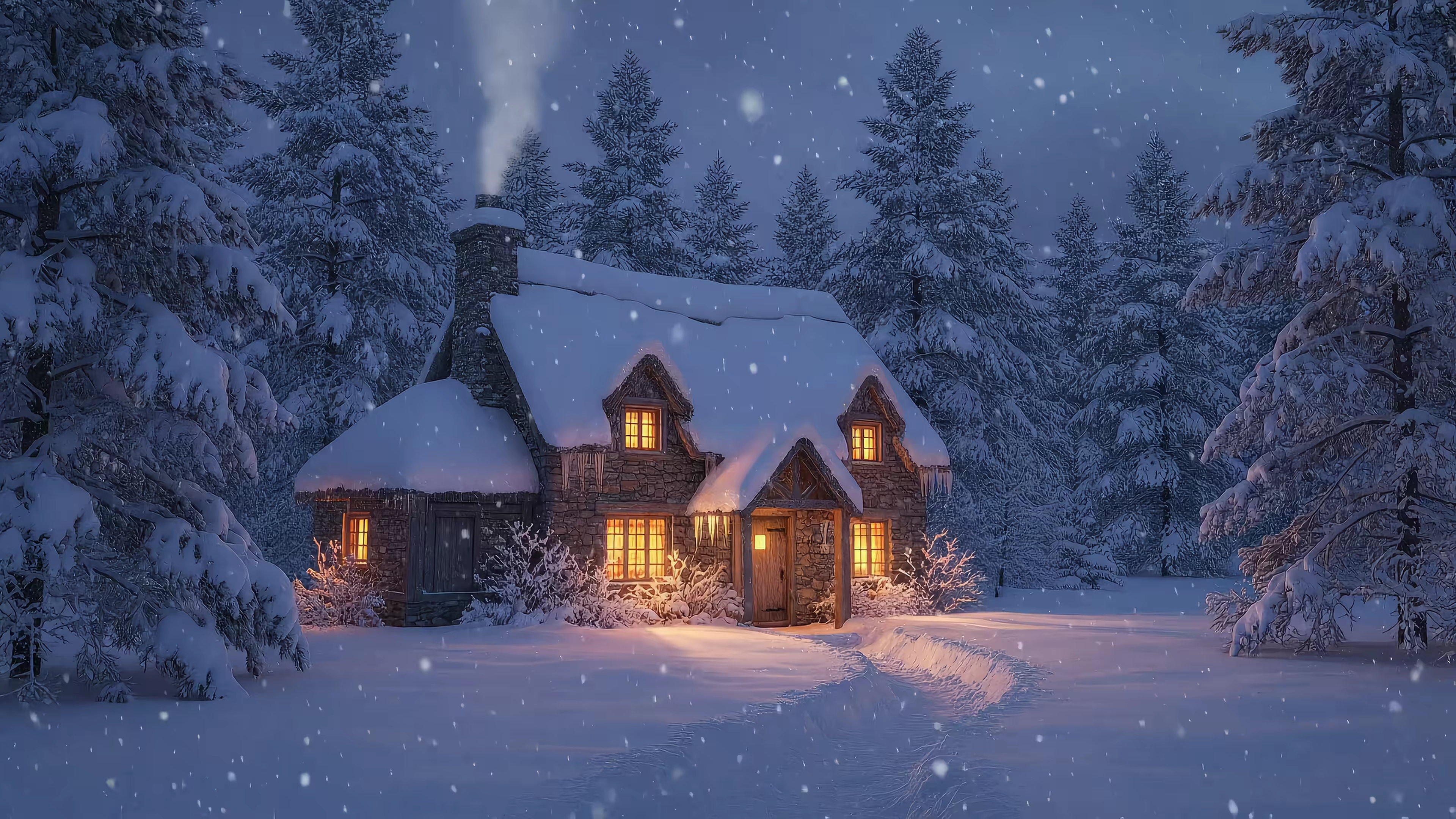
Magical Live Wallpapers for a Fairytale Christmas
A fairytale Christmas desktop should not look like a holiday aisle exploded across your screen. The good version is edited, cinematic, and a little ridiculous in exactly the right way. You want warm light, soft snow, deep greens, old gold, and a village so picturesque it feels mildly fake. Good. Fake is useful here.
That visual language has history. Victorian Christmas storytelling, especially Dickens-era imagery, helped cement the candlelit, nostalgic version of the season that still dominates festive design now. So if your screen keeps drifting toward lantern glow, pine boughs, velvet-dark skies, and suspiciously charming architecture, your taste is not random. It is historically on brand.
Real holiday life is rarely that polished. It is tabs open everywhere, messages piling up, and the general psychic texture of carrying three bags while looking for a charger. Your desktop can do a better job. Treat it like a tiny interior design project instead of a wallpaper swap. Start with a scene, then match the rest of the room: ambient audio, icon styling, widgets, and a palette that makes everything feel intentional.
If you want a strong starting point, a snowy forest wallpaper collection usually sets the tone fast without turning your Mac into a novelty mug. If you also want your actual room to cooperate, these festive home fragrance ideas from Aroma Warehouse fit the same agenda.
Here's the plan. Seven distinct scenes, each built as a complete digital mood board with wallpaper direction, ambient sound ideas, icon and widget advice, and color pairings that keep your desktop pretty instead of aggressively Christmas.
1. The Enchanted Forest Path
Start with the archetype. Snowy path. Tall pines. Quiet air. The feeling that a fox in a tiny waistcoat may offer vague but meaningful advice if you keep walking. This is the foundation of a fairytale christmas because it gives you wonder without forcing your screen into full department-store-window mode.
For actual desktop use, keep the motion gentle. Falling snow, slight branch shimmer, maybe a low fog drift if you're feeling theatrically fragile. This kind of scene works best when the center stays relatively open, so icons don't look like they've been stapled onto a tree trunk. If you like this lane of winter fantasy, the forest wallpaper collection is the obvious place to keep loitering.
Build the rest of the room around it
The wallpaper is only half the spell. The rest is desktop styling.
- Ambient sound: Use soft wind, distant chimes, or low woodland ambience. No sleigh bells yet. You're entering the story, not bursting through a tavern door.
- Icon treatment: Keep icons minimal and cool-toned. White, silver, muted sage. Bright app colors will otherwise look like someone dropped sports drinks in Narnia.
- Widget advice: One clock widget, one weather widget, done. The forest scene should have breathing room.
Link it naturally to broader seasonal visuals too. If you want more snow-heavy setups without losing that storybook tone, the winter wallpaper collection gives you plenty of routes.
Practical rule: For enchanted-forest desktops, use one accent color only. Gold if you want warmth, icy blue if you want elegance. Don't try both unless your goal is "holiday toothpaste."
This setup is perfect for morning work. Coffee on the desk, one tab too many open, and your Mac pretending your life involves a lantern and a secret destination.
2. The Castle Courtyard, Mid-Yule
Some people want subtle. Others want a courtyard big enough for a royal ball and at least one emotionally conflicted duke. I respect that.
A fairytale christmas often borrows from the same visual grammar you see in modern holiday romance plots. Snowy exteriors, warm interior light, gathering spaces, and low-contrast coziness show up again and again in summaries for titles like A Fairytale Christmas, including the UPtv movie listing. That repeat pattern matters because it tells you the look is less "random Christmas objects" and more "community ritual lit by flattering golden light."
A castle courtyard wallpaper should lean into stone, torchlight, and a central tree. Twilight is the sweet spot. Full darkness can feel muddy behind menu bars, but blue-hour snow with warm light sources looks expensive in the best way.
Make it regal, not ridiculous
This setup benefits from a little restraint.
- Color palette: Midnight blue, pine green, warm amber, stone gray.
- Menu bar style: Transparent or dark. Bright menu bars ruin the "waiting for the strings section to start" energy.
- Ambient sound: Crackling torches, distant choir, very soft courtyard wind.
Use this one when you want your Mac to look stately but still human. Not cold. Just well-funded.
The trick is contrast. Cold architecture, warm light, one focal point. That's what keeps holiday grandeur from turning into casino decor.
Also, yes, it works absurdly well for spreadsheets. The more boring the task, the funnier it is to do it in a visual setting that implies a winter treaty negotiation.
3. The Gnome's Cozy Hearth
Grand holiday screens are overrated. Give me a tiny room, a stubborn little fire, and enough handmade clutter to suggest someone just finished baking at an unreasonable hour.
The hearth setup works because it treats your desktop like a miniature interior, not a generic Christmas backdrop. You want crooked shelves, knit textures, worn wood, copper pots, and a fireplace that throws warm light onto everything. The charm comes from density. Every object should look chosen, slightly imperfect, and thoroughly pleased with itself.
If this is your holiday comfort language, the cozy aesthetic guide is useful for building the full mood board, not just grabbing a wallpaper. Pair the scene with fireplace crackle, a faint kettle simmer, and maybe soft acoustic music if you want your Mac to feel like it owns a recipe box and several opinions about cinnamon.
The styling should stay soft and tactile.
- Ambient sound: Fireplace crackle, kettle simmer, quiet acoustic music.
- Icons and folders: Rounded shapes look better here. Sharp, glossy app icons break the illusion and drag the whole room back into office territory.
- Widget styling: Use cream, chestnut brown, muted red, and moss green. Your screen should resemble an old storybook kitchen, not a gaming accessory aisle.
- Best accent detail: A linen-texture wallpaper or paper-like widget background helps the scene feel designed instead of dumped together.
This look feels instantly familiar because holiday design has spent decades teaching us to love domestic warmth, soft light, and rooms full of seasonal objects. The tiny-hearth version just does it better. It gives your desktop a point of view.
Use it for reading, journaling, late-night tabs you swear are research, and any task improved by the visual presence of a tiny host who clearly makes superior soup.
4. The Midnight Sleigh Ride
Sleigh wallpapers fail when they get too cute. This one should feel cold, fast, and slightly dramatic, like your desktop has been assigned an important moonlit errand.
The best midnight sleigh scene uses distance well. You want a giant moon, a dark tree line, reindeer in silhouette, and just enough sky movement to keep the image alive without turning your menu bar into a weather report. Aurora works beautifully here, but pick one accent tone and behave. Deep navy, moon silver, forest black, and either green or violet are enough. More than that, and your screen starts dressing like a holiday sports drink.
Style it like a night flight map
This setup looks strongest when the whole desktop follows the same logic. Keep icons pale and minimal. White, frosted gray, and soft silver work. Bright app colors look rude here.
- Ambient sound: Low winter wind, distant sleigh bells, airy synth pads, very soft choral textures if you want extra drama.
- Widgets: Keep them small and dark. Transparent or smoky backgrounds fit better than solid blocks.
- Accent palette: Navy, silver, black, and one aurora shade only.
- Best extra touch: A subtle glow on your clock or calendar widget makes the screen feel designed, not accidentally festive.
If you like building your desktop as a full winter vignette, borrow a little visual logic from the Christmas snowglobe winter village wallpaper. The lesson is restraint. One magical focal point always beats fifteen tiny decorative interruptions.
This scene earns its keep because it gives your screen scale. The hearth setup feels intimate. The sleigh ride feels cinematic and open, which is perfect if your desktop usually looks crowded and mildly overworked. A wide, dark wallpaper creates breathing room and makes even boring widgets look more intentional.
Design note: Use this when you want your Mac to feel magical at a glance and surprisingly clean up close.
Pick it for late-night playlists, trip planning, gift-list admin, or any task that benefits from the visual illusion that you are not answering emails. You are crossing the sky on official fairytale business.
5. The Winter Village Snowglobe
A snowglobe wallpaper is ridiculous. That's why it works.
You're taking a whole Christmas village, trapping it under glass, then placing that glass world on your screen as if your desktop itself is a desk inside another, more magical room. It's layered. It's self-aware. It's utterly committed to whimsy without asking permission from realism. For a fairytale christmas, that's excellent behavior.
The best version has tiny house lights that glow in cycles, snow moving at a steady pace, and enough visible glass reflection to sell the illusion without making text unreadable. If you want exactly that, the Christmas snowglobe winter village wallpaper is doing the job with admirable confidence.
Treat it like a desk vignette
This setup loves supporting props, even digital ones.
- Widgets: Notes widget in cream or parchment tones. Calendar in soft gray. Nothing neon. Nothing loud.
- Ambient sound: Soft music-box textures, faint room tone, maybe light crackle if the outer desk scene suggests a cozy room.
- Desktop accessories: If you use a visible dock, keep it small. A giant dock under a delicate snowglobe scene feels like parking a bus in a village square.
Tallinn's "A Fairytale Christmas" season in 2025 runs from November 21 through December 28, with holiday programming extending beyond one city, according to Visit Estonia's seasonal guide. That's useful for desktop aesthetics because it reminds you the appeal here lasts for weeks, not one frantic weekend. A looping winter village can sit on your screen all season and still make sense.
This one is especially good for people who want visible holiday charm during work hours without committing to full Santa-operatic spectacle.
6. The Ice Palace Balcony
Warmth is overrated. A fairytale christmas screen can look expensive, quiet, and slightly intimidating, which is exactly why this setup works.
The Ice Palace Balcony belongs to the people who want their desktop to feel styled, not decorated. Frosted railings, pale mountains, hard light, and crystal surfaces give you a screen with breathing room. It reads festive without tossing garland at every available pixel. Good. Your Mac is not a craft store explosion.
Build the full cold-weather mood board
Treat this one like a high-end winter interior. Every supporting choice should make the wallpaper feel sharper.
- Color palette: Ice blue, pearl white, silver, very pale lavender
- Icons: Thin-line icons, monochrome folders, desaturated app tints
- Widgets: One clock, one calendar, both in white or soft gray. Stop there.
- Ambient sound: Low wind, glassy synth drones, sparse piano, or a very quiet choir pad if you want a little cathedral drama
- Dock styling: Transparent or hidden. A chunky, colorful dock ruins the whole spell in seconds
This setup fails the moment you start adding cute extras. No novelty widgets. No saturated red app badges screaming across the bottom of the screen. If your icons look like children's cereal mascots, fix that first.
The appeal here is simple. Cold light makes everything look cleaner, and the limited palette turns your desktop into an actual composition instead of a pile of software. As noted earlier, holiday imagery already carries enough cultural baggage on its own. You do not need to explain the fantasy. You need to style it properly.
If you want one physical detail nearby that matches the same frosted sparkle, a thoughtful Christmas gift fits the visual family without dragging you into full ornament-chaos.
This is the best choice for writers, designers, and anyone who wants holiday mood without visual clutter breathing on their neck.
7. The Fairy Lights in the Pines
This is the easiest setup to live with. Dark forest. Warm pinprick lights. Soft focus. A bit of twinkle. No narrative burden. No castle maintenance. No tiny gnome real estate issues.
And yet it still lands squarely in a fairytale christmas mood because light in darkness is one of the oldest winter tricks in the book. The modern version just happens to be very good on Retina displays, where gentle bokeh and subtle movement can carry emotion without turning your desktop into visual soup.
The easiest one to style
If you don't want to fuss with your whole setup, pick this and keep moving.
- Ambient sound: Night forest, soft vinyl hiss, very low non-vocal holiday jazz if you must.
- Best accent colors: Warm gold, dark green, charcoal.
- Extra touch: Add one small warm-toned clock widget and stop there.
You can even lean into gift-like detail elsewhere. If you're in full holiday mode, a thoughtful Christmas gift with a tree motif sits in the same visual family. Tiny sparkle. Controlled sentiment. No inflatable lawn nonsense.
Soft-focus lights are the desktop equivalent of candlelight. They forgive everything and ask almost nothing.
This is the setup I'd generally recommend. It's festive without being demanding. It's pretty without becoming a seasonal hostage situation. And it still makes your Mac look like it has better December plans than you do.
Fairytale Christmas: 7-Scene Comparison
| Item | Implementation complexity | Resource requirements | Expected outcomes | Ideal use cases | Key advantages |
|---|---|---|---|---|---|
| Enchanted Forest Path | Low, gentle snowfall animation | Low CPU/GPU; minimal audio | Calm, immersive winter mood | Lock Screen | Tranquil, low-distraction, cohesive winter aesthetic |
| Castle Courtyard, Mid-Yule | Medium, detailed static scene with optional animation | Low–Medium; static-friendly | Regal, atmospheric backdrop | Desktop | Grand, decorative, conveys sense of place |
| Gnome's Cozy Hearth | Medium, close-up animated fire and small props | Medium; looping audio (fire) | Warm, whimsical coziness | Screen Saver | High charm and personality; very cozy |
| Midnight Sleigh Ride | Medium–High, motion across sky, aurora effects | Medium–High; richer animations and sound | Cinematic, magical spectacle | Lock Screen or Desktop | Dramatic focal point; visually striking |
| Winter Village Snowglobe | Medium, contained looping animation and music-box audio | Low–Medium; centered composition | Playful, decorative mini-scene | Desktop | Tidy composition that frames icons; ornamental |
| Ice Palace Balcony | Low–Medium, mostly static, subtle ambient effects | Low; sparse audio | Stark, elegant statement | Lock Screen | Bold, minimalist elegance; high-impact on wake |
| Fairy Lights in the Pines | Low, subtle twinkling/bokeh animation | Low; optional ambient audio | Atmospheric, low-contrast ambiance | Desktop (dark mode) | Subtle motion that enhances focus; dark-mode friendly |
Your Fairytale Starts Now
Most holiday desktop roundups stop too early. They hand you a pretty wallpaper, pat themselves on the back, and leave your icons looking like office supplies dumped into a snow globe. That is lazy. A fairytale christmas works better as a digital mood board. Pick the scene, match the ambient sound, tighten the color palette, and make your widgets behave like they belong in the room.
That is why this aesthetic keeps landing. It has been drilled into our brains through storybooks, films, ornaments, shop windows, and aggressively glowing neighborhoods for years. Of course it feels familiar. Of course it works. You are borrowing a whole visual language, then shrinking it down to the size of a laptop screen.
The practical goal is simple. Your Mac should feel composed, not crowded. A good live wallpaper gives you atmosphere without turning your desktop into a theme park. Add low-contrast icons, one or two widgets in matching tones, and ambient audio that stays in the background. Suddenly the screen feels designed, not decorated.
That's what gifPaper for Mac makes practical. It uses Apple's native Aerial wallpaper format, so your lock screen, desktop, and screen saver can share the same scene without weird workarounds or fake overlay nonsense. Set the look once. Keep the illusion intact.
There are more than 150 looping 4K wallpapers on the site, including categories like christmas wallpapers and dark wallpapers if you want to keep refining your little winter kingdom. The app is a direct download, notarized by Apple, requires macOS 13 or later, and includes a 7-day free trial with no credit card required. If you keep it, the price is a one-time $4.99. No subscription gremlin. Correct behavior.
If you want the holiday feeling to spill into real life too, crafting memorable custom Christmas presents is a surprisingly on-theme rabbit hole.
You are going to stare at your Mac for hours anyway. Make it look like a torchlit passage into winter folklore, not an accidental filing cabinet.
If your desktop currently looks like an accidental filing cabinet, gifPaper can fix that with remarkably little drama. Browse the live wallpaper gallery, choose your preferred flavor of enchanted nonsense, then use gifPaper for Mac to set it as your lock screen, desktop, and screen saver. One-time price, free trial, no subscription goblin waiting behind a tree.