The Best Animated Wallpapers 4K for Mac (A Vibe Guide)
Your Mac's wallpaper is probably doing the bare minimum.
Let's guess. It's either an abstract color blob, a slightly blurry photo of your dog, or drone footage of a place you will never visit. Fine. Functional. About as memorable as a hotel carpet.
You stare at this thing for hours. It should at least have a pulse.
That is the appeal of animated wallpapers on Mac. Not fake "live" wallpapers that are really just a slideshow. Not a crunchy old GIF wheezing across a Retina display like it escaped from 2003. Actual high-resolution motion, the kind that looks clean on modern screens and feels like part of the machine instead of a weird layer pasted on top.
The jump to 4K matters because 3840 x 2160 gives you roughly 8.3 million pixels per frame, which is four times the pixel density of standard 1080p HD. That is the difference between "nice enough" and "why does this rainy window suddenly look expensive?" The catch is that high-res motion also gets heavy fast. One uncompressed 4K 60fps loop can exceed 100MB per minute, which is why decent wallpaper setups use efficient video rather than bloated GIFs.
Before you fuss over visuals, yes, clean your monitor screen. Half the "my wallpaper looks dull" problem is just dust.
Now for the useful part. These are the best animated wallpapers for Mac, not as a random pile of downloads, but as a gallery tour of moods worth living with all day.
1. The Lofi Study Vibe
A good lofi wallpaper does one job. It convinces your brain that you are a thoughtful, disciplined person in a softly lit room, not somebody answering messages while reheating leftovers.
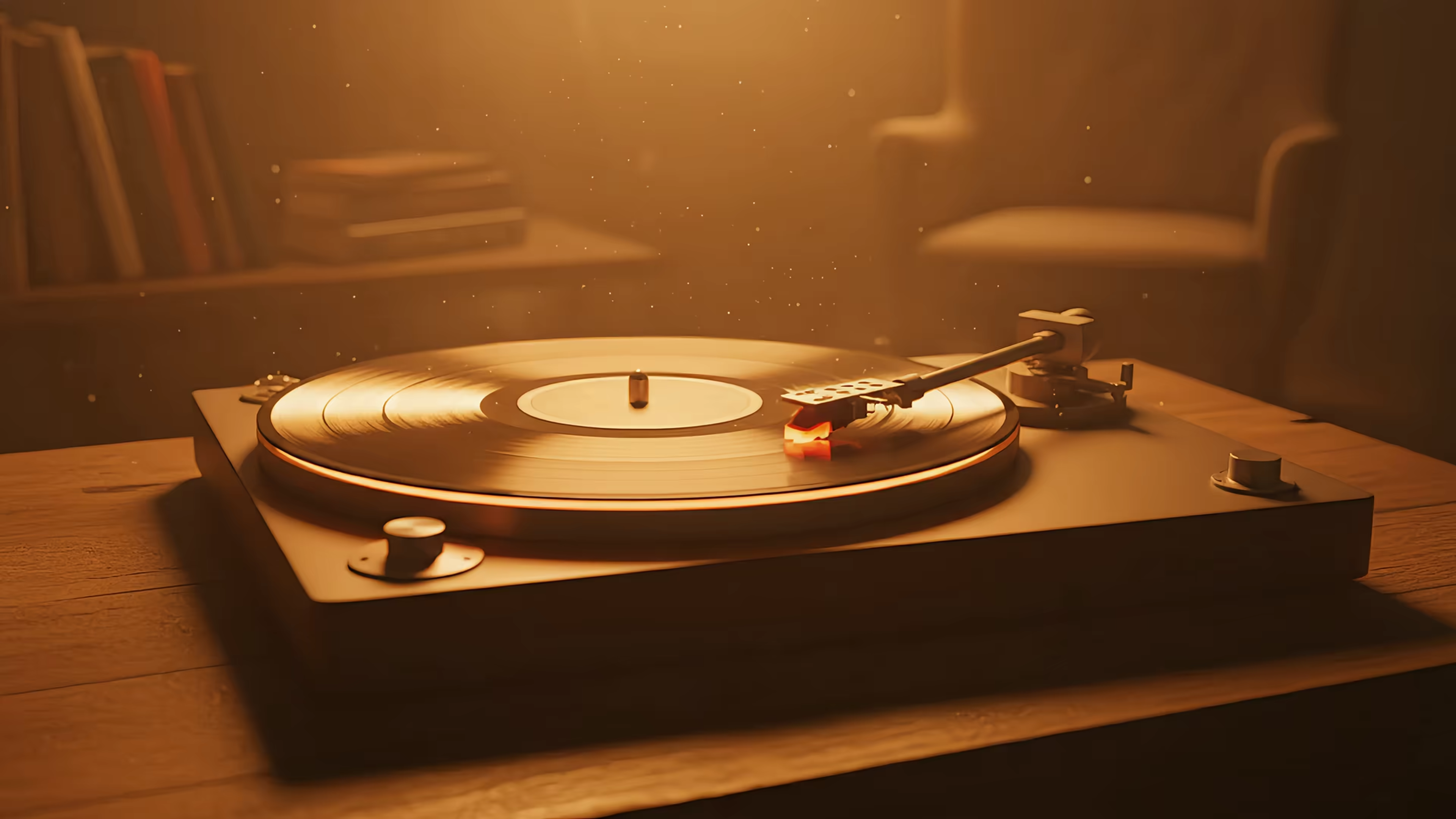
The formula is familiar because it works. Rain on glass. A train window. A record player. A desk lamp doing emotional support duties in the corner. Warm tones, a little motion, no chaos. If your desktop has to move, this is the safest bet. It feels alive without trying to audition for your attention every six seconds.
The best part is restraint. Lofi scenes give you motion in the background while leaving your actual work visible. That matters more than people admit. Plenty of animated wallpapers look impressive for twenty seconds, then become visual soup once you open five windows.
What makes it work
A lofi loop earns its keep when it has:
- Soft, readable contrast so text and app windows still stand out
- Simple repeating motion like falling rain or passing scenery
- A clear focal point that does not keep dragging your eyes back
This is why I usually point people toward the lofi options before they pick anything louder. They have enough mood to change the feel of the machine, but they rarely get in the way.
If you write, study, code, or just want your Mac to look like it listens to gentle static and beats, lofi is the default for a reason. The girl who is always studying in the library would approve.
2. The Neon-Soaked Cyberpunk Night
Some wallpapers decorate a desktop. Cyberpunk wallpapers stage a small theatrical production behind your apps.
Purple rain. Teal signs. Wet pavement. A noodle shop somewhere off-screen. It is always 2 AM in a future city where nobody has slept properly in years. Very good desktop material.
This vibe works best when you want your Mac to feel cinematic, not cozy. It can make ordinary admin work feel faintly ridiculous in a fun way. You are not just sorting files. You are accessing encrypted archives under neon haze. The spreadsheet remains a spreadsheet, but at least the atmosphere has improved.
The trade-off nobody mentions
Cyberpunk scenes can look fantastic in 4K and still be terrible wallpapers.
Why? Too much movement. Too many bright signs. Too much contrast flickering behind real windows. On a desktop, the wrong cyberpunk loop becomes a nightclub that refuses to close. Great for a trailer. Bad for Tuesday.
Pick a scene with movement at the edges, not constant action in the center. Rain, drifting fog, distant traffic, and reflected light age far better than a wallpaper that keeps shouting "look at me."
If this is your taste, cyberpunk wallpapers are the right rabbit hole. Just be ruthless about subtlety. The best cyberpunk wallpaper feels like weather. The bad ones feel like a casino.
3. The Absurdly Cozy Fireplace
A fireplace on a screen is objectively nonsense. It produces no heat. You cannot toast anything over it. It is a moving picture of warmth, and yet your monkey brain accepts the arrangement immediately.
That is why it works.
When a fireplace wallpaper is done properly, it gives you the visual rhythm of a real fire without the actual logistics. No smoke. No ash. No finding out your chimney has opinions. Just crackling light, warm color, and the illusion that your desk situation is much more civilized than it really is.
Why this one punches above its weight
Fireplaces are excellent desktop wallpapers because the movement is organic but predictable. Flames flicker. Embers glow. Nothing jumps around. Your eye reads it as life, then gets on with business.
That matters if you spend long stretches at your screen. Some people want animated wallpapers because they are dramatic. Fireplace loops succeed because they are forgiving. They sit behind your work like a quiet room tone.
The broader interest in personalized digital visuals is not small. People want the surfaces around them to feel chosen, not default.
A few practical rules help:
- Keep contrast low so menu bars and windows remain comfortable to read
- Avoid center-heavy motion if you use lots of floating windows
- Use dark loops at night when bright wallpapers start feeling like interrogation lamps
A fireplace is also one of the few wallpapers that gets better at night. During the day it looks pleasant. After dark, it turns your Mac into a tiny glowing lie, and I mean that affectionately.
4. The I Need to Touch Grass Nature Escape
Sometimes the correct wallpaper is just a polite reminder that the world contains trees.
Not metaphorical trees. Actual trees. Snow falling on a roof. Water moving through a river. Clouds crossing mountains while you remain inside wearing the same hoodie for the third consecutive day. Nature scenes are not subtle in concept, but they are often the easiest to live with.
The trick is motion density. A windy forest with leaves going everywhere can be too busy. A slow river, snowfall, or drifting fog usually lands better on a desktop. You want "window to somewhere else," not "BBC Earth trying to make quota."
Best use cases for nature loops
- Long workdays when you want a calmer backdrop than a bright city scene
- Shared spaces where a wallpaper should look tasteful to other humans
- Retina displays that reward fine detail like snow, water, and tree texture
Nature is also where 4K earns its keep fastest. Fine detail sells the illusion. Snow, ripples, leaves, distant mountains. Blur those and the whole thing falls apart.
Do these loops hurt battery life or make a laptop run hot? Sometimes, yes. Badly made ones do. Generic freebies often look acceptable on a promo page and then chew through resources because they are poorly encoded, badly optimized, or effectively giant GIFs wearing a fake mustache. Apple's 2025 macOS Sequoia update is noted to improve HEVC decoding and cut power use for 4K video walls, which is exactly the kind of boring technical detail that becomes very exciting once your fans stop auditioning for takeoff.
5. The My Problems Are Small Cosmic Scene
Space wallpapers are for two kinds of people.
The first group wants awe. The second wants their inbox to look less important. Both are correct.
A good cosmic loop gives your desktop scale. Nebula clouds drifting. Stars pulsing faintly. Light moving across impossible color. It is visual perspective therapy. That urgent message loses a bit of its theatrical weight when your screen is busy depicting a chunk of the universe that does not care.
Why space works on a desktop
Unlike many animated wallpapers, cosmic scenes can be dramatic without becoming cluttered. There is often plenty of darkness between points of interest. That gives app windows room to breathe.
The best ones also avoid fake "epic" motion. No constant camera swoops. No stars racing at your face like a budget sci-fi intro. Slow drift wins.
If you want your desktop to feel bigger, choose wallpapers with negative space. Empty areas are not wasted. They are where your icons and windows get to exist without a bar fight.
For Mac setups, cosmic loops are especially good on lock screens and screen savers because they read instantly from across a room. They turn your laptop into a tiny observatory. A very impractical observatory. Still good.
6. The Dark and Minimalist Void
Not every animated wallpaper needs to perform. Some should dress the room.
Dark minimalist loops are the best option for people who want motion without mood theater. A shifting gradient. Slow geometric movement. Shadow, texture, maybe a little light. That is enough. Think expensive black T-shirt, not parade float.
The appeal is simple. Your actual work stays legible. Your desktop still feels considered. And if you open your Mac in a dark room, you do not get flash-banged by your own taste.
Where minimalist wallpapers beat everything else
This is the category I recommend to people who tried animated wallpapers once and hated them.
Usually the problem was not animation itself. It was over-animation. Busy scenes demand attention. Minimal dark loops behave more like environmental texture. You notice them when the desktop is clear, then they step aside.
A lot of modern 4K screens make this style particularly effective. Fine gradients, subtle shadows, and soft movement benefit from that extra detail even more than loud scenes do.
A few practical rules help:
- Keep contrast low so menu bars and windows remain comfortable to read
- Avoid center-heavy motion if you use lots of floating windows
- Use dark loops at night when bright wallpapers start feeling like interrogation lamps
Minimalism only works if somebody had the discipline to stop.
7. The Inevitable Cat
Of course there is a cat. There was never any chance there would not be a cat.
The internet settled this years ago. A cat wallpaper does not need a business case. It needs a competent cat, ideally existing in a state of deep calm or mild judgment. Sleeping in a patch of light. Sitting under a tree. Looking at you as if your tab organization raises concerns.
A moving cat wallpaper tends to work better than people expect because the motion is small. Ear flick. Tail shift. Breathing. The scene feels alive without becoming busy. That makes it less distracting than a lot of "serious" animated wallpapers.
A desktop with priorities
Cat scenes also do something useful for the mood of a setup. They make it human. Or at least cat-adjacent. A polished workspace can become sterile fast. One well-placed feline solves this.
People are tired of staring at static nothing. Cats help.
7-Scene 4K Animated Wallpaper Comparison
| Wallpaper | Implementation complexity | Resource requirements | Expected outcomes | Ideal use cases | Key advantages |
|---|---|---|---|---|---|
| The Lofi Study Vibe | Low, simple looped animation, optional audio | Low–Medium (standard video + optional sound) | Cozy, focused atmosphere that supports concentration | Studying, writing, low-effort productivity sessions | Warm ambiance, unobtrusive rhythm, calming |
| Neon-Soaked Cyberpunk Night | Medium, dynamic lighting, rain and glow effects | Medium–High (GPU for glow/animation, brighter visuals) | Cinematic, moody immersion that heightens atmosphere | Creative work, evening use, aesthetic setups | Dramatic visuals, high style quotient, immersive |
| Absurdly Cozy Fireplace | Low, looped fire animation with optional crackle sound | Low–Medium (video + ambient audio) | Sense of warmth and comfort, relaxing background | Quiet evenings, winter setups, relaxation | Familiar comfort, soothing audio-visual cues, simple |
| I Need to Touch Grass Nature Escape | Medium, high-res natural motion and lighting | Medium–High (detailed footage, color depth) | Calming, restorative feel that reduces stress | Breaks, stress relief, long work sessions | Natural scenery, mentally restorative, tranquil |
| My Problems Are Small Cosmic Scene | Medium, slow-moving space effects, color gradients | Medium (animated effects, dark palette is efficient) | Perspective and awe, low distraction with visual interest | Contemplation, minimal-distraction desktops, aesthetic | Majestic visuals, adds depth and scale, contemplative |
| Dark & Minimalist Void | Low, subtle motion, simple gradients or patterns | Low (lightweight, minimal animation) | Minimal distraction, elegant and understated look | Night work, professional environments, presentations | Low strain, versatile, timeless aesthetic |
| The Inevitable Cat | Low, short looped clip, often gentle motion | Low–Medium (video playback, optional sound) | Relatable, calming, lightly entertaining | Personal desktops, casual use, social/shared screens | High relatability, comforting, adds personality |
How to Get These on Your Mac
Picking a vibe is the fun part. Getting it onto a Mac properly is where users often run into nonsense.
Apple supports its own video wallpaper behavior, but doing custom animated wallpapers cleanly is not something macOS makes especially friendly out of the box. The difference between a good setup and a bad one usually comes down to format and delivery. GIFs are terrible for this. They look rough on Retina displays, balloon in size, and often waste resources. Proper 4K video loops are the right tool, especially when they are built to behave like native wallpaper instead of acting like a floating video layer pretending to be one.
That is where gifPaper comes in.
It is a small Mac app built for this exact job. It sets live wallpapers on your lock screen, desktop, and screen saver. One action sets the same wallpaper across all three. The lock screen behavior is the part I particularly like. When you wake your Mac, the scene is already there, then it slows as you unlock, in the same style as Apple's own Aerial wallpapers. That makes the whole thing feel integrated instead of hacked together with duct tape and optimism.
The website has a curated gallery of 150+ looping 4K wallpapers with categories like lofi, neon, fireplace, winter, dark, nature, and more. Some scenes include ambient audio, which turns out to be surprisingly effective for fireplaces, rain, and other slow-burn setups. About 150 wallpapers right now. More get added regularly. Honest number, no chest beating.
The app itself is a direct download, not a Mac App Store app, because Apple's sandboxing gets in the way of live lock screen wallpapers. It is notarized by Apple. It requires macOS 15 Sequoia or later.
Pricing is refreshingly normal. There is a 7-day free trial with no credit card required, and if you keep it, it is a one-time $4.99 purchase with a 30-day money-back guarantee. No subscription. Because paying rent to your wallpaper would be ridiculous.
If you have been hunting for animated wallpapers on Mac, that is the clean answer. Browse the gallery, find your scene, install the app, and stop pretending a static gradient is enough personality for a machine you use every day.
If you want your Mac's lock screen, desktop, and screen saver to stop looking like default furniture, try gifPaper. Browse the wallpapers free on the site, then use the 7-day trial to put them on your Mac properly. One-time $4.99 if you keep it. A tiny luxury, but a real one.