
7 Desktop Video Background Apps for Mac That Don’t Set Your CPU on Fire
You stare at your Mac's screen for an unhealthy number of hours. It's where you work, procrastinate, and pretend to be a highly organized individual. So why does it still look like it came out of the box in 2007? A static, soulless image isn't cutting it. It's time for an upgrade, one that involves actual movement and maybe a little personality.
I'm talking about desktop video backgrounds, those mesmerizing, looping scenes that turn your computer from a beige productivity box into a window overlooking a cyberpunk city or a cozy, rain-streaked café. It's the kind of tiny, frivolous luxury that makes answering emails in your pajamas feel marginally more cinematic.
But getting them on a Mac isn't as simple as downloading a file. You need the right app, one that doesn't set your battery on fire or look like a compressed GIF from 1998. This guide rounds up the best apps for setting up desktop video backgrounds, explaining what each does best. I'll cover everything from simple video players to apps that perfectly sync your desktop and lock screen. Each option includes screenshots and direct links so you can find the perfect fit and finally make your desktop interesting.
1. gifPaper
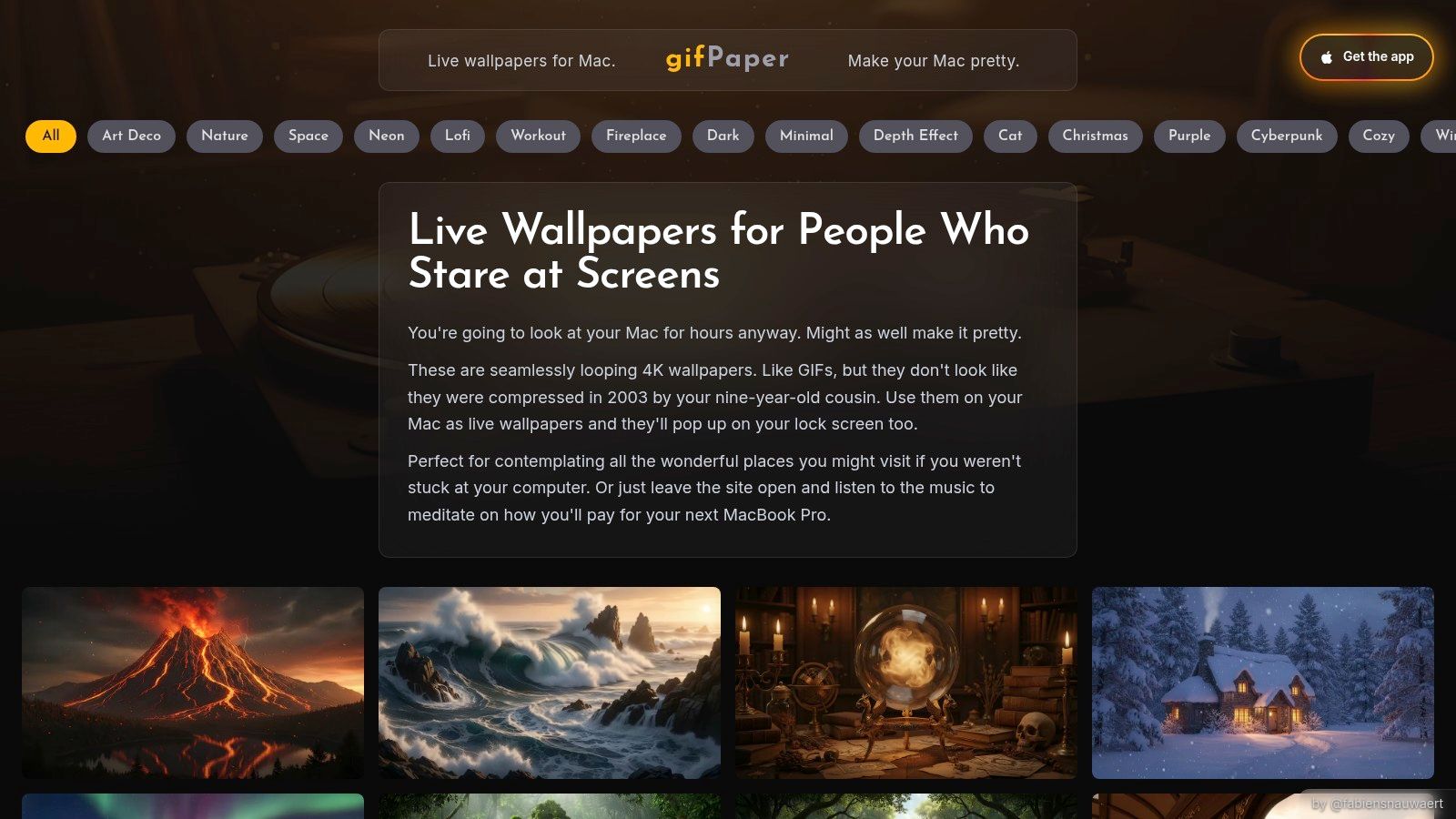
For Mac users who believe aesthetics are not a luxury but a necessity, gifPaper is the answer. It's a focused, exceptionally well-executed app designed to replace your static desktop with seamless, high-resolution desktop video backgrounds. Instead of dealing with pixelated GIFs or complex setups, gifPaper provides a curated gallery of over 150 actual 4K looping videos with ambient sound. It's built for people who spend hours staring at their screens and want that view to be genuinely pleasing.
The core of the experience is its curated gallery. You can browse categories like lofi wallpaper, nature wallpaper, and neon wallpaper to find a mood that fits your workspace. Many of the scenes include ambient audio, turning your Mac into a complete vibe station, from a "cozy lofi study corner" to a "rainy neon cityscape" without needing extra apps or browser tabs.
Key Features and User Experience
What makes gifPaper a standout choice is its dedication to the Mac ecosystem and its user-first approach. It's the kind of petty luxury you can easily justify.
- True 4K & Retina Ready: The wallpapers are genuine 4K videos, not upscaled or compressed files. On a Retina display, the difference is immediately apparent. Loops are seamless, so you won't be distracted by a jarring jump every ten seconds.
- Native Lock Screen & Desktop: This is the big one. gifPaper is the first and only app that uses Apple's native Aerial wallpaper format. When you wake your Mac, you're greeted by a living wallpaper that slows gracefully as you unlock, exactly like Apple's own. One action sets both your lock screen and desktop.
- One-Click Simplicity: Find a wallpaper you like on the site, and the companion app handles the rest. There's no need to manually download files or fiddle with system settings.
- Ambient Audio: Select scenes come with high-quality ambient sound, adding an immersive layer. You can preview both the video and audio directly on the website before committing.
Pricing and Platform Specifics
gifPaper sidesteps the subscription fatigue that plagues many software services. The pricing is refreshingly straightforward: you can try it with a 7-day free trial (no credit card needed), and if you like it, it's a single, one-time purchase of $4.99 during the launch period. There are no recurring fees or hidden costs, and a 30-day money-back guarantee.
It's important to note that this is a macOS-only application requiring macOS 26 (Tahoe) or later. If you've switched from Windows and find yourself missing certain wallpaper apps from that ecosystem, gifPaper is the closest you'll get to that level of polish on a Mac. It's distributed directly (not via the Mac App Store, as Apple's sandboxing prevents native live lock screens), but it's fully notarized by Apple.
Website: https://gifpaper.com
2. Magic Window (Jetson Creative)
For Mac users who appreciate the native feel of Apple's own software, Magic Window is a compelling choice. It's not just a wallpaper app; it's a curated library of professionally shot time-lapses designed to feel like an extension of macOS itself. The focus is on high-quality, serene nature scenes and dynamic cityscapes, making it perfect for anyone wanting a window to another world on their desktop.
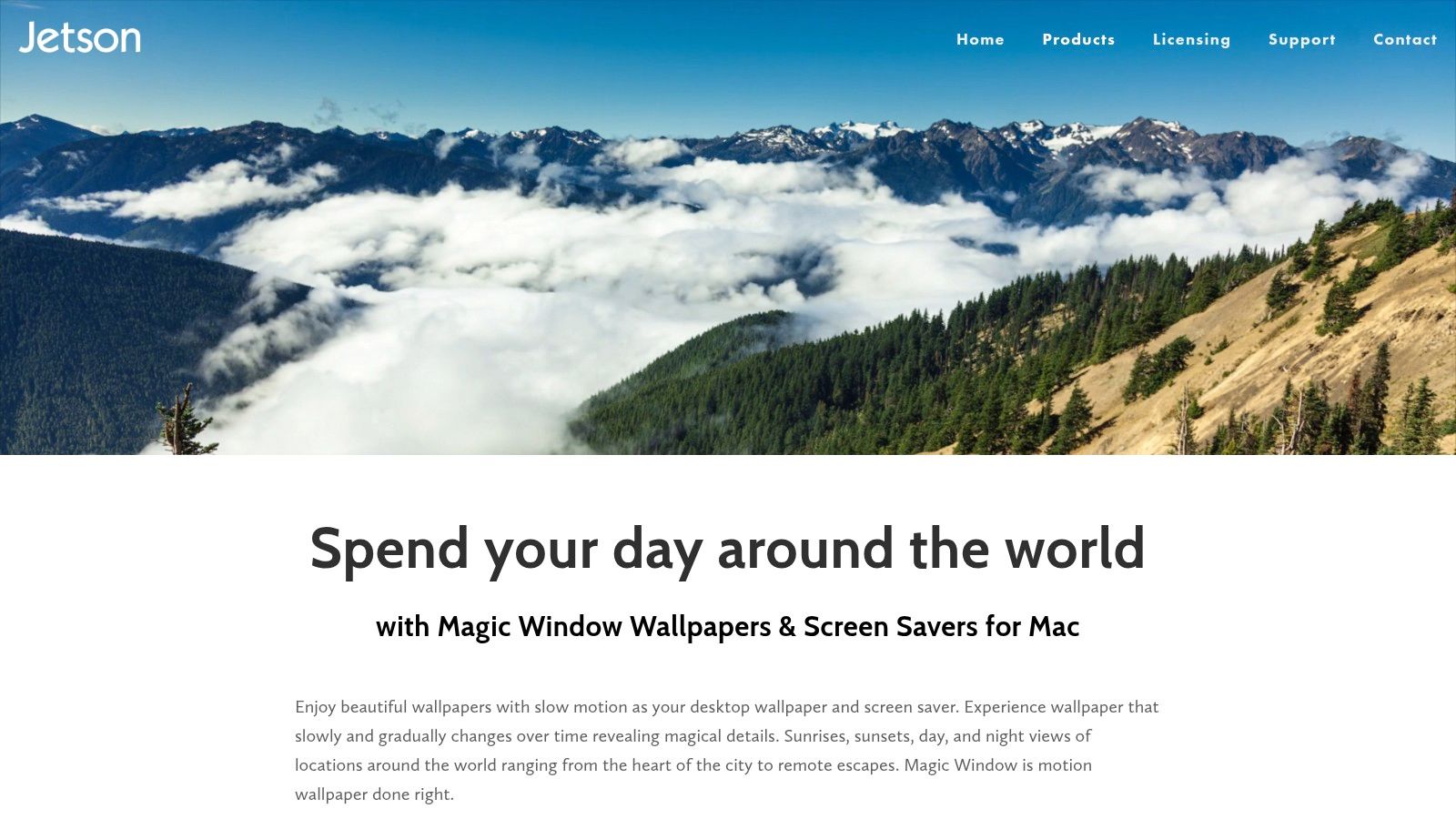
Unlike platforms that aggregate random user-submitted clips, every scene in Magic Window is a work of slow cinema. These aren't just simple loops; they are full time-lapses showing the progression of time, from a sunrise over a misty mountain to the transition from day to night in a bustling city. The app provides a free starter pack of 10 scenes, with access to the full catalog of over 270 wallpapers available through a one-time purchase, not a subscription.
Key Features and User Experience
Magic Window's strength lies in its tight integration with macOS. It supports multiple monitors, can run as a screen saver, and is fully compatible with both Apple Silicon and Intel Macs. One of its standout features is the speed control, which lets you dial the motion from a nearly imperceptible crawl to a more noticeable animation. This makes it an excellent choice for a desktop video background where you want ambience without distraction.
Pro Tip: Set the speed to its slowest setting for a "slow-motion" effect. The subtle changes in light and shadow throughout the day can provide a calming, ambient presence without ever pulling your focus from the task at hand.
The app is purchased directly from the developer, Jetson Creative, for a one-time fee. The primary downside is the focused aesthetic; if you're looking for abstract animations, lofi art, or neon-drenched cyberpunk scenes, you may need to look elsewhere. Also, be mindful that the high-resolution 4K scenes can be large downloads, so you'll want to have some disk space available.
Website: jetsoncreative.com/magicwindowmac
3. 24 Hour Wallpaper (Jetson Creative)
For those who find a constant video loop distracting but still want a dynamic desktop, 24 Hour Wallpaper offers a brilliant middle ground. It's a collection of over 100 visually striking 5K wallpapers that subtly change throughout the day to match your local time. Instead of a video, you get a sequence of still images capturing a single location from dawn to dusk, creating a desktop that feels alive without demanding your attention. It's perfect for users who want their background to reflect the natural passage of time.
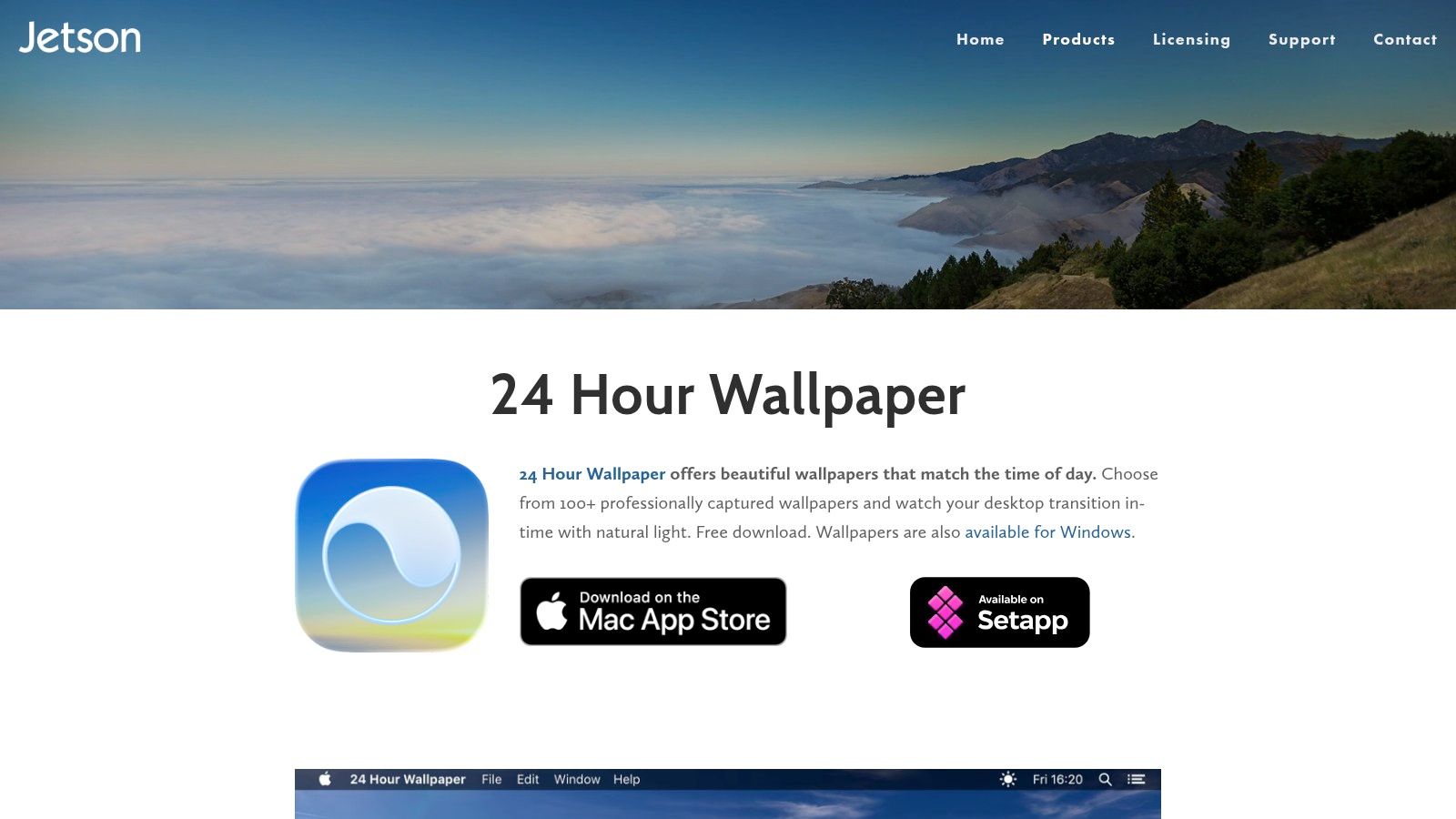
This app stands apart from typical desktop video background players by integrating directly with Apple's native Dynamic Desktop system. The result is a seamless experience that feels like a feature of macOS itself. The app includes eight wallpapers for free, with the full catalog of cityscapes and serene nature scenes available via a one-time purchase. This isn't a subscription, making it an accessible way to add a sophisticated touch to your Mac.
Key Features and User Experience
24 Hour Wallpaper's main strength is its deep macOS integration. Once you generate a Dynamic Desktop file, the app itself doesn't even need to be running. It supports multiple monitors and includes its own ProTime engine for users who want more control. This lets you adjust sunrise and sunset times to your preference, create playlists, or even shuffle through your favorite scenes. It perfectly captures an ambient feel without being a true video.
Pro Tip: Use the location override feature to set your desktop to a different time zone. It's a neat way to feel connected to a faraway place or simply enjoy a perpetual sunset on your screen while you work through the evening.
The app is sold directly by Jetson Creative for a single payment. The primary downside is inherent to its design; these are not continuous video loops. If you're looking for the constant motion of animated desktop video backgrounds, this won't be the right fit. Also, be aware that the high-resolution dynamic wallpapers are substantial downloads, with some collections reaching up to 15 GB, so make sure you have adequate disk space.
Website: jetsoncreative.com/24hourwallpaper
4. Dynamic Wallpaper Studio (Dynamic Wallpaper Engine on Mac App Store)
For Mac users craving variety and a workshop-style experience, Dynamic Wallpaper Studio is a must-see. It's less a curated gallery and more a sprawling library with thousands of animated wallpapers. This app is built for those who want endless options, from anime and nature scenes to abstract 4K animations, along with the power to import their own video files directly.
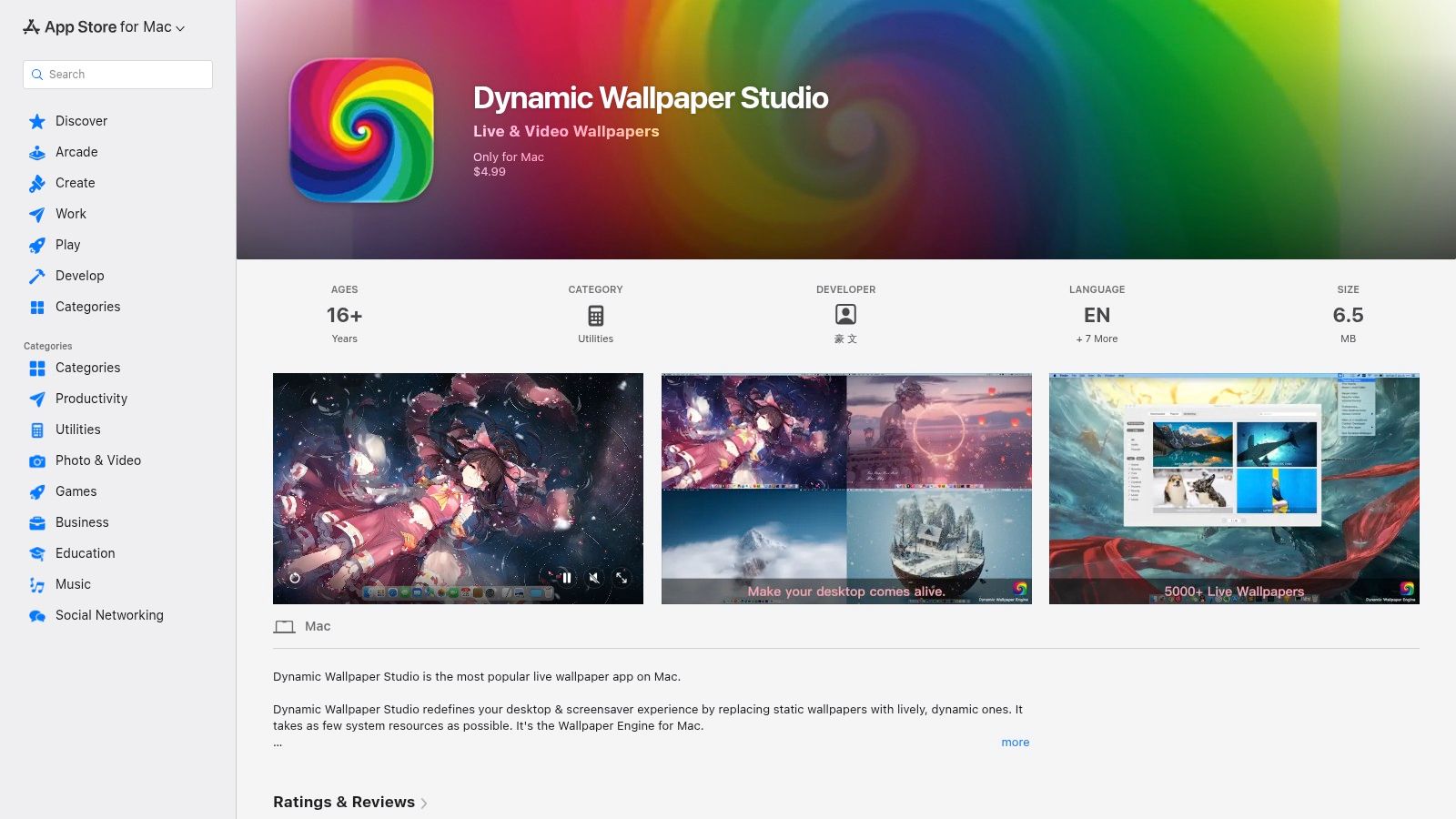
Unlike more niche apps, its strength is its sheer volume. With over 5,000 live wallpapers available through a searchable, categorized interface, you can find just about any aesthetic you can imagine. The app also allows you to import your own local videos, giving you ultimate control over your desktop.
Key Features and User Experience
Dynamic Wallpaper Studio packs in a powerful feature set, including robust multi-monitor support and compatibility with 4K and ultrawide displays. You can create playlists of your favorite backgrounds and set them to shuffle, ensuring your desktop always feels fresh. It also includes practical performance features, such as automatically pausing animation when an application is in full-screen or when you're running on battery, which helps conserve system resources.
Pro Tip: Use the "Import Video" feature to turn a favorite vacation clip, a short animation you created, or even a high-quality video game recording into your own personal desktop video background. Just ensure the clip loops well for the best effect.
The app is available on the Mac App Store for a one-time purchase, which is a welcome alternative to subscription models. The primary drawback is that with a massive, community-driven catalog, the quality of the wallpapers can vary significantly. You might find some incredible 4K gems right next to some lower-resolution or poorly looped clips. However, if you enjoy the hunt and value quantity and customization above all, this is an excellent choice.
Website: apps.apple.com/app/dynamic-wallpaper-studio/id1453504509
5. Wallper
For the Mac user who values curation and efficiency, Wallper offers a balanced approach to desktop video backgrounds. It presents a clean, native macOS application that feels right at home on your desktop, paired with a handpicked library of high-bitrate 4K video loops. Wallper strikes a thoughtful balance between an oversized, community-driven workshop and a limited, artist-focused gallery, making it ideal for those who want quality without endless scrolling.
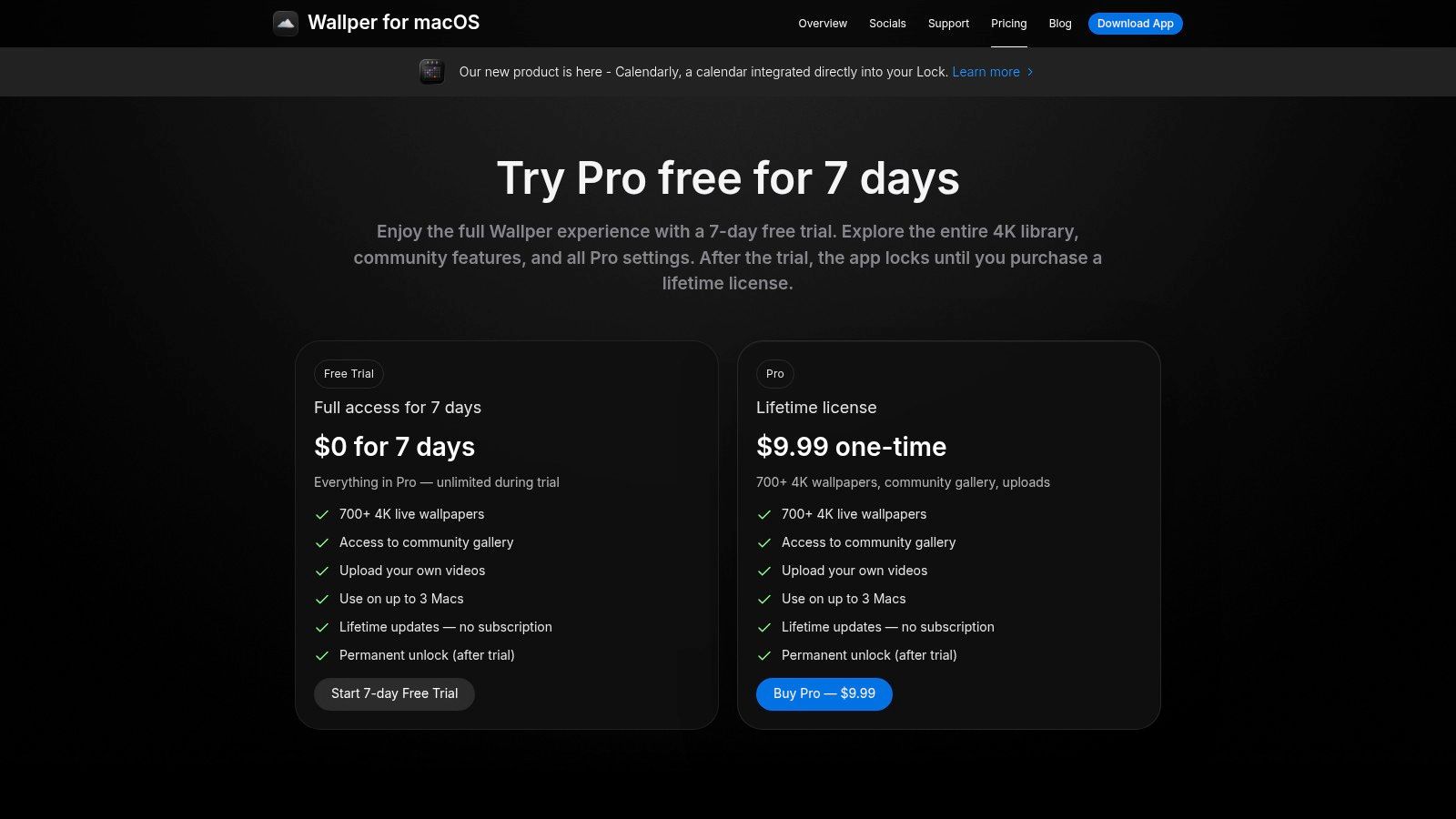
The core idea behind Wallper is to provide a premium, efficient experience. The collection features over 700 curated 4K videos, but you're not limited to the built-in selection. The app allows you to drag and drop your own MP4 or MOV files, offering a degree of personalization that many curated apps lack. While it includes a community gallery, submissions are moderated to maintain a high standard of quality, ensuring the collection remains polished and free of clutter. This approach makes it a strong contender for those who appreciate aesthetic control.
Key Features and User Experience
Wallper is built from the ground up for modern Macs, with optimizations for Apple Silicon that ensure low-overhead playback. Its standout features focus on performance and battery life; the app intelligently pauses animation when windows are covering the desktop and uses an adaptive frame-rate to conserve resources. This makes it an excellent choice for laptop users who need their battery to last. The app also supports up to three monitors per license and caches wallpapers for offline use, so your favorite scenes are always available.
Pro Tip: Use the drag-and-drop feature to test your own short video clips. A personal time-lapse from a vacation or a clean screen recording of a game can make for a unique and personal desktop video background that no one else has.
Wallper is available with a one-time license purchase, which is a refreshing change from the subscription model common in this space. There's a 7-day, full-featured free trial and a transparent refund policy, making it risk-free to try. The main drawback is its catalog size, which is intentionally smaller than other platforms, as the focus is on quality over quantity. An internet connection is also needed for initial setup, license validation, and downloading new wallpapers.
Website: www.wallper.app/pricing
6. MotionDesk
For Mac users who want more than just pre-recorded video, MotionDesk offers a compelling blend of playback and creation. It combines a traditional video wallpaper player with a set of highly tunable, GPU-accelerated generative scenes. This makes it ideal for anyone who wants to use their own video clips or craft a unique, animated look from scratch, with a focus on high-performance rendering for modern Macs.
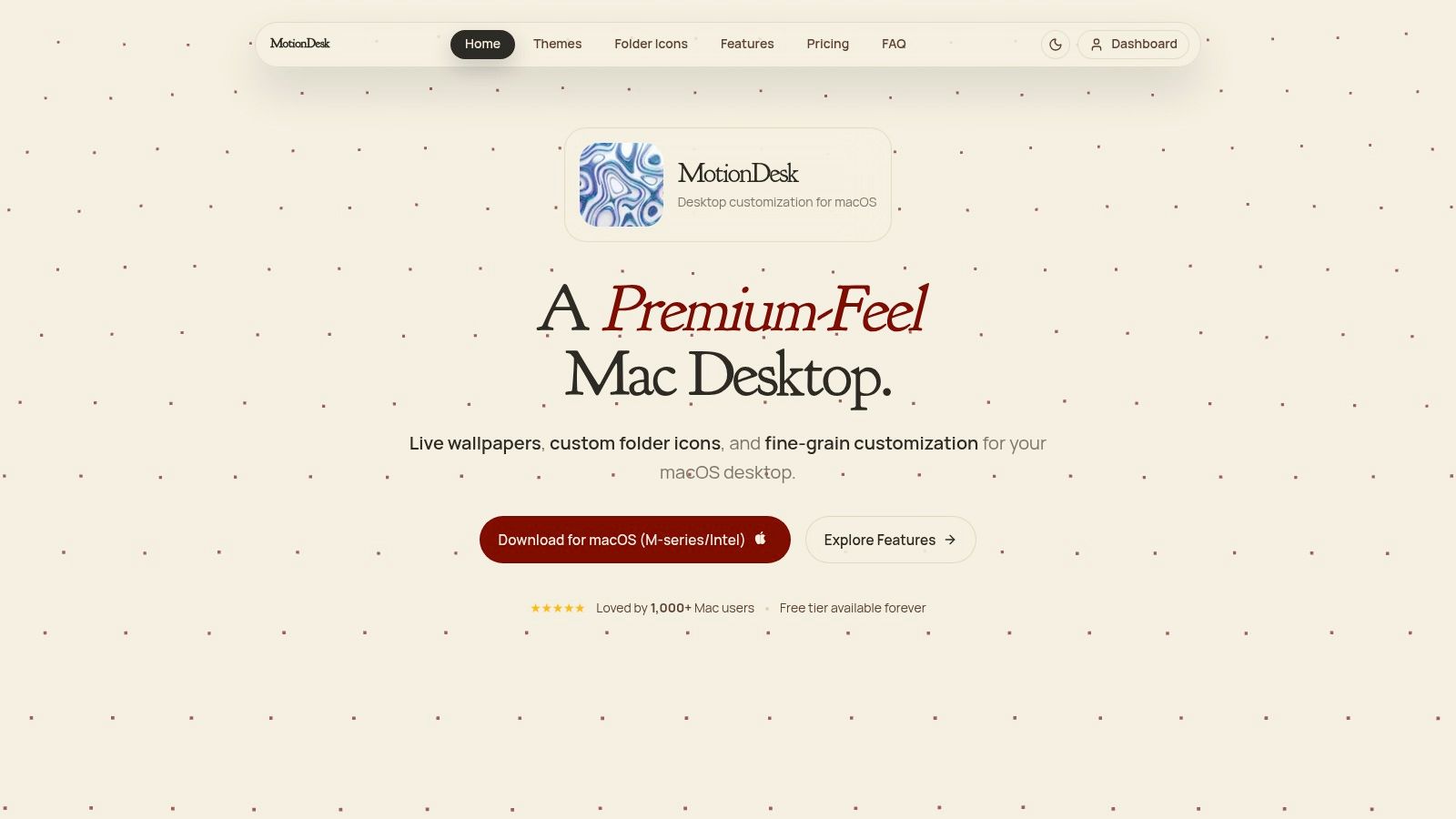
Unlike apps with massive, fixed libraries, MotionDesk focuses on giving you the tools. You can use your own video files as desktop video backgrounds, or you can work with its 15+ interactive themes. These aren't simple loops; they are generative art pieces like rain fields, liquid glass, and space scenes that you can customize. The app offers a free tier to test the features, with a one-time 'Lifetime' purchase to unlock everything, completely avoiding a subscription model.
Key Features and User Experience
MotionDesk's main strength is its performance, built on Apple's Metal framework for smooth, GPU-accelerated rendering. This results in fluid animations up to 60+ FPS that don't bog down your system. It supports multiple monitors and includes an intelligent pause feature that conserves battery life when the desktop isn't visible. Granular controls for colors, speed, and density in the generative themes allow for deep customization.
Pro Tip: Use the video wallpaper mode to play a vertical video from your phone. MotionDesk handles different aspect ratios well, creating a unique, personal feel for your desktop that other apps might struggle with.
The app is available directly from the developer's website. The primary downside is its smaller built-in gallery compared to community-driven platforms; the focus is on its polished generative themes and your own video content. It also requires a more recent version of the operating system (macOS Ventura or newer) to run. If you're looking for an efficient app that prioritizes user control and performance over a vast pre-made library, MotionDesk is an excellent choice.
Website: motiondesk.app
7. Wallux
Wallux is a newer contender in the Mac animated wallpaper space, but it arrives with a modern feature set that feels perfectly aligned with recent macOS updates. It's built for users who want their desktop video backgrounds to be more than just passive loops. With interactive effects, lock screen support, and a community-driven gallery, Wallux is an excellent choice for anyone seeking a dynamic and highly efficient experience on Apple Silicon.
Unlike some apps that simply overlay a video player, Wallux is designed for performance, reporting exceptionally low CPU impact (as low as 0.3% in some cases). This is achieved through intelligent pausing that stops the animation when it's covered by other windows, saving battery and resources. Its growing gallery is fueled by the community, offering a diverse range of styles that you can browse directly within the app, and it even supports importing your own video files.
Key Features and User Experience
The standout feature of Wallux is its interactivity. You can enable effects like a subtle parallax shift that responds to your cursor movement, a water ripple effect on click, or a cursor glow that illuminates the wallpaper as you navigate. These can be toggled on or off, giving you control over how much motion you want. For users on macOS Sequoia (26) or newer, Wallux extends its reach to the lock screen, creating a seamless animated transition from when you first wake your Mac.
Pro Tip: Experiment with the "brush reveal" effect. It lets you "paint" the motion back into a still wallpaper with your cursor, offering a novel way to interact with your desktop without it being a constant distraction.
Wallux is offered with a free trial that allows you to test its import and download features. The full version is available for a low lifetime price, though this may change as the app matures. The primary constraint is its reliance on recent macOS versions; to access all features like lock screen support, you'll need to be on the latest OS. However, for those with up-to-date systems, it's one of the most resource-friendly and interactive options available.
Website: https://wallux.app/
7-Tool Desktop Video Background Comparison
| Item | Implementation complexity | Resource requirements | Expected outcomes | Ideal use cases | Key advantages |
|---|---|---|---|---|---|
| gifPaper | Very simple — one-click setup | macOS 26+; moderate CPU for video; efficient native playback | Seamless 4K looping video wallpapers for desktop, lock screen, & screen saver | Users who want quick, aesthetic Mac lock/desktop upgrades without hassle | Native lock screen, curated 4K gallery, one-time $4.99 purchase |
| Magic Window (Jetson) | Low — app install and download scenes | macOS; large 4K files possible; supports Apple Silicon | Professionally shot time-lapses with subtle motion control | Nature/cityscape lovers seeking polished, native-feeling wallpapers | Curated professional library; strong macOS integration |
| 24 Hour Wallpaper (Jetson) | Moderate — generates Dynamic Desktop packages | macOS Dynamic Desktop or ProTime engine; can use lots of disk (multi-GB to ~15GB) | Time-synced wallpapers that evolve with local light | Users who prefer changing lighting across the day rather than continuous video | Native-feeling dynamic desktop; adjustable sunrise/sunset |
| Dynamic Wallpaper Studio | Moderate — app + workshop browsing; can import content | macOS; variable CPU/disk depending on chosen workshop items; auto-pause on battery | Massive variety of animated/video wallpapers; workshop-driven quality varies | Users wanting huge catalog variety or to import personal clips | 5,000+ wallpapers; workshop-style breadth and playlists |
| Wallper | Low — install and download curated loops | macOS; optimized for Apple Silicon; offline caching; initial internet required | High-bitrate 4K loops with efficient playback | Users who want curated, high-quality loops and low overhead | Curated 700+ 4K videos; optimized playback and clear trial/refund |
| MotionDesk | Moderate — install; configure generative parameters | Requires macOS Ventura+; GPU-accelerated Metal rendering; efficient but uses GPU | Tunable generative scenes and high-FPS video wallpapers | Users who want customizable generative visuals and high-performance rendering | GPU-accelerated smooth rendering; granular controls; free tier |
| Wallux | Low — install with per-display controls | Requires recent macOS (Sequoia+; lock-screen on macOS 26+); very low CPU reported | Animated/video wallpapers with interactive effects and intelligent pausing | Users wanting interactive desktop effects and minimal CPU impact on newer macOS | Interactive parallax/ripple effects; low CPU usage; lock-screen support on latest macOS |
So, Should You Turn Your Desktop into a Movie?
Yes. The definitive, unequivocal answer is yes. You're going to spend an obscene number of hours staring at this glowing rectangle, so you might as well make it a view you actually enjoy. Turning your static desktop into a living scene is one of the most effective ways to make your digital workspace feel more personal and less like a generic corporate terminal.
The key takeaway is that the "best" tool depends entirely on what you value. Do you want infinite customization and don't mind tinkering? Or do you prefer a curated, high-quality experience that just works?
Your choice boils down to a few critical factors: - Lock Screen Integration: Do you want your video background to appear on your lock screen? This is a surprisingly rare feature, and most other wallpaper apps that claim to do it use a clunky overlay. Only a few, like gifPaper, use Apple's native system for a seamless effect. - Performance and Battery: A major concern with any desktop video background is its impact on your Mac's resources. Look for apps optimized for efficiency, especially those that pause animation on inactive desktops or when an app is full-screen. A beautiful background isn't worth a dead battery. - Curation vs. Quantity: Some tools give you access to thousands of wallpapers, which sounds great until you spend an hour sifting through low-res files and broken loops. A smaller, expertly curated collection of 4K looping videos can often be a better use of your time. - Simplicity: Do you want a tool that lets you tweak every setting, or one that you can set and forget? The right answer is the one that fits your personality. Some people love to customize, while others just want a beautiful scene without having to learn new software.
Ultimately, adopting a desktop video background isn't about productivity. It's about making your environment a little more pleasant. It's the digital equivalent of putting a nice plant on your desk or hanging art on the wall. It's a small, deliberate choice that says you care about the details. And for the design-conscious, the remote worker, or anyone who simply appreciates a good vibe, that small choice makes a big difference.
Ready to try the simplest, most elegant way to get a desktop video background on your Mac? gifPaper is the only app that uses Apple's native system for live lock screens, paired with a curated gallery of over 150 seamless 4K looping wallpapers. Download the free 7-day trial from gifPaper.com and make your Mac's screen a place you actually want to look at.