
Golden Hour Wallpaper: Stunning 4K Live for Mac
That 15-minute window of perfect light is rude. It shows up, makes every building, plant, and mildly boring street corner look cinematic, then disappears before you've even finished pretending to answer your messages.
Photography people call it golden hour. Technically, it's the short window after sunrise or before sunset when the light turns softer and redder than midday light, and photographers plan around it because the look changes fast. The standard advice hammers one point: the light can change every minute, so you don't really get to set things once and wander off for a snack.
That volatility is exactly why golden hour works so well as a live wallpaper. On a Mac screen, the magic isn't just "orange sky good." It's the tiny shifts. Windows catching light. Shadows stretching. Dust floating through a sunbeam like it has nowhere else to be.
Instead of a generic dump of static JPGs from stock sites, here are seven actual looping golden hour wallpapers from the gifPaper gallery. They keep that warm, syrupy light on tap while you answer emails, write code, or stare into the middle distance like a Victorian novelist with Wi-Fi.
1. Tokyo Rooftop Sunset
The classic city-at-dusk fantasy still works because it earns it. Tokyo Rooftop Sunset gives you that low-sun glow bouncing across a dense skyline while the sky eases from warm orange into cooler purple. It's busy, but not chaotic. You get motion without your desktop turning into Times Square with a caffeine problem.
What sells this one is restraint. The loop moves slowly, the lighting shifts are gradual, and the ambient city feel stays in the background instead of trying to perform for you. It feels like standing still above the noise rather than being dropped into a screensaver that desperately wants applause.
Why this one works on a desktop
Golden hour looks best when a screen preserves warm highlights without flattening the middle tones. During golden hour, sky brightness can sit closer to streetlights, signs, headlights, and lit windows, which helps scenes hold detail and contrast at the same time. On a Mac display, especially a sharp Retina one, that matters more than people think.
A static sunset image often blows out the bright parts or turns the darker parts into mush. This loop avoids that trap because the scene has breathing room. The glow on glass, the first artificial lights, the deepening sky. They all move together, which makes the whole thing feel richer than a frozen screenshot ever can.
Practical rule: If you want a golden hour wallpaper for daily use, pick one with slow lighting change and a clear focal plane. Fast motion gets old. Gradual motion gets better.
A few trade-offs are worth saying out loud.
- Best for: People who want their setup to feel polished without going full cyberpunk nightclub.
- Less ideal for: Anyone who hates visible city detail behind desktop icons.
- Bonus pairing: Lofi and synth-heavy playlists. The wallpaper doesn't know that, obviously. It just happens to look extremely correct.
A quick peek helps:
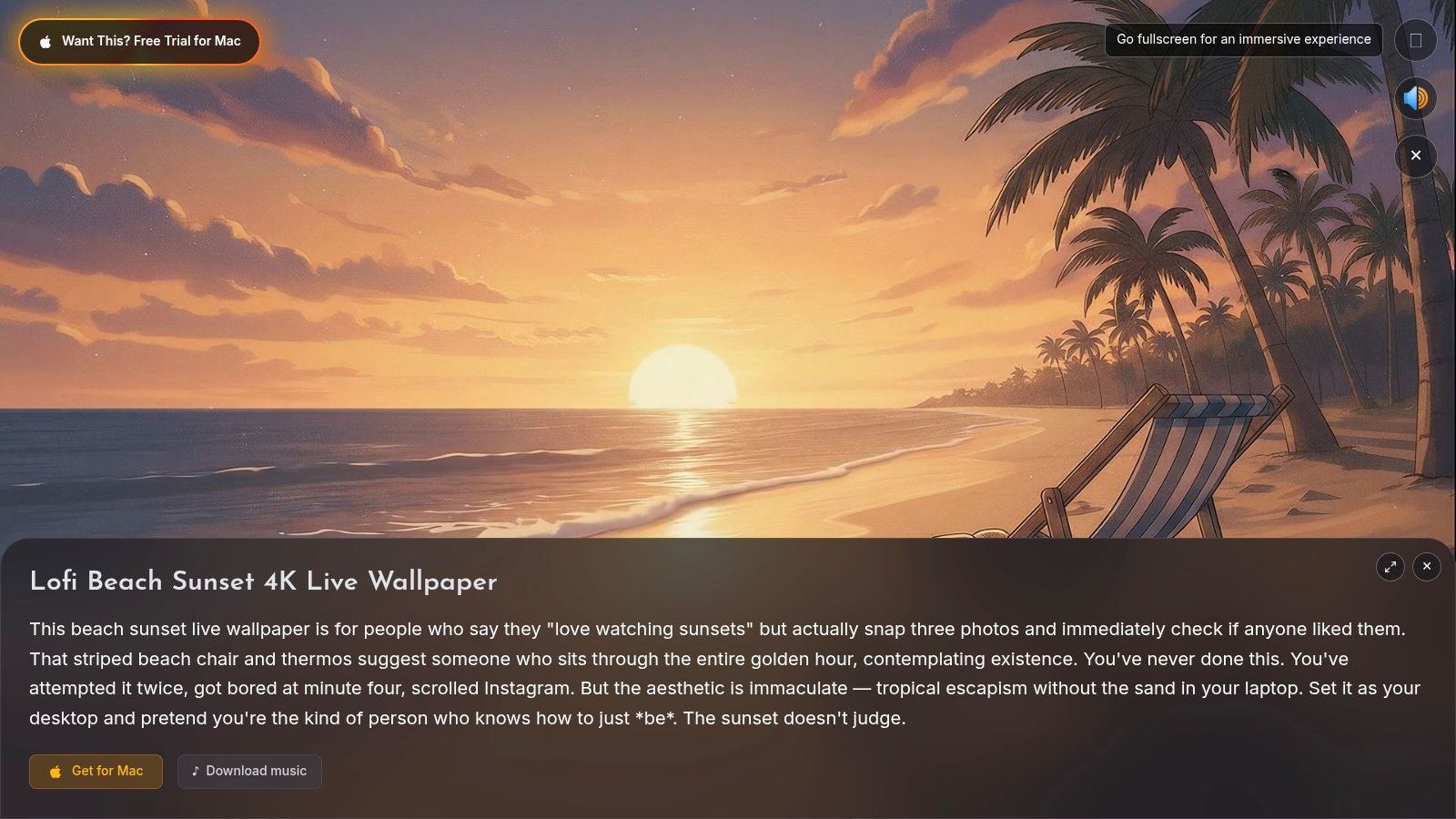
This is the one to recommend first if you like the idea of golden hour but don't want your Mac to become aggressively pastoral.
2. Alpine Glow Meadow
Some people want skylines. Some people want one perfect meadow and a distant mountain catching the day's last light like the universe briefly remembered how to art direct itself. Alpine Glow Meadow is for the second group.
The foreground stays gentle. Flowers move, grass shifts, and the light on the peaks does the heavy lifting. That makes it a very forgiving desktop wallpaper. Your icons still read cleanly, but the scene never feels dead.
Where it beats city scenes
This one creates space. City wallpapers tend to add visual texture across the whole frame. Meadow wallpapers put detail in layers, which makes your screen feel calmer even when the scene itself has a lot going on.
If you're already the kind of person who keeps a mug, a notebook, and exactly one plant on your desk because chaos is for other households, this fits. The best nature wallpapers don't try to impress you every second. They just sit there looking expensive.
A few practical notes from living with this kind of scene on a Mac:
- What works: Long, subtle loops. Nature looks fake fast when the wind resets too obviously.
- What doesn't: Heavy contrast or overcooked saturation. Golden hour is warm, not radioactive.
- What this gets right: The motion is distributed across the frame, so no single moving element steals focus all day.
The assigned image undersells it a bit, but it gives the vibe:
This is the easiest recommendation on the list for people who want calm first and spectacle second. Also for anyone who has ever looked up rural property listings "just to see."
3. Sunbeam Motes Library
This one is absurdly cozy. Sunbeam Motes Library takes golden hour indoors, which is smart because indoor golden hour often lands better on a desktop than another giant sunset does. A single beam of late-afternoon light cuts through a dark room full of books, and the dust motes drift through it with almost insulting elegance.
The reason it works is contrast. Warm highlight. Dark shelves. Very subtle motion. No fake drama, no unnecessary camera swing, no "look at me, I'm animated" energy. It just glows.
The underrated move of indoor golden hour
Most of the golden hour supply online is still static imagery. Sunterstock's results for "golden hour wallpaper" show tens of thousands of stock photos, which tells you the broad aesthetic is established and heavily supplied. The problem is exactly that — most of that supply is still photographs.
That's where a wallpaper like this gets interesting. It's not trying to beat the entire internet at "pretty sunset." It goes narrower. Late sunlight in a room. Warm beam, dark interior, tiny floating particles. Much better desktop behavior, and much harder to fake convincingly with a still image.
- Best for: Dark mode people, readers, coders, and anyone whose taste runs "old library but with decent Wi-Fi."
- Weak spot: If you like broad scenic vistas, this can feel too enclosed.
- Desktop behavior: Excellent. The darker edges keep folders and menu bar elements readable.
No audio here is the right call. This scene would be worse with added creaks or page turns. Silence is part of the appeal.
It's also one of the nicest options if you prefer a dark wallpaper mood but don't want something cold or moody in the gloomy teenager sense. This is warm darkness. Candlelit-adjacent. The visual equivalent of a heavy blanket and a lamp with good manners.
4. Coastal Highway Drive
The fantasy here is extremely specific. You are not working. You are not checking anything. You are in the passenger seat, the road is unwinding beside the ocean, and the sun is dropping into that honey-colored phase where every bad life choice briefly looks cinematic. Coastal Highway Drive leans into that hard.
Unlike the stiller scenes above, this one uses forward movement as the hook. That's risky on a desktop because motion can become annoying fast. Here, it mostly works because the pace stays smooth and the horizon remains stable. You feel movement, not turbulence.
When motion helps and when it gets obnoxious
What's missing from most golden hour content online is practical guidance on making the aesthetic work on an actual screen without turning muddy, blown out, or fake. Motion helps when it reinforces the light. It hurts when it's just there to prove the wallpaper is "live."
This wallpaper gets the hierarchy right. First the color. Then the horizon. Then the gentle movement through space. If you reversed that, you'd get a novelty loop you'd mute from your own eyeballs in a day.
The best moving wallpapers feel like a place continuing to exist, not an effect trying to impress you.
A few honest trade-offs:
- Works best on: Lock screens and screen savers, where the sense of travel feels immersive.
- Less ideal on: Very cluttered desktops, because the moving road line can compete with icon rows.
- Aesthetic payoff: High. It feels like a memory, which is exactly the sort of nonsense golden hour is good at.
The preview image captures the road-trip fiction nicely:
If your personal brand is "replying to messages five minutes later because I was busy being wistful," this one's for you.
5. Lofi Balcony Sunset
It is 10:47 p.m., your desktop is full of tabs you are pretending to finish, and the room would benefit from a little emotional set dressing. Lofi Balcony Sunset is built for exactly that version of Mac life. You get the familiar ingredients. Balcony railing, oversized sunset, soft purple-orange light, one very settled character, and a cat that clearly believes it owns the lease.
What makes this one work is restraint. A lot of animated lofi art overplays the cozy cues until the scene feels engineered. This loop stays lighter on its feet. The mug steams. The character blinks. The cat tail flicks. The sky shifts a little. On a Mac desktop, that matters, because tiny motions survive daily use better than big theatrical loops.
Stylized golden hour also solves a real screen problem. Photoreal sunsets can look incredible in a preview and then fall apart under menu bars, widgets, and icon stacks. This artwork keeps the warmth and contrast, but simplifies the shapes enough that the scene still reads cleanly once your desktop gets busy. That is the trade-off, of course. You lose some realism, and in return you get a wallpaper that behaves like wallpaper.
It also sells the gifPaper angle better than a static image can. This is not another stock JPG with orange grading slapped on top. It is a curated 4K live wallpaper loop, designed to sit comfortably on a Mac lock screen or desktop without feeling like a tiny animated short fighting for your attention.
- Best for: Study sessions, writing blocks, low-clutter desktops, evening setups.
- Less ideal for: Anyone who wants scenic photography instead of illustrated atmosphere.
- Why it holds up: The loop has small character moments, so it stays alive without turning into background noise with a spotlight.
The static preview still has charm:
Also, yes, the cat helps. Obviously the cat helps.
6. Desert Dunes at Dusk
This is the minimalist on the list, and thank God for that. Not every golden hour wallpaper needs clouds, traffic, birds, books, and emotional subtext. Desert Dunes at Dusk strips the idea down to sweeping sand, long shadows, and warm light sliding across clean shapes.
The appeal is mostly compositional. Dunes already look designed. Golden hour just makes the lines sharper and the shadows more dramatic. On a desktop, that translates into excellent readability and almost no visual clutter.
The case for less
Minimal wallpapers age well because your brain doesn't finish with them too quickly. A busy city loop can be exciting on day one and wallpaper wallpaper by day five. A sparse scene with slow shadow movement tends to hold up better.
This one is especially good if you want a golden hour wallpaper that doesn't scream "sunset fan." It sits closer to design object than postcard. Less scene, more light. That's the whole trick.
A few real-world notes:
- Strength: Icons remain legible almost anywhere.
- Weakness: If you want obvious animation, this may feel too restrained.
- Best placement: Desktop first, lock screen second. It behaves beautifully behind actual work.
The preview gives you the geometry:
This is the wallpaper equivalent of someone wearing a very simple coat that turns out to be absurdly well cut.
7. Liquid Gold Abstract
Maybe you don't want a place at all. Maybe you want the color story of golden hour without any literal sun, horizon, mountain, road, or suspiciously photogenic cat. Liquid Gold Abstract is the one for that.
It swaps scenery for flowing amber and gold forms that keep folding into each other. No recognizable objects. No narrative. Just warm motion and soft depth. That's useful because abstract wallpapers often last longer than representational ones. Your brain can't pin them down as easily, so they stay fresh.
Better as a screen object than a scene
This kind of loop works especially well for lock screens and screen savers. You don't need context. You need texture, color fidelity, and movement that feels endless rather than repetitive. Golden hour's warm palette translates beautifully to abstraction because the entire effect is already about transitions in light.
It also dodges one of the biggest wallpaper problems. Literal golden hour scenes can look fake if the color grading gets too syrupy. Abstract loops don't have that issue to the same degree because they aren't pretending to be a real place. They just need to look rich and smooth.
- Best for: People who want warmth without scenery.
- Weak spot: If you need a wallpaper to suggest a location or a mood narrative, this won't scratch that itch.
- Standout use: Screen saver. It looks especially good when your Mac is idle and doing nothing useful, like the rest of us after lunch.
The preview is appropriately weird:
This is also the safest recommendation if you share your screen often and don't want coworkers asking why your desktop appears to be an emotionally charged desert highway.
Golden Hour Wallpaper: 7-Scene Comparison
A good golden hour wallpaper is less about the color orange and more about how the loop behaves after a week on your desktop. Some scenes stay relaxing. Some start to feel busy. For a Mac setup, especially one using actual 4K live wallpapers from the gifPaper gallery rather than static stock images, loop quality and visual fatigue matter as much as the scene itself.
Here's the practical side-by-side view.
| Wallpaper | Implementation complexity | Resource requirements | Expected outcomes | Ideal use cases | Key advantages |
|---|---|---|---|---|---|
| Tokyo Rooftop Sunset | Moderate, 4K video with dynamic lighting and audio | High, 4K file, audio track, moderate GPU for smooth playback | Polished urban ambiance, calm dusk energy | Evening setups, streaming backgrounds, desk displays | Cinematic look, dynamic lighting, calming, smooth loop |
| Alpine Glow Meadow | High, location-shot 6K downsampled, long natural loop | Very high, large source files, stereo ambient audio, storage-heavy | Serene, expansive nature escape, restorative calm | Large Retina displays, relaxation breaks, immersive desktops | Photorealistic nature, sense of scale, high fidelity visuals |
| Sunbeam Motes Library | Low, macro detail, very subtle loop, silent | Low, small file, no audio, minimal CPU impact | Cozy, intimate, low-distraction warmth | Reading, writing, low-light work, focused relaxation | Maximum coziness, elegant subtlety, dark aesthetic |
| Coastal Highway Drive | Moderate, first-person film footage, optional audio | Moderate, video plus optional engine/audio, smooth looping | Escapist, nostalgic road-trip mood, immersive perspective | Lock screens, creative breaks, out-of-office vibe | Immersive POV, vintage film texture, dynamic interest |
| Lofi Balcony Sunset | Low, hand-drawn animation with small animated elements | Low, lightweight animation, minimal CPU and storage | Calm, focused lofi atmosphere, nostalgic comfort | Studying, working, background ambience | Classic lofi aesthetic, subtle animations, focus-promoting |
| Desert Dunes at Dusk | Low, ultra-minimal composition with slow shadow motion | Low, high-res stills with tiny animation, silent | Meditative, uncluttered, icon-friendly desktop | Professional desktops, minimal setups, concentration | Extremely clean, unobtrusive, refined visual simplicity |
| Liquid Gold Abstract | Medium, procedural abstract animation | Medium, GPU for real-time generation or pre-rendered files | Mesmerizing, non-repetitive ambient vibe | Screensavers, lock screens, ambient displays | Endlessly engaging, pattern-resistant, futuristic-organic |
The trade-off is simple. Scenic wallpapers usually win on mood. Abstract and low-motion ones usually win on longevity.
Tokyo Rooftop Sunset is the show-off pick. It looks great on a lock screen, especially if you want city light, motion, and a little atmosphere without turning your desktop into visual noise. Alpine Glow Meadow is the opposite kind of flex. Bigger, calmer, and better if your display has room to show depth.
Sunbeam Motes Library and Desert Dunes at Dusk are the easiest to live with all day. They don't fight your app windows. That matters more than people expect.
Coastal Highway Drive and Lofi Balcony Sunset sit in the middle. Both add personality, but in different ways. Coastal Highway feels more cinematic and directional. Lofi Balcony is gentler and easier to keep around during work hours. Liquid Gold Abstract is the wildcard. It avoids the "fake travel postcard" problem entirely and works especially well if you want golden hour color without committing to a literal place.
How to Get These Wallpapers on Your Mac
Reading about a good golden hour wallpaper is one thing. Having your Mac wake up to one is much better.
Apple doesn't make this especially straightforward. You can't just toss a random video into wallpaper settings and get a proper lock screen, desktop, and screen saver setup that feels native. That's why I built gifPaper for Mac. It uses Apple's native Aerial wallpaper format, which is the same system Apple uses for its own video wallpapers, not a fake overlay sitting awkwardly on top of your desktop like a raccoon in a trench coat.
That matters in daily use. You set the wallpaper once, and your lock screen and desktop stay in sync. On the desktop, you can keep a beautiful still frame by default or toggle full animation. On the lock screen, the live wallpaper behavior feels like it belongs there because it does. No weird hacks, no pretending.
The app includes all the wallpapers above, plus a curated gallery of 150+ smoothly looping 4K live wallpapers with ambient music across categories like neon, nature, space, fireplace, purple, and lofi. There's a 7-day free trial with no credit card required. If you keep it, it's a one-time $4.99 purchase, not a subscription waiting in the tall grass. There's also a 30-day money-back guarantee. It requires macOS 26 or later, and it's a direct download because Apple's App Store sandboxing gets in the way of live lock screen wallpapers. The app is notarized by Apple.
You're going to look at your Mac for hours anyway. It might as well get the good light.
If you want your lock screen to look a little less "factory settings" and a little more "someone in this house has taste," start with gifPaper. Browse the gallery on the site, pick a favorite, then use the Mac app to set it properly on your lock screen, desktop, and screen saver. It's a very specific product for a very specific kind of person. Happily, that person probably owns a Mac and likes sunsets.