Wallpaper Engine for Mac: Does It Work? (Plus What Actually Does)
No. Wallpaper Engine doesn't work on Mac.
If you just switched from Windows, you know the feeling. You had your setup dialed in — the perfect animated wallpaper, probably some synthwave cityscape or cozy rain scene — and now your shiny new MacBook is showing you drone footage of Hawaii. It's pretty. It's just... not yours.
The good news: what you actually want exists on Mac. Just not from Wallpaper Engine.
Why Wallpaper Engine Doesn't Work on Mac
Wallpaper Engine is Windows-only. Always has been. The developers have been asked about Mac support approximately ten thousand times, and the answer has been consistent: not happening.
From their official FAQ:
"Wallpaper Engine is currently available for Windows and Android and there are no immediate plans to support other platforms at this time."
They explain it's "not economically viable" — less than 1% of Steam users are on Mac, and porting the app would mean rebuilding it from scratch. Fair enough. But that doesn't help you, so let's move on to what does.
What You Actually Want
Let's be honest about what you're really looking for. It's not "Wallpaper Engine" specifically — it's what Wallpaper Engine does:
- Live/dynamic wallpapers that actually move — not Apple's "Dynamic" wallpapers, which are just photos that shift throughout the day (misleading naming, Apple)
- Animated backgrounds that loop seamlessly, no awkward jumps
- Lock screen support — video on the first thing you see when you wake your Mac
- Doesn't murder your battery in the process
- Decent selection included — not just "bring your own video and figure it out"
Apple's built-in options don't give you this. Their Aerial wallpapers (the drone footage) are actual video, but you can't add your own. You're limited to their curated selection of landscapes and cityscapes.
The Alternatives
A handful of apps promise live wallpapers on Mac. Most use video overlay tricks — a window floating behind your desktop icons, pretending to be a wallpaper.
They work, sort of. Common issues:
- Wallpaper goes black when you quit the app
- Lock screen support is buggy or doesn't exist
- Setup requires multiple steps through System Settings
- Loops have visible jumps — you see the moment it restarts
- Battery drain because it's a video player running constantly
If you've tried one and felt underwhelmed, there's a better way.
Why I Built gifPaper
I switched to Mac a few years ago and wanted exactly this — video wallpapers on my lock screen. Tried the existing apps. None of them worked well. Lock screen was broken or nonexistent. Everything felt like a hack.
So I reverse-engineered Apple's own Aerial format — the same system Apple uses for their drone footage wallpapers — and built gifPaper.
Your Mac treats gifPaper wallpapers as first-party Apple wallpapers. Not a floating window. Not a hack. Native.
What that means:
- Lock screen: Your wallpaper plays when you wake your Mac, then gently slows to a stop as you unlock. Like a movie settling into the opening frame. Except the movie is your desktop and the plot is "you checking your email."
- Desktop: Behind all your windows (static by default for battery, animated mode optional)
- Screen saver: Same wallpapers, when your Mac goes idle
- No black screens: Quit the app, wallpaper stays. It's written to the system.
- One click: Pick a wallpaper, click, done. No multi-step setup.
150 wallpapers. Each one loops seamlessly — the kind of loops that make you forget you're staring at an 8-second video on repeat. Which, to be fair, you are. But in a good way.
150 Ways to Procrastinate on Your Actual Desktop
All 4K. All seamlessly looping. A few highlights for the Wallpaper Engine crowd:
Neon & Synthwave
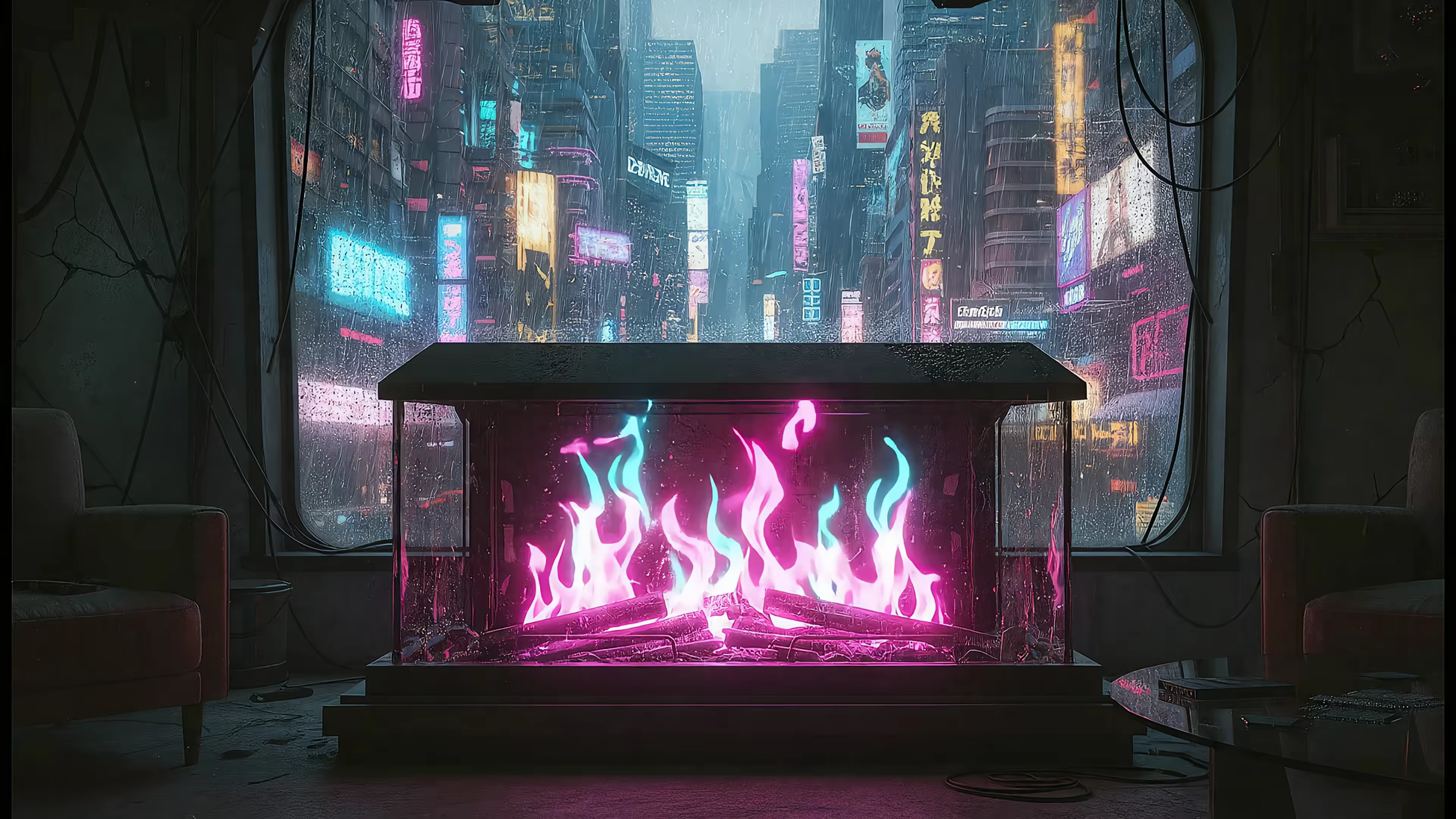
Purple grids stretching toward infinity. Rain-slicked alleys glowing with signs you can't read. The aesthetic that lived in every teenager's notebook margins in 1987, finally old enough to drink and move onto your lock screen.
Fireplaces
Cozy cabin. Victorian gothic. Art deco with more gold than a pharaoh's tomb. Cyberpunk with neon flames that definitely violate some fire code. All crackling. All looping. None requiring you to own an actual fireplace or know what a flue is.
Space & Dark
Black holes doing black hole things. Nebulae in colors that don't exist in nature but absolutely exist on your lock screen. Lighthouses being dramatic in storms. For people who've accepted that their aesthetic is "ominous."
Lofi & Cozy
Rainy windows. Train rides through places you'll visit someday (or won't, but can pretend). Study desks belonging to someone with habits you aspire to. The whole starter pack, minus the royalty-free hip-hop.
FAQ
Does Wallpaper Engine work on Mac?
No. Windows and Android only. The developers have said it's not economically viable to port it, and there are no plans to change that.
Can you get live wallpapers on Mac's lock screen?
Yes — but not with most apps. Apple doesn't provide a public way to do this. gifPaper is the only app that uses Apple's native Aerial format, which is why it works at the system level. Your lock screen shows the animated wallpaper when you wake your Mac, then slows as you unlock. It's the little details that make your Mac feel like it actually belongs to you.
Do live wallpapers drain Mac battery?
With gifPaper: - Lock screen and screen saver: Zero impact — they only animate when your Mac is locked or idle - Desktop: Static frame by default (no battery impact). Animated mode is optional.
Does gifPaper work on my Mac?
Requires macOS 26 (Tahoe) or later. Check your version: → About This Mac.
Can I add my own videos?
Not yet — you're choosing from the curated collection for now. Adding your own videos is coming soon.
Try It Free
Free 7-day trial. All features, all 150 wallpapers, no credit card.
Then $5 once — not monthly, not yearly, once — if you want to keep it.
The hardest part is choosing which wallpaper.