7 Ways to Get a Beautiful View on Your Mac in 2026
Your Mac is probably showing you a wallpaper you never picked. Some polite sand dune. Some default hill. Some heroic blob of color chosen by a committee that has never seen your desk, your mood, or the exact flavor of existential fatigue that arrives around the third calendar invite of the afternoon.
That's a shame, because a beautiful view can do more than fill dead pixels. Research on scenic beauty has spent decades trying to model what people reliably find attractive in a view, including a Forest Service study that built a regression model from visible natural features rather than pure vibes alone, even if that early model had limited explanatory power and wasn't statistically significant (Forest Service scenic beauty estimation paper). More recent psychology work found that people consistently rate natural scenes and night-time skylines as more beautiful, and in a replicated study, more beautiful experiences were linked with more positive valence and lower arousal, which is a nice scientific way of saying "calmer and nicer to live with" (everyday beauty research).
So yes, your wallpaper matters more than the average productivity goblin would like to admit. Visual quality changes how a screen feels.
Here are seven good ways to get a beautiful view on your Mac, depending on whether you want smooth video loops, time-shifting stills, or a DIY setup held together by taste and mild stubbornness.
1. Nature Live Wallpapers for Mac with gifPaper
If what you want is an actual moving view, not a slideshow pretending to be one, this is the one I'd put first.
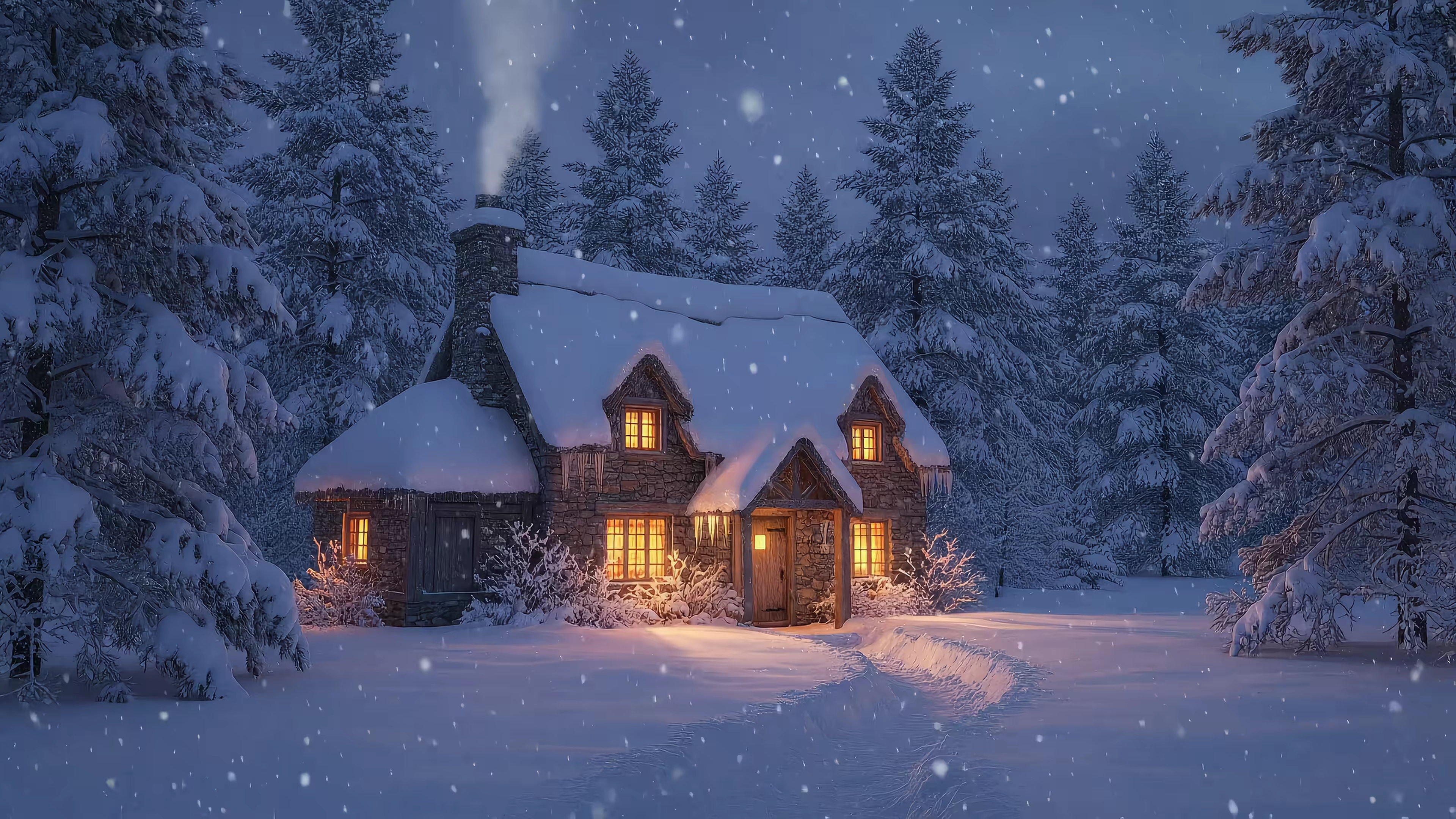
gifPaper's nature wallpaper collection is built around smoothly looping 4K scenes for Mac. Think misty mountains, waterfalls, auroras, snowy cabins, coastlines, and the sort of moody weather that makes your laptop look like it has inner life. Many scenes include ambient audio, which is either charming or a direct threat to your ability to leave your desk, depending on the scene.
Why it works better than most live wallpaper setups
The main difference isn't just that the scenes move. It's that they're curated for desktop use. A beautiful view on a phone can get away with chaos because you look at it for five seconds. A beautiful view on a Mac has to survive hours of tabs, Finder windows, and your own repeated presence.
That means loop quality matters. Compression matters. Motion speed matters. A clip can be gorgeous in isolation and still be terrible as a desktop if it jerks at the loop point or screams for attention every time you try to name a file.
Practical rule: For desktop wallpaper, subtle motion beats dramatic motion almost every time.
gifPaper also takes the most annoying part of the process and removes it. The app sets the same wallpaper across lock screen and desktop in one action, using Apple's native Aerial wallpaper format rather than a janky overlay. That's the detail normal people never ask about, but it's exactly the detail that stops a setup from feeling cheap.
The trade-offs
This is a Mac-only answer, and it requires macOS 26 or later. Also, moving 4K wallpapers can use more system resources than a static image, especially on older machines. If your Mac is ancient and sounds like a small aircraft when Safari opens three tabs, keep that in mind.
The app side is refreshingly un-theatrical. There's a 7-day free trial, no credit card required, and then it's a $4.99 one-time purchase with a 30-day money-back guarantee. Not a subscription. A normal human transaction. A rare and beautiful sight.
Broader visual-content markets keep growing, including projections for the photo sharing market to rise from USD 5,299.9 million in 2026 to USD 9,032.0 million by 2036 at a 5.5% CAGR, which suggests polished visual content isn't a tiny niche hobby anymore (photo sharing market projection). That lines up with how people treat their screens now. They want something curated, premium-looking, and calm enough to live with.
If you want the shortest version, it's this: gifPaper is for people who want a beautiful view that feels intentional, not like they lost a bet with the default wallpaper folder.
2. 24 Hour Wallpaper from Jetson Creative
Some people don't want motion. They want time.
24 Hour Wallpaper from Jetson Creative takes the Dynamic Desktop route. Instead of full-motion video, it gives you professionally shot scenic sets that shift with the time of day and sun position. Morning light becomes afternoon light becomes evening glow, and your desktop keeps up without trying to become cinema.
That approach has a real advantage. It feels native because it is native. You get a beautiful view that changes as the day changes, but your Mac stays visually calm.
Best for the person who hates fuss
This is the option for someone who wants high-end scenery with almost no tinkering. Install a set, let macOS do its thing, and enjoy the illusion that your computer has a better life than you do.
The scene quality is very consistent, which matters more than people think. Time-based wallpaper sets fall apart fast when the color grading jumps or the sequence feels stitched together by an overcaffeinated intern.
A few trade-offs come with the polish:
- Great for still-image purists: You get changing light and mood without the resource demands of constant video playback.
- Less immersive than video: No ambient motion, no weather movement, no fireplace crackle, no train-window rain crawling down the glass like it has unresolved feelings.
- Can eat storage: If you install a lot of large sets, local cache can get chunky.
A beautiful view doesn't always need to move. Sometimes it just needs to age gracefully from morning to night.
If your taste runs toward scenic photography and you want your desktop to stay elegant, this is one of the most sensible picks on the list.
3. Magic Window and Magic Window 4K
Magic Window sits in the middle ground between stills and full live wallpaper systems. It uses scenic timelapse-style loops and screensavers, so you get motion, but it's a stylized kind of motion. More slow drift, changing skies, and cinematic pacing. Less "this is just a video scene running behind your desktop."
That middle ground works well on Mac. A beautiful view often looks better when the movement is restrained.
Where it shines
Magic Window is good at delivering the "window to somewhere else" feeling without overwhelming your workspace. The 4K version is made for newer Retina Macs, while the classic build is friendlier to older hardware. That kind of hardware guidance is underrated. It saves people from installing the wrong thing and then blaming the moon.
If you've never used moving wallpapers on macOS before, it also helps to understand the setup differences between native dynamic wallpapers, video wallpaper tools, and screen savers. This quick guide on how to get live wallpapers on Mac is useful before you start stacking apps like a digital raccoon.
Where it doesn't
The timelapse look is the whole point, and also the limitation. If you want a scene to feel alive in a natural, continuous way, timelapse can feel a little too stylized. Clouds move like they've had too much espresso. City lights flicker with theatrical intent. Some people love that. Some people want quieter realism.
A few practical notes:
- Good for screensaver people: It works nicely when you care as much about idle-time visuals as the desktop itself.
- Not true real-time ambience: It's a crafted scenic effect, not the same thing as an uninterrupted cinematic loop.
- Paid, not free: You're buying a polished app, not scavenging footage from the internet with a butterfly net.
If your ideal a beautiful view is "tasteful timelapse postcard for grown-ups," Magic Window makes sense.
4. Aerial
Aerial is the tinkerer's answer. It's open-source, highly customizable, and built around Apple TV's cinematic flyover videos. Mountains, oceans, cities, coastlines, all the big-screen serenity Apple has spent years perfecting.
This one appeals to a very specific type of Mac user. You know the type. Loves settings panels. Enjoys reading GitHub issues voluntarily. Thinks "companion app" sounds relaxing.
Why people like it
The footage itself is excellent. Apple's Aerial videos are famous for a reason. They're polished, atmospheric, and made to feel expensive. If your goal is a beautiful view with zero visual clutter and maximum floating-over-Earth energy, Aerial delivers.
There's also freedom here. You can choose scenes by region, tweak playback behavior, and adjust performance settings far beyond what simpler wallpaper apps usually allow.
Worth knowing: Free tools often ask for more patience than paid ones. That's not a flaw. That's the business model.
The cost of free
The price is free. The actual cost is fiddling.
Video downloads can take up meaningful disk space, and on some setups people report occasional stutter or freezes. That's the tax you sometimes pay for open-source flexibility. You get power and range, but not always the cleanest one-click experience.
This option makes most sense if you enjoy the process as much as the result. If you want to spend an evening customizing overlays and scene categories, excellent. If you want "install, click, done," you'll probably get annoyed and start muttering at your monitor.
Still, for a free route to cinematic views on Mac, Aerial is hard to ignore.
5. Dynamic Wallpaper Club
Dynamic Wallpaper Club is the community-marketplace version of the Dynamic Desktop idea. You download or create HEIC-based wallpapers that shift over time inside macOS itself. No constant video playback, no separate motion engine, just time-aware wallpapers changing natively through the day.
This is the practical minimalist's choice. A beautiful view, but with the CPU left out of the drama.
Why it's useful
The biggest advantage is variety. Because it's community-driven, you get a wide range of scenes and styles, from natural vistas to moodier city images. It's also a good way to test what kind of "view" you want before committing to a paid wallpaper app.
That matters because people don't all mean the same thing when they search for a beautiful view. Some want a lake at sunrise. Some want a dark room with rain on the windows. Some want "I live in a tasteful observatory now."
Interest around calming, aesthetic, and nature wallpaper has stayed durable, and there's a real gap between generic pretty images and visuals that stay comfortable over long screen sessions. That's one reason collections built around atmosphere, like winter wallpaper, keep making sense.
The catch
Community quality varies. Some sets are lovely. Some are just fine. Some look like they were assembled in a noble hurry.
You also give up motion entirely. If your idea of a beautiful view includes swaying trees, drifting fog, or water that behaves like actual water, this won't scratch that itch.
A few good uses for it:
- Try before you commit: Great for figuring out whether time-shifting stills are enough for you.
- Stick with native behavior: Easy if you like using macOS wallpaper settings and don't want another utility doing acrobatics in the background.
- Accept uneven curation: You may need to sort through more average stuff to find the gems.
For free and native-feeling, it's a good option. Just don't expect every download to look like it belongs in a design studio.
6. Motion Places
Motion Places isn't a wallpaper app at all. It's a curated footage library. That sounds less convenient, because it is, but it opens a different path: pick cinematic clips of real locations, then use your preferred wallpaper utility to loop them.
This route is for the person who wants a beautiful view with sharper control over the source material. You're not buying a wallpaper experience so much as sourcing ingredients.
Why this route can look fantastic
Curation matters. A random stock footage site gives you everything, including things no desktop should endure. Motion Places leans more cinematic and travel-oriented, which means the clips generally feel like they belong on a large display.
That's useful because image and video quality have become more visible, not less. Forecasts in adjacent photographic services and imaging markets point to continued spending on visual quality and presentation, including projections from Precedence Research that the photographic services market will grow from USD 40.27 billion in 2026 to about USD 66.8 billion by 2035 at a 5.81% CAGR (photographic services market projection). Translation: people still care what images look like, and low-grade wallpaper really does look cheap on modern displays.
Why it's not for everyone
You have to supply the wallpaper mechanism yourself. That means more setup, more file handling, and more opportunities to discover that your chosen clip loops badly because a boat wandered into frame halfway through your perfect alpine scene.
Licensing is also part of the equation. This is footage-first, not endless free downloading for whatever mood strikes at 11:40 p.m.
Use Motion Places if you care enough to build your own setup and want better raw material than the average stock-video rummage bin.
7. Pexels Videos
Pexels nature videos are the free buffet. Mountains, oceans, sunsets, forests, drone shots, slow pans, moody weather, all available in large quantities and at very little friction. If your first priority is "show me options immediately," this is the obvious stop.
The upside is abundance. The downside is also abundance.
Best for people with patience and taste
You can absolutely build a good-looking Mac setup from Pexels clips. But you're doing the curation work yourself, and that means sorting through footage that ranges from excellent to "technically a tree is visible."
That's the deal with massive free libraries. You get range, but not strong point of view.
If your taste leans toward coastlines and calmer motion, it helps to browse a more focused collection once you know the mood you want. A dedicated ocean wallpaper collection is a nice contrast to the scavenger-hunt method because the scenes are already selected for desktop use instead of general stock-video usefulness.
Some footage is beautiful in a browser preview and exhausting as a desktop. Test for ten minutes, not ten seconds.
The realistic verdict
Pexels is ideal if you enjoy hunting for hidden gems and don't mind pairing the clips with another wallpaper tool. It's less ideal if you want consistent quality, loop-friendly footage, or a setup that doesn't involve downloading six files to discover that five of them have awkward endings.
For free DIY, though, it's hard to beat. You just have to bring your own standards.
Top 7 Beautiful-View Wallpaper Comparison
| Product | Implementation complexity | Resource requirements | Expected outcomes | Ideal use cases | Key advantages |
|---|---|---|---|---|---|
| Nature Live Wallpapers for Mac (gifPaper) | Very easy, one‑click preview and apply from gallery | macOS (Retina recommended); moderate CPU/GPU and battery for 4K video | Seamless looping 4K video wallpapers with optional ambient audio | Users who want instant, high‑res moving nature backgrounds with audio | True 4K video, curated scenes, one‑time $5 purchase, 7‑day trial |
| 24 Hour Wallpaper (Jetson Creative) | Easy, native app with straightforward Dynamic Desktop integration | macOS; supports multi‑monitor and up to 6K, can use significant disk for many sets | Time‑matched 24‑hour still sequences (no full‑motion) that change with time of day | Users wanting high‑quality time‑of‑day transitions without video | Professionally remastered imagery, per‑display control, ongoing updates |
| Magic Window / Magic Window 4K (Jetson) | Easy, install app and select 4K or classic build | macOS; optimized builds for newer or older hardware; low overhead | Smooth, looped slow‑motion timelapse wallpapers and screensavers | Users preferring cinematic timelapses tuned specifically for desktop | Purpose‑built smooth loops, clear hardware guidance, runs as screensaver |
| Aerial (open‑source) | Moderate, install and configure open‑source app with options | macOS; 4K/HDR capable, large video downloads and potential stutter on some setups | Full‑motion Apple TV Aerial videos as wallpapers with overlays and HDR | Users wanting free, customizable cinematic full‑motion wallpapers | Free and open source, large catalog, HDR and customization options |
| Dynamic Wallpaper Club | Very easy, download HEIC files and use native Dynamic Desktop | macOS Dynamic Desktop support; low CPU/GPU impact (time‑shifted stills) | Time‑of‑day HEIC wallpapers (no motion or audio) that shift natively | Users who prefer native macOS Dynamic Desktop behavior without video | Large free library, creator tool, native macOS compatibility |
| Motion Places | Moderate, download clips and use a player or wallpaper utility (not an app) | 4K cinematic footage; per‑clip or site license; significant disk if storing many clips | High‑quality looped real‑world footage for wallpapers or production use | Creators or users needing premium, location‑specific window views | Curated cinematic quality and consistent aesthetics; clear licensing options |
| Pexels Videos | Moderate, download from site and apply via a wallpaper utility or player | 4K/HD files; variable quality; generally free license; disk space for downloads | Vast, free stock video clips usable as looped wallpapers or in projects | Users seeking a wide, no‑cost selection of footage for personal/commercial use | Huge free library, flexible license, easy MP4 downloads (often no account) |
So, What's the Right View for You?
The right answer depends on what kind of illusion you want your Mac to maintain.
If you want still images that evolve through the day and stay native to macOS, 24 Hour Wallpaper and Dynamic Wallpaper Club make a lot of sense. They're good for people who like scenic photography, want low fuss, and don't need motion to feel atmosphere. If you want stylized movement without going full live-video wallpaper, Magic Window sits in that middle lane nicely.
If you like free tools and don't mind tinkering, Aerial is the obvious toy box. It gives you gorgeous cinematic footage and a lot of control, but it asks for patience in return. Motion Places and Pexels are more DIY still. They're footage sources, not finished wallpaper experiences, so they work best when you already know how you want to deploy the clips.
Many users looking for an attractive Mac display, rather than a time-consuming endeavor, find fluid video loops to be the sweet spot. A well-chosen moving scene does something stills often can't. It creates presence. Rain falls. Fire moves. Fog drifts. The screen stops feeling like a pinned image and starts feeling like a window.
That's also where curation becomes the whole game. The best desktop view usually isn't the most dramatic one. It's the one you can live with for hours. The one that still looks good behind app windows. The one that doesn't reveal a nasty loop point every few minutes and make you feel like you've hired a theatre crew to shake the scenery.
That's why I built gifPaper. I wanted a library of scenes that looked good on a Mac, looped cleanly, worked with the lock screen and desktop together, and didn't require subscriptions, hacks, or ritual sacrifice. You can browse categories like lofi wallpaper or moodier setups in the dark wallpaper collection, then use the Mac app if you want the full live-wallpaper version.
Your Mac is a thing you look at all day. It might as well pretend to be somewhere nicer.
If you want the easiest path to a beautiful view on your Mac, try gifPaper. It's a Mac app and wallpaper gallery built around smoothly looping 4K live wallpapers, with ambient audio on many scenes, a 7-day free trial, and a $4.99 one-time purchase instead of a subscription. A tiny luxury, yes. Also a completely reasonable one.