The 7 Best MacBook Pro Wallpapers for a Ridiculously Pretty Screen in 2026
You spend hours staring at your MacBook Pro. It's where you work, create, procrastinate, and maybe eat the occasional sad desk lunch. Given the sheer amount of time that screen is on, shouldn't it be something better? Something more than the default abstract swoosh or that vacation photo from six years ago?
Yes. The answer is yes. A great wallpaper won't file your expense reports for you, but it can make the whole experience of using your Mac far more pleasant. This isn't about productivity hacks. This is about making your digital space a place you actually want to be. You're going to look at your Mac for hours anyway. Might as well make it pretty.
I've curated a list of the absolute best MacBook Pro wallpapers and where to find them. This guide covers everything from seamlessly looping 4K video scenes that turn your lock screen into a movie to pixel-perfect static art that respects your Retina display. To truly make your Mac's screen pop, understanding what makes a good display is crucial, including different display resolutions.
This is your direct path to a better-looking desktop. Find something that makes you smile every time you wake your Mac.
1. gifPaper
For Mac users who believe their desktop should be more than a static image, gifPaper offers a compelling, beautifully executed solution. It moves beyond the limitations of traditional wallpapers by bringing your MacBook Pro's desktop and lock screen to life with dynamic, looping scenes. This isn't about slapping a low-res GIF onto your background; gifPaper is built around high-fidelity, seamlessly looping 4K video. It's one of the best sources for MacBook Pro wallpapers that truly feel alive.
The platform excels at curation. Instead of an overwhelming library, the gifPaper website organizes its collection of 150+ wallpapers into distinct vibes. Whether you're aiming for a cozy winter afternoon with a digital fireplace, the electric buzz of a neon wallpaper collection, or the calm focus of a lofi wallpaper scene, there's a category for your mood. Finding the perfect scene is an act of discovery, not a chore.
Why It Stands Out: Beyond Just a Pretty Picture
What sets gifPaper apart is its deep integration with macOS. It's the first and only app that uses Apple's native Aerial wallpaper format to bring animated wallpapers to your lock screen—an area typically off-limits to other apps. Waking your Mac to a gently moving landscape is a small detail that makes the entire experience feel more polished and personal.
The technical execution is also a major strength. * Seamless 4K Loops: Each video is designed to loop perfectly, creating an endless, hypnotic scene without jarring cuts. They look crisp and vibrant on Retina displays. * Ambient Audio: Many wallpapers include high-quality ambient sound, from crackling fires to gentle rain. All the cozy, none of the smoke damage. * Native Performance: Because it uses Apple's own system (not a hacky overlay), it's incredibly efficient. The desktop shows a beautiful still frame by default to save power, with a toggle for full video animation.
How It Works: Simple and Accessible
Getting started is straightforward. You browse the gallery on the website, where every wallpaper is available for preview. Once you find a scene you like, you use the companion macOS app to set it. The app handles everything, applying the live wallpaper to both your desktop and lock screen simultaneously.
The app is a direct download because the Mac App Store's sandboxing rules prevent the kind of lock screen magic gifPaper performs. It's fully notarized by Apple, so it's completely safe.
Pricing and Availability
gifPaper's pricing is a refreshing departure from the subscription-heavy software market. * Free Trial: You can test the full application with all wallpapers and features for 7 days, no credit card required. * One-Time Purchase: After the trial, it's a single $4.99 purchase (launch price) to own the app forever. No recurring fees. * 30-Day Guarantee: If you don't love it, there's a 30-day money-back guarantee. * Availability: Requires macOS 26 (Tahoe) or later.
This transparent approach, combined with its high-quality library and unique lock screen function, makes gifPaper an exceptional choice for anyone looking to find the best MacBook Pro wallpapers and bring their screen to life.
2. Unsplash
For those who prioritize photographic excellence, Unsplash is an essential bookmark. It's less a niche wallpaper site and more a gargantuan, high-quality photography library with one of the best, most well-organized collections of free MacBook wallpapers online. This is the place for beautiful, Retina-ready images that look like they were shot by professional photographers—because they were.
The primary draw is the resolution. Many images on Unsplash far exceed standard 4K, making it an ideal source for users with large, high-density displays. An image that looks sharp on a 27-inch 5K screen will look absolutely pristine on a MacBook Pro's Liquid Retina XDR display.
Why Unsplash Stands Out
Unsplash's strength lies in its vast and diverse collection of real-world photography. From breathtaking landscapes to gritty urban cityscapes, the variety is immense. The platform's robust search makes it easy to drill down into specific moods, colors, or subjects.
Key Features: * Curated MacBook Hub: Unsplash maintains a dedicated MacBook wallpaper section, making it easy to find images specifically suited for your device. * Extreme High Resolution: A significant portion of the library is available in resolutions that will satisfy even the most pixel-dense displays. * Free for Personal Use: All photos published on Unsplash can be used for free for personal purposes, like a desktop wallpaper. * One-Click Downloads: No accounts, no hoops. Find an image you like and download it instantly.
While Unsplash is fantastic for static images, setting them is a manual process. If you want to understand the different ways to apply a new background, you can find a good overview on how to change the wallpaper on your Mac. Unsplash is perfect for finding that one perfect shot, especially if you prefer a static photo over a moving image.
3. Pexels
For a no-fuss, no-account-needed experience, Pexels is a formidable contender for the best MacBook Pro wallpapers. Similar to its peers, it's a massive library of user-submitted photos and videos. Where it shines for Mac users is its clean interface and powerful search filters that make finding a Retina-ready background surprisingly simple.
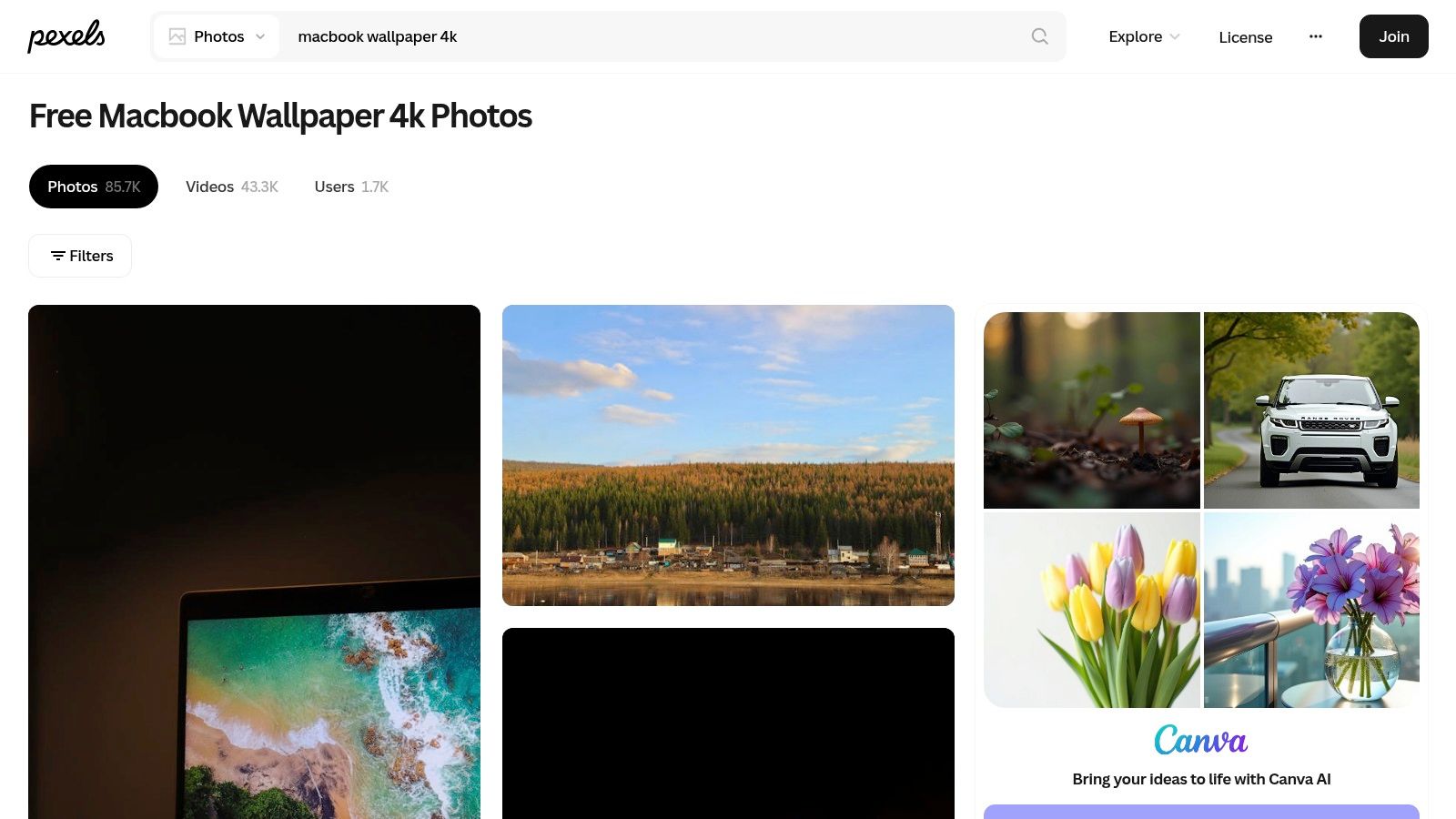
The quality on Pexels is consistently high, with a strong focus on professional-grade photography. While it serves a broader audience than just wallpaper seekers, its dedicated search collections for Mac and 4K wallpapers provide a curated starting point. You can find everything from vibrant abstract gradients to moody, cinematic cityscapes.
Why Pexels Stands Out
Pexels strikes a great balance between quality, variety, and ease of use. It doesn't require an account to download full-resolution files. Its search filters are particularly useful; you can filter by orientation (horizontal is key for desktops) and even by a specific color. If you're building a desktop theme around a certain hue, this tool is invaluable.
Key Features: * Targeted Search Collections: Pexels has pre-made search pages for "MacBook wallpaper 4K" that get you straight to relevant, high-quality options. * Generous Free License: All photos on Pexels are free to use for personal and commercial purposes with no attribution required. * Helpful Filtering Tools: Easily filter search results by orientation (horizontal, vertical, square) and dominant color. * Instant Downloads: Find a photo you love, choose your desired size, and download it instantly.
Because Pexels is a general stock photo site, some images are less "wallpaper-y" and more suited for blog posts. However, with a little searching, it offers a vast ocean of photographic art that can give your Mac a personal and professional look.
4. Wallhaven
For the user who wants absolute control, Wallhaven is a community-driven powerhouse. It's less a curated gallery and more a massive, searchable database of images. This is where you go when you know exactly what you want, from a specific resolution to a niche artistic style, and you're willing to do a little digging.
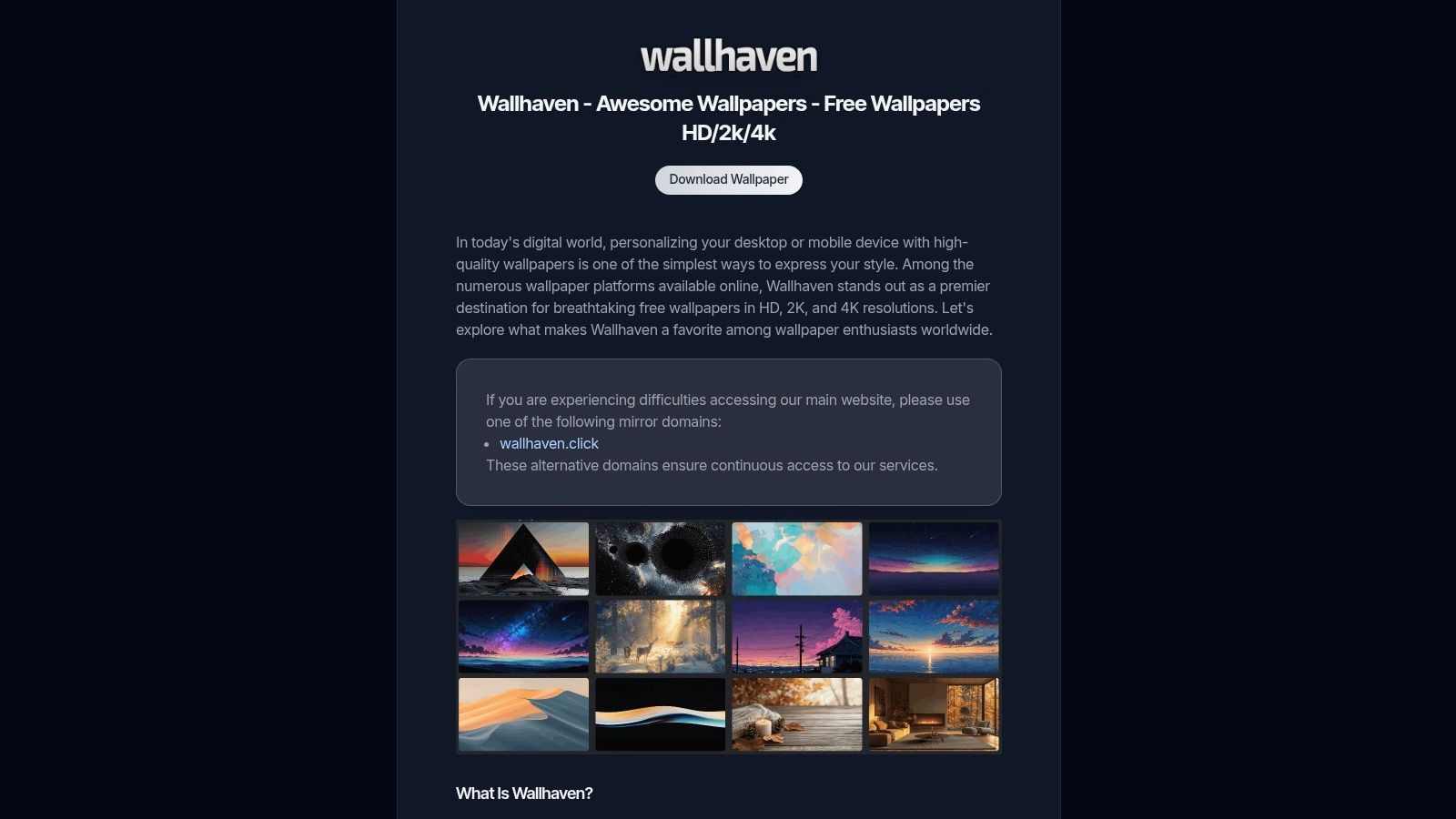
The defining feature is its powerful filtering system. You can get granular, specifying exact resolutions (like 3456x2234 for a 16-inch MacBook Pro), aspect ratios, and keywords. This precision is invaluable for finding the best MacBook Pro wallpapers that fit your screen perfectly, avoiding the blurriness or awkward cropping that can happen with incorrectly sized images. Its library is a mix of everything: stunning photography, intricate digital art, anime scenes, and minimalist designs.
Why Wallhaven Stands Out
While other sites prioritize a specific aesthetic, Wallhaven's strength is its sheer, unfiltered variety. The community aspect means there's a constant stream of new content, and the tagging system is extensive. If you're looking for something hyper-specific like "dystopian city night rain," you're more likely to find it here than on more curated sites. It's the ideal destination for power users who enjoy the thrill of the hunt.
Key Features: * Advanced Search & Filtering: Filter by exact resolution, aspect ratio, color, and tags. * Vast and Varied Library: A huge collection covering photography, digital art, abstract designs, and pop culture. * Community Curation: Users can create collections and favorite images, which helps surface popular content. * Completely Free: All wallpapers on Wallhaven are free to download and use for personal purposes without an account.
Because Wallhaven is community-driven, quality can be variable, and you may need to use the SFW (Safe for Work) filter. However, for those who want a wallpaper that precisely matches their MacBook Pro's native resolution, the powerful search tools make it an indispensable resource.
5. 512 Pixels – Every Default macOS Wallpaper (in 6K)
For the purist who appreciates Apple's design history, 512 Pixels is an invaluable archive. It's less a wallpaper source and more a digital museum dedicated to one noble cause: preserving every default macOS wallpaper and upgrading it for modern displays. This is where you go when you want a pixel-perfect, historically authentic background, whether you're nostalgic for Mac OS X Cheetah or just want the official Sonoma wallpaper in its highest quality.
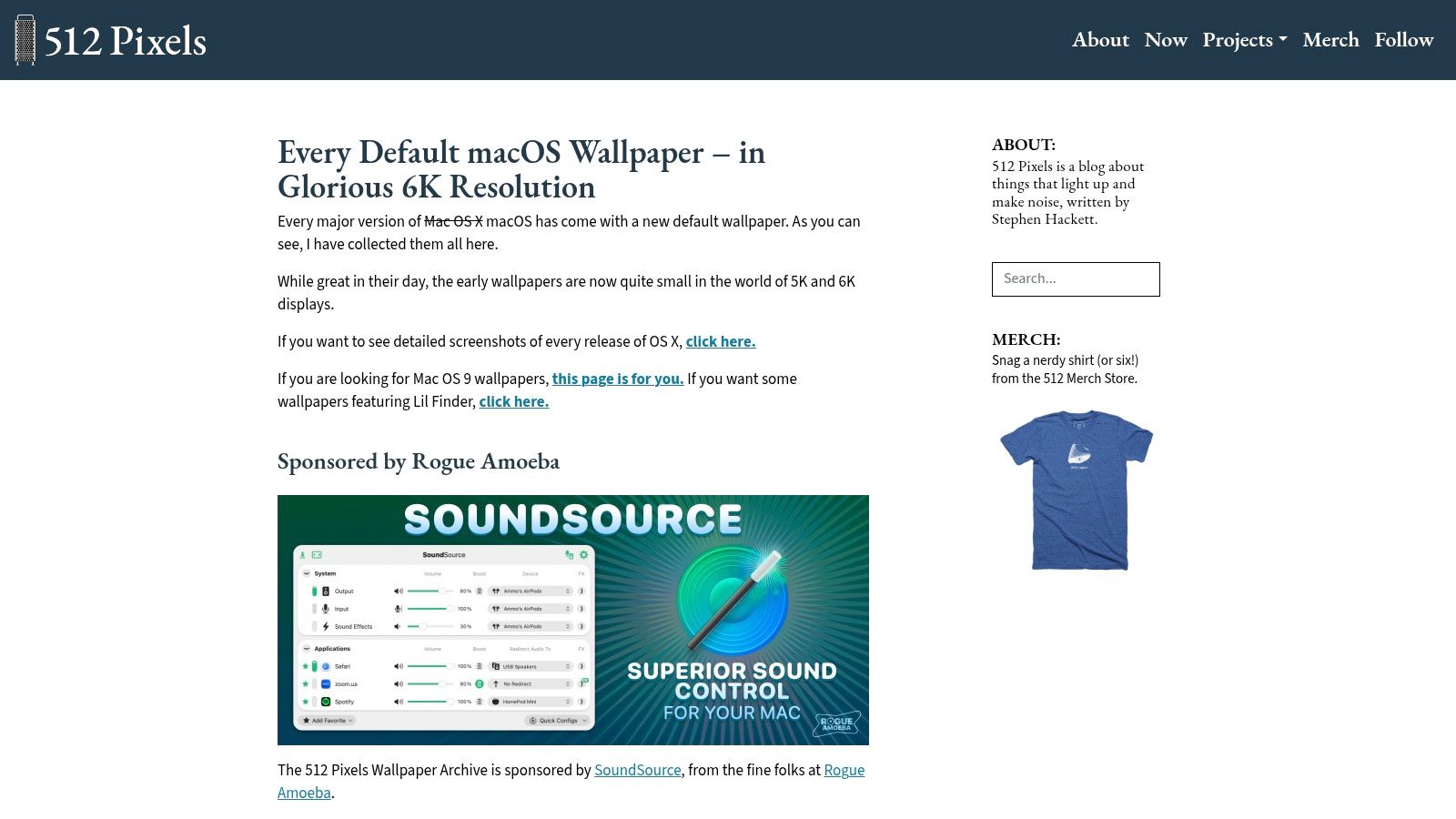
The primary appeal is authenticity combined with extreme resolution. Maintained by Stephen Hackett, the site offers meticulously recreated versions of Apple's official wallpapers, often upscaled to 5K or 6K. This ensures that even the earliest backgrounds from the 2000s look crisp on a modern Liquid Retina XDR display. It's a fantastic resource for anyone who wants one of the best MacBook Pro wallpapers without straying from Apple's own iconic aesthetic.
Why 512 Pixels Stands Out
While other platforms offer endless variety, 512 Pixels focuses on perfecting a niche: Apple's own desktop history. The collection spans from the first release of Mac OS X to the latest versions, including the popular light and dark mode variants. The experience is simple and direct, presented on a single index page that's a joy to scroll through.
Key Features: * Historical Archive: Hosts default wallpapers from every major macOS release, from Mac OS X 10.0 Cheetah to today. * Upgraded for Retina: Most images have been painstakingly recreated or upscaled to stunning 5K and 6K resolutions. * Light & Dark Variants: Where applicable, both the light and dark mode versions of a wallpaper are available. * Completely Free & Direct: No accounts, no fees. Just a clean, simple page with direct download links.
Because these are static images, it's a manual process to set them. If you're not sure about the optimal resolution for your screen, understanding the correct MacBook wallpaper size can help you choose the best file. 512 Pixels is the ideal choice for those who admire Apple's design legacy.
6. Dynamic Wallpaper Club
For users who want their desktop integrated with macOS, Dynamic Wallpaper Club is a unique destination. The site is dedicated to native macOS Dynamic Desktops—special HEIC files containing a sequence of images that change automatically throughout the day. This is the official Apple way of doing time-based wallpapers, offering one of the best MacBook Pro wallpaper experiences without needing a background app.
The core appeal is its "set it and forget it" nature. You can have a bright, sunny landscape in the morning and a serene, starry sky in the evening, all from the same wallpaper file. The transition happens seamlessly in the background, managed by macOS itself. This provides a fresh look without the potential performance hit of a running video, making it an excellent compromise between static and live wallpapers.
Why Dynamic Wallpaper Club Stands Out
This platform offers an experience built around a native macOS feature. Its strength lies in its community-driven gallery and the powerful, free-to-use creator tool. This tool lets anyone turn their own series of photos into a dynamic wallpaper, which has fostered a huge and varied collection. You can find everything from photorealistic cityscapes to imaginative fantasy scenes.
Key Features:
* Native Dynamic Wallpapers: Offers .heic files that use Apple's built-in Dynamic Desktop feature.
* Free Creator Tool: A web-based utility allows you to create your own dynamic wallpapers from a sequence of images.
* Community Gallery: A large, free collection of wallpapers created and shared by other Mac users.
* No Extra Software: Because it uses a native macOS feature, no third-party app is required.
The main trade-off is that the transitions are based on still frames, not a continuous video. The quality can also vary since it's a community-driven platform. If you want to learn more, explore this guide on how to use dynamic wallpapers on a Mac. For those who love a desktop that evolves with their day, Dynamic Wallpaper Club is a fantastic resource.
7. Basic Apple Guy
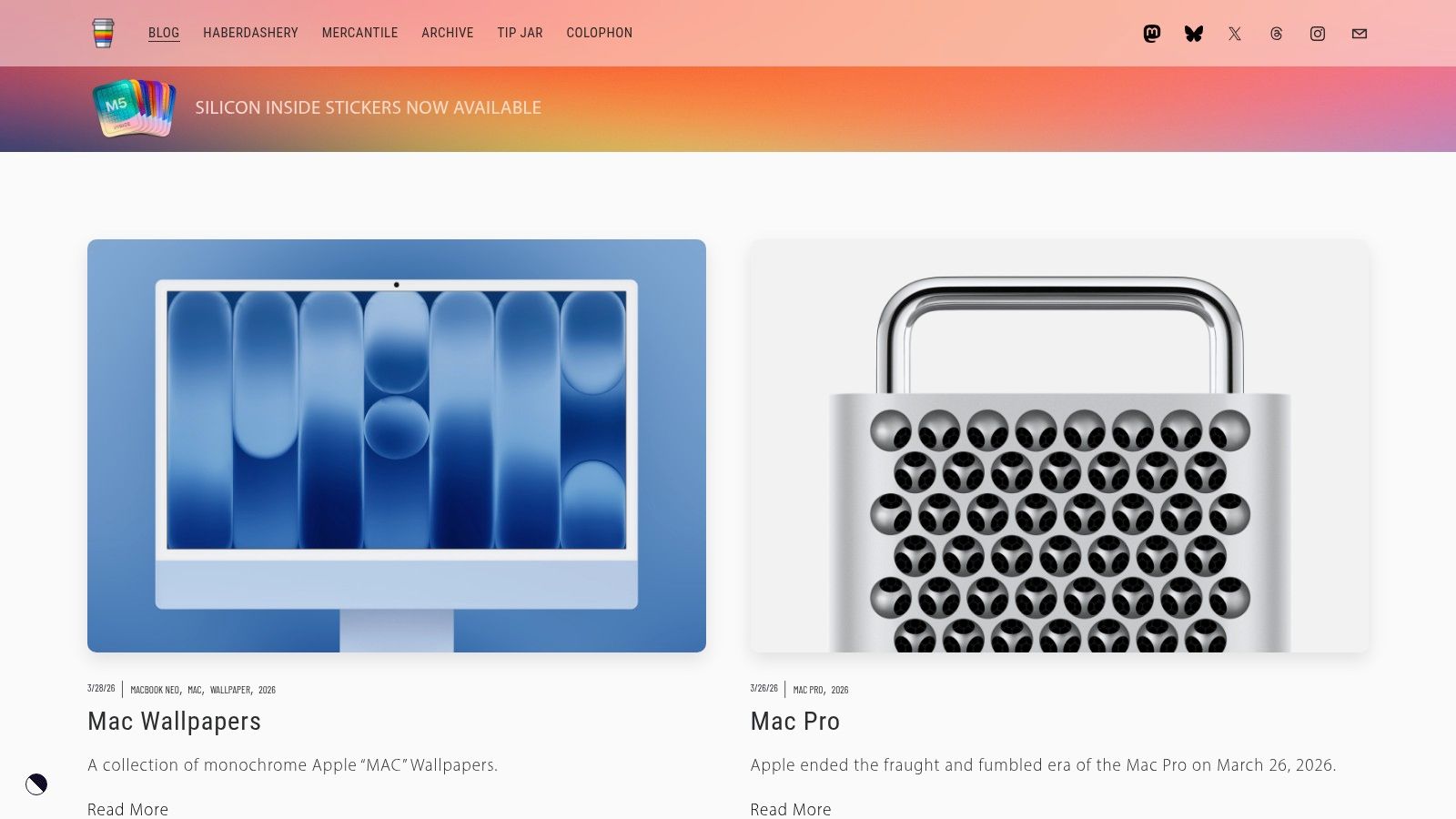
For the Mac user who believes a wallpaper should feel like an extension of macOS itself, Basic Apple Guy is the destination. This isn't a sprawling stock photo library; it's a curated gallery from a single designer obsessed with the Apple ecosystem. The result is a collection of high-concept, minimalist wallpapers that look as if they could have been designed in Cupertino.
The collection is deeply rooted in Apple's design history. You'll find beautifully rendered schematics of the M1 Ultra chip, abstract gradients inspired by macOS marketing materials, and typographic designs that feel perfectly at home on a Mac desktop. Everything is created with extreme attention to detail, specifically for Apple's high-resolution displays.
Why Basic Apple Guy Stands Out
While other platforms offer variety, Basic Apple Guy provides a focused, singular vision. Its strength is its consistency and deep understanding of the Apple aesthetic. Each wallpaper pack is thoughtfully designed to work as a set, often including matching versions for your MacBook, iPad, and iPhone. This allows for a unified look across all your devices.
A standout feature is the availability of select dynamic wallpapers. These special versions subtly shift their appearance throughout the day, aligning with macOS's light and dark modes. The files are delivered in pristine 6K resolution, ensuring they look incredibly sharp on a MacBook Pro's Liquid Retina XDR display.
Key Features: * Apple-Centric Designs: A unique collection of wallpapers inspired by Apple hardware, software, and marketing aesthetics. * Cohesive Wallpaper Sets: Many designs come in packs with matching versions for Mac, iPad, and iPhone. * Pristine 6K Resolution: All wallpapers are provided in 6K (6016x6016) resolution, perfect for Retina displays and beyond. * Select Dynamic Wallpapers: Offers a number of wallpapers that automatically change between light and dark versions. * Free and Premium Options: The majority of the wallpapers are free, with some more intricate sets available for purchase.
You can browse the full collection directly on the Basic Apple Guy website. It's the perfect source for a background that doesn't just sit on top of macOS but feels like a genuine part of it.
So, What's the Catch? (Spoiler: There Isn't One)
You've just navigated a grand tour of the best MacBook Pro wallpapers. Static backgrounds are fantastic. If you want a crisp, beautiful JPEG of a mountain or an abstract gradient, Unsplash and Pexels have you covered. You could spend weeks curating a folder of perfect images and never get bored.
But if you're still reading, maybe "static" isn't quite what you had in mind. Perhaps you're the kind of person who notices the subtle details. You appreciate the smooth animation when you unlock your iPhone, and you might have wondered why your expensive MacBook Pro can't do the same.
The tools covered here fall into a few clear camps:
- The Endless Archives (Unsplash, Pexels, Wallhaven): Incredible for high-resolution static images. Your only investment is time.
- The Apple Aficionados (512 Pixels, Basic Apple Guy): Perfect for those who love Apple's design history and want meticulously crafted custom designs.
- The Dynamic Duo (Dynamic Wallpaper Club): A great community source for wallpapers that change with the time of day, but they're still a sequence of static images.
- The Motion Specialist (gifPaper): The only tool on this list built from the ground up to bring seamless, looping 4K video to your Mac's lock screen, desktop, and screen saver using Apple's native technology.
Ultimately, the best MacBook Pro wallpaper is the one that makes you happy to look at your computer for the eighth hour in a row. It's about choosing a tool that aligns with what you value. If you prioritize endless free options and don't mind a static background, the stock photo sites are unbeatable. If you want a wallpaper that's a conversation starter, you turn to gifPaper for Mac. It's for the person who believes that if you're going to stare at a glowing rectangle all day, it might as well be a ridiculously pretty one.
There's no trick here. The choice is about what kind of experience you want. A beautiful, unchanging photograph? Or a quiet, looping world that makes your Mac feel less like a tool and more like a space you inhabit?
Ready to stop looking at a boring static image? Try gifPaper completely free for 7 days to see how a live wallpaper can make your lock screen and desktop come alive. If you like it, it's a simple one-time purchase—not another subscription to forget about.