
Computer Lock Screen Wallpapers: 150+ 4K Live & Static Visuals for Mac
You spend a third of your life staring at a computer. A good portion of that time starts with waking your Mac and being greeted by… what? A swirly purple abyss? A slightly blurry mountain? It's the visual equivalent of elevator music. Your computer lock screen is the first and last thing you see during a work session, but it's treated like a digital junk drawer.
It doesn't have to be this way. You can have a cozy fireplace, a rain-soaked neon street, or a cat judging you from a field of flowers. Finding good computer lock screen wallpapers isn't just about making things pretty; it's about making your screen a place you actually want to be. It sets a mood. It signals the end of a work day. It might even make you look like you have your life together, even if you're just answering emails in your pajamas.
This guide cuts through the noise to show you the best places to find wallpapers that don't suck, from living, breathing 4K videos to crisp, high-resolution photos that will make your Retina display finally earn its keep. Each option includes direct links so you can get right to upgrading your pixels.
1. gifPaper: For Live Lock Screens That Actually Work on a Mac
For Mac users who believe aesthetics aren't just a bonus but a necessity, gifPaper for Mac is a direct answer to a common frustration: finding high-quality, seamlessly looping live wallpapers that integrate perfectly with macOS, especially on the lock screen. Where other wallpaper apps can feel like clumsy overlays, gifPaper uses Apple's native Aerial wallpaper format—the same system Apple uses for its own video wallpapers. This delivers a buttery-smooth experience that feels built-in, not bolted on.
The core idea is simple: turn your static screen into a dynamic, living canvas. Waking your Mac reveals a gorgeous 4K video that slows to a halt as you unlock, mirroring the behavior of Apple's own video wallpapers. This single feature makes your daily interactions feel more premium. But gifPaper isn't just about the lock screen; it's a full desktop and screen saver system designed for people who spend hours at their computers and want something beautiful to look at.
Key Features & User Experience
gifPaper's strength lies in its meticulous execution and curated approach. It's not a free-for-all content dump. Instead, I built a gallery of over 150 (and growing) 4K looping videos, many with ambient audio, organized into distinct aesthetic categories like lofi, winter, and the extensive neon wallpaper collection. This makes finding a mood incredibly easy.
- Seamless Lock Screen & Desktop Integration: One click sets your chosen live wallpaper across both your lock screen and desktop. The desktop intelligently defaults to a high-resolution still frame to conserve battery and CPU, but a simple toggle lets you enable full video animation when you want it.
- Curated 4K Quality: The wallpapers are true 4K, seamless video loops, not compressed GIFs. This focus on visual fidelity means they look sharp and professional on Retina displays, avoiding the pixelated, janky look common elsewhere.
- Ambient Audio: Many scenes include subtle, atmospheric sound—a crackling fireplace, gentle rain, or a distant city hum—which adds an immersive layer to your workspace. Silent wallpapers are clearly marked.
- Full-featured Screen Saver: Any live wallpaper in the gallery can also function as a stunning screen saver, turning your idle Mac into a piece of digital art.
Beyond its core function, the platform encourages creativity. Many wallpaper pages include credits to the original artists and even offer downloadable media assets.
Pricing & Platform Details
gifPaper sidesteps the dreaded subscription model with a refreshingly straightforward offer. You can try the full-featured app for 7 days, no credit card required. If you like it, a one-time purchase of $4.99—that's the launch price—grants you lifetime ownership. It requires macOS 14 (Sonoma) or later and is distributed directly, as Apple's sandboxing prevents the live lock screen technology from being on the Mac App Store. The app is, of course, notarized by Apple.
Website: gifpaper.com
2. Unsplash
Unsplash is the go-to source for tasteful, high-resolution static images. If you're looking for a classic, photographic computer lock screen wallpaper, this is where you start. Its massive library is built on contributions from photographers around the world, offering a depth and quality that most free stock photo sites can't match.
The entire collection is built around strong editorial curation. This means you spend less time sifting through mediocre content and more time finding images that feel intentional and artistic. Whether your taste runs toward moody black-and-white cityscapes, vibrant nature scenes, or stark minimalist compositions, Unsplash has a deep catalog to explore.
Using Unsplash for Your Lock Screen
Finding the perfect image is straightforward. The search is powerful, and categories like "Wallpapers," "Nature," and "Architecture" provide excellent starting points. Many images offer a one-click "Download for desktop" option, which provides a high-resolution version suitable for even 4K and 5K displays. The user interface is clean, focusing entirely on the photography.
Pro Tip: When searching, try adding "desktop wallpaper" or "4K" to your query to filter for images specifically shot or formatted for computer screens. Pay attention to the image orientation; a horizontal (landscape) photo will almost always fit a lock screen better than a vertical one.
While Unsplash excels at static images, it does not offer live wallpapers. If you're building a specific visual theme for your Mac, it's an excellent resource for finding still images that complement more dynamic elements. For those looking to master your desktop's look, you can find a guide to building a MacBook wallpaper aesthetic that can help you pair static and live wallpapers effectively.
All photos published on Unsplash can be used for free for personal use under the Unsplash License. The platform is free, though some premium images are part of the paid Unsplash+ subscription.
Website: https://unsplash.com
3. Wallhaven
Wallhaven is a long-running, community-driven wallpaper hub built for power users. It excels at providing extremely granular filtering options, making it the perfect place to find a computer lock screen wallpaper with precise specifications, especially for multi-monitor or high-resolution Retina displays. The entire platform is built around a massive, user-submitted catalog and powerful search tools.

Unlike editorially-focused sites, Wallhaven's strength is its robust tagging and filtering system. You can search by keyword, tag, color, and even exact resolution or aspect ratio. This technical focus makes it ideal for finding images that perfectly match a specific screen size, from a standard 16:9 monitor to an ultrawide or a dual-screen setup. The active community constantly uploads new content and curates collections, surfacing high-quality picks across styles like digital art, anime, and photography.
Using Wallhaven for Your Lock Screen
The search interface is where Wallhaven shines. You can specify exact resolutions (like 3840x2160 for 4K) or aspect ratios (like 21:9 for ultrawide monitors) right from the search bar. The SFW/Sketchy/NSFW filters also allow you to control the type of content you see, which is a useful feature for a community-driven site where quality can vary. The platform is excellent for sourcing a static image that fits your setup perfectly without any awkward cropping or stretching.
Pro Tip: Use the "Purity" filter (SFW) for work-safe images and click the "Tools" icon on any wallpaper to find different crops and resolutions of the same image. The "Random" button is also a great way to discover new computer lock screen wallpapers when you don't have a specific idea in mind.
While Wallhaven is a treasure trove for static images, it doesn't host live or video wallpapers. Its purpose is to provide the perfect high-resolution still image. For users looking to find a specific photographic or digital art piece to serve as their lock screen, it's an indispensable resource. The quality can sometimes be inconsistent, but using the filters and sorting by "Toplist" or "Favorites" usually brings the best content to the surface.
The site is free to use, supported by ads, though a premium account is available to remove them. All wallpapers are uploaded by the community, so usage rights can vary.
Website: https://wallhaven.cc
4. Dynamic Wallpaper Club
Dynamic Wallpaper Club offers a unique approach to personalizing your Mac's screen. Instead of static photos or resource-intensive videos, it focuses on macOS's native Dynamic Desktop feature. These special .heic files are collections of still images that subtly shift throughout the day, tied to either the time or your system's light and dark mode settings. It's an elegant solution if you want your computer lock screen wallpaper to evolve without the battery drain of a running video process.
The platform is a community-driven gallery where users can download and share their own time-shifting creations. The core appeal is its subtlety. A wallpaper might show a bright, sunny landscape at noon, gradually shift to a warm sunset in the evening, and settle into a starry night after dark. Because macOS handles the transitions natively, the effect is seamless and extremely efficient, making it a great battery-friendly option for MacBook users.
Using Dynamic Wallpaper Club for Your Lock Screen
The website functions as both a gallery and a creation tool. You can browse hundreds of user-submitted dynamic wallpapers, with resolutions often reaching 5K. The quality can vary, as it's a community-run project, but many excellent options are available. The real power lies in the browser-based creator, which lets you assemble your own sequence of images into a time-based .heic file.
Pro Tip: When creating your own dynamic wallpaper, use images with a consistent focal point. This makes the transition between frames feel more natural and less jarring. Also, be sure to check the macOS version compatibility mentioned on some downloads, as installation can occasionally be finicky.
This platform is ideal for those who love the idea of a changing desktop but find video wallpapers too distracting. It offers a middle ground, providing a sense of progression and life without constant motion. It is not a source for video-based live wallpapers. All transitions are between static frames, handled entirely by the operating system.
The entire service, including the gallery and the creator tool, is free to use.
Website: https://dynamicwallpaper.club
5. 24 Hour Wallpaper (Jetson Creative)
For Mac users who appreciate a desktop that evolves throughout the day, 24 Hour Wallpaper offers a unique and polished solution. Instead of a single static image, this app provides professionally shot, time-synced wallpaper sets that match the sun's position. Your lock screen and desktop subtly shift from dawn through midday, dusk, and into the night, creating a calm, ambient effect that feels native to macOS.
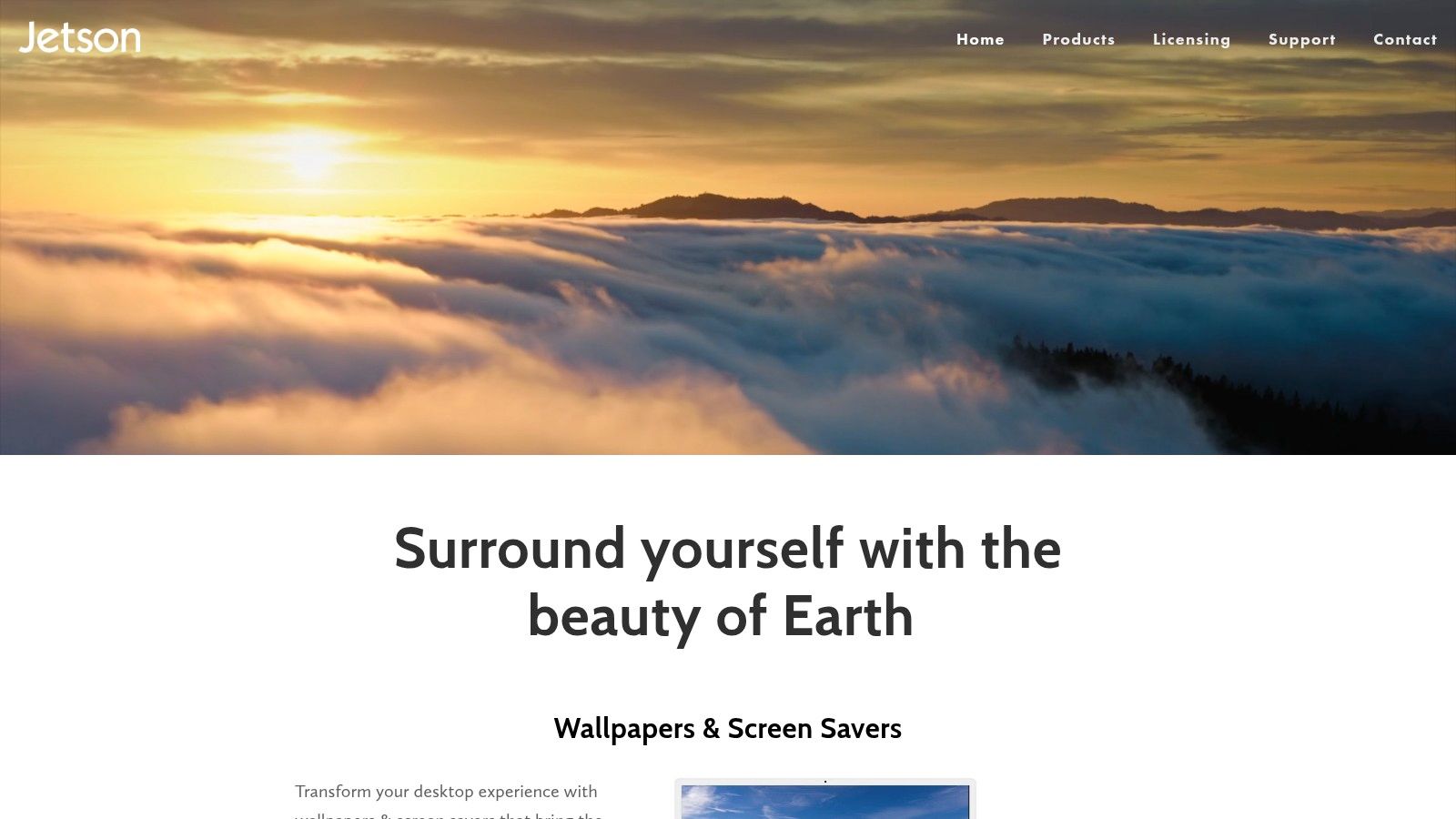
The collection consists of dozens of 24-hour scenes, spanning majestic nature landscapes, iconic city skylines, and serene coastlines. The magic is in its integration; it uses macOS's native Dynamic Desktop feature, making the experience seamless and lightweight. It's a true "set it and forget it" application that adds a layer of dynamic beauty to your daily computer use without requiring constant tinkering or draining system resources.
Using 24 Hour Wallpaper for Your Lock Screen
The app is designed with simplicity in mind. Once installed, you browse the gallery of scenes and select your favorite. The wallpaper then automatically syncs to your local time and begins its cycle. Because it's built specifically for the Mac ecosystem, it feels like an extension of the operating system itself, with no complex setup required. The focus is entirely on the high-quality, professionally captured scenes.
Pro Tip: Preview different scenes within the app to see how they transition. A cityscape like "New York" will have a dramatic shift from bright daylight to a sea of electric lights at night, while a nature scene like "Mojave" offers a more subtle, natural progression of sunlight and shadows.
While 24 Hour Wallpaper excels at time-synced still frames, it does not offer live video wallpapers. Its strength lies in providing a cohesive, day-long visual theme that feels built-in. This is perfect for users who want a dynamic effect without the potential distraction of a constantly moving video loop.
The app is a one-time purchase from the developer's website and is built for modern versions of macOS. Some scenes are included, while others are available as optional in-app purchases. It requires macOS 15.0 or later to function.
Website: https://www.jetsoncreative.com
6. Aerial (macOS screensaver + Companion)
Aerial is an open-source macOS screensaver that brings Apple TV's breathtaking, cinematic aerial videos directly to your Mac. While technically a screensaver, it effectively transforms your Mac's lock screen into a dynamic, motion-heavy display that feels like a premium live wallpaper. If you want the ultra-high-resolution, slow-motion feel of Apple's own video wallpapers but with more variety, Aerial is the answer.
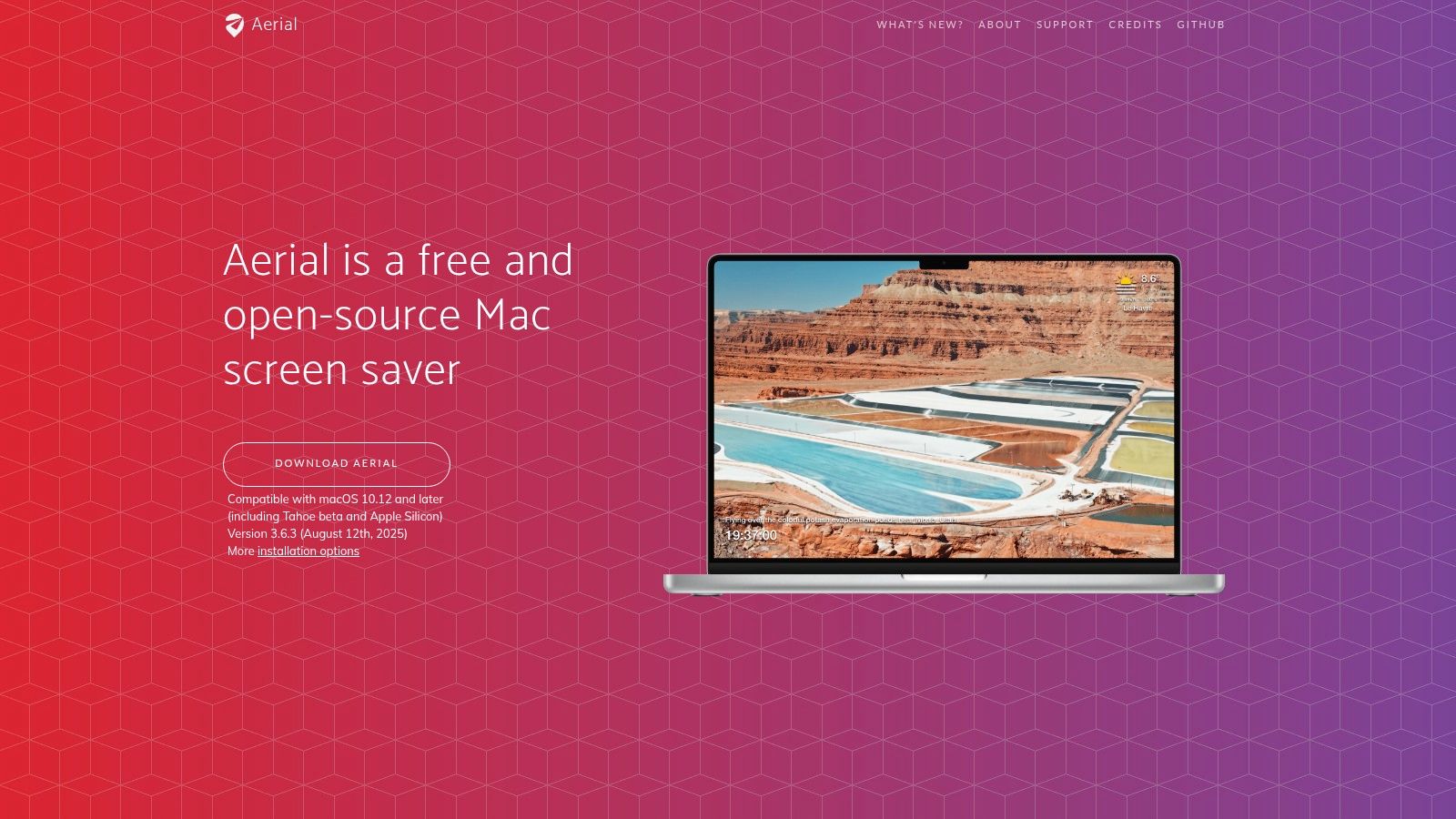
It sources the same 4K HDR videos Apple uses, featuring sweeping flyovers of global cities, stunning underwater ecosystems, and even footage from the International Space Station. The project is maintained by a community of developers, ensuring a steady stream of new scenes and features. It's an ideal solution for anyone seeking ambient, high-production-value visuals for their lock screen without the complexity of a full wallpaper engine.
Using Aerial for Your Lock Screen
Getting started with Aerial is simple, thanks to the free Aerial Companion app. This helper utility installs the screensaver for you and keeps it, along with its video library, automatically updated. Once installed, you just need to configure your Mac to show the screensaver on the lock screen.
The real power lies in its extensive settings. You can hand-pick your favorite scenes, decide how often new videos are downloaded, and even display helpful information like the current time, location, and battery status over the video. This level of control makes it a powerful tool for crafting a specific lock screen aesthetic.
Pro Tip: Aerial can use significant disk space if you download every video. Use the settings to cache only your favorite scenes. For a true "live wallpaper" feel, set the "Show on" option in the Aerial settings to "All Screens, including Lock Screen" and disable information overlays for a cleaner, more immersive look.
Aerial is completely free and open-source. While it excels at providing gorgeous motion visuals, it is limited to functioning as a screensaver and doesn't set desktop backgrounds. Its focus is entirely on providing those iconic Apple TV flyovers for your lock and idle screens.
Website: https://aerialscreensaver.github.io
7. Pexels
Pexels is another top-tier source for free, high-resolution static images and, notably, 4K video clips. It's an excellent resource if you're aiming for a clean, minimal, or design-conscious look for your computer lock screen wallpaper. Its library is vast, with a strong focus on professional-grade photography and videography that feels current and polished.
Similar to Unsplash, the collection is built on contributions from creators worldwide. Where Pexels differentiates itself is in its equally massive library of free 4K video clips. These videos are often shot with a steady, ambient quality perfect for creating custom loops or extracting a precise still frame for a static wallpaper. The content generally leans toward a modern, almost commercial aesthetic, making it ideal for professional or minimalist desktop setups.
Using Pexels for Your Lock Screen
The platform's search function is effective, and dedicated collections and leaderboards help surface popular and high-quality content. You can easily find desktop-ready imagery by searching for "desktop wallpaper" or filtering by orientation (horizontal). The user interface is straightforward, presenting a clean grid of visuals that makes browsing quick and easy. All content is available for free personal and commercial use under the simple Pexels License, which requires no attribution.
Pro Tip: Don't ignore the video section. Search for terms like "abstract," "slow motion," or "ambient" to find short, high-quality clips. You can use these clips to create your own live wallpaper or pause the video at the perfect moment and take a screenshot for a unique static image.
While Pexels provides the raw materials in the form of static photos and video files, it does not offer a built-in method for setting them as live wallpapers. For those wanting to turn one of its many beautiful video clips into a dynamic lock screen, an app like gifPaper is required to handle the conversion and setup on macOS.
Website: https://www.pexels.com
Lock Screen Wallpapers: 7-Source Comparison
| Item | Implementation complexity | Resource requirements | Expected outcome | Ideal use cases | Key advantages |
|---|---|---|---|---|---|
| gifPaper | Very low — install app, one‑click set | Moderate — background video/audio uses CPU/battery; macOS only | Seamless 4K live wallpapers with optional ambient audio | Mac users wanting motion-rich, high‑quality live wallpapers | Retina 4K loops, easy setup, one‑time $4.99 purchase, themed gallery with shareable links |
| Unsplash | Very low — download images via web/app | Minimal — static images | High‑quality static 4K/5K wallpapers | Quick static lock screens, photography‑forward desktops | Massive free library, consistent quality, permissive license |
| Wallhaven | Low — download after filtering; some search effort | Minimal — static images | Precise, resolution‑matched wallpapers (4K/5K) | Finding specific compositions/aspect ratios, multi‑monitor setups | Granular tags/filters, strong community curation |
| Dynamic Wallpaper Club | Low — download or create HEIC, install via macOS | Minimal — macOS handles transitions (battery‑friendly) | Time‑based dynamic HEIC wallpapers (no background processes) | Subtle time‑of‑day shifts without video playback | Native Dynamic Desktop support, browser creator, free gallery |
| 24 Hour Wallpaper (Jetson Creative) | Low — install app and select scenes | Minimal — uses time‑synced still frames | Professionally shot time‑synced desktop/lock screen sets | Users wanting premium, sun‑positioned Dynamic Desktop on Mac | Polished, curated 24‑hour scenes, native macOS integration |
| Aerial (screensaver) | Moderate — install screensaver + companion app | High — large video cache and playback resources | Cinematic, motion‑heavy visuals similar to Apple TV aerials | Users wanting cinematic lock‑screen visuals via screensaver | Free/open‑source, 4K HDR videos, extensive settings and updates |
| Pexels | Very low — download images or 4K clips | Minimal for images; moderate if using videos | Clean static wallpapers; option to extract/use 4K clips | Design‑focused desktops and sourcing clips for custom loops | Permissive license, consistent licensing, 4K video library |
So, Should You Bother with a Better Lock Screen?
After reviewing all these options, from sprawling free-image libraries to specialized dynamic wallpaper apps, the question remains: is it actually worth your time to upgrade your computer lock screen wallpapers? The short answer is yes. The longer answer is that you spend thousands of hours staring at this glowing rectangle anyway. Making it a place you genuinely enjoy looking at is one of the highest-impact, lowest-effort improvements you can make to your daily routine. It's the digital equivalent of hanging a nice print on your wall instead of staring at blank drywall.
Your Mac's lock screen is the first thing you see when you wake it up and the last thing you see when you put it to sleep. It sets the tone. A generic, default background is forgettable. A carefully chosen one, whether it's a stunning static landscape or a mesmerizing looping video, can provide a brief moment of calm, inspiration, or just simple aesthetic pleasure. It's a small detail, but for those of us who appreciate good design, it's a detail that matters.
Choosing Your Path: Static vs. Live
Your decision really comes down to what you want from your wallpaper experience.
-
For Maximum Variety (Static Images): If you crave an endless supply of high-resolution static photos and digital art, services like Unsplash, Pexels, and Wallhaven are your best bet. They offer millions of images for free, ensuring you'll never run out of options. The trade-off is manual work: you find, download, and set them yourself.
-
For Time-Aware Ambiance (Dynamic Wallpapers): If you like the idea of your desktop changing with the time of day, Dynamic Wallpaper Club and 24 Hour Wallpaper provide excellent, albeit different, approaches. They offer a more curated and automated experience, but they are still fundamentally a series of still images, not a continuous video.
-
For a Truly Living Screen (Looping Video): If you're looking for that "wow" factor, the kind that makes people ask "how did you do that?", then you need a true video wallpaper. While tools like Aerial offer this for your screen saver, they don't solve the desktop or lock screen puzzle perfectly. This is where gifPaper for Mac stands alone. It was designed from the ground up to do one thing perfectly: put a seamlessly looping 4K video on your Mac's lock screen, desktop, and screen saver using Apple's native wallpaper system. No hacks, no overlays, just a beautiful, living background.
Ultimately, a better computer lock screen wallpaper is a quiet act of self-care. It's about personalizing your most-used tool to better reflect your own taste. Whether you choose a minimalist abstract from the dark wallpaper collection, a cozy fireplace, or a neon-drenched cityscape, you're making your digital space just a little more yours. Your Mac's pixels are ready for their close-up.
You've seen the options, and if the idea of a living, breathing lock screen caught your eye, there's an easy next step. The entire gifPaper library of 150+ 4K looping wallpapers is available to try, free for 7 days with no credit card required, so you can find the perfect scene for your Mac.