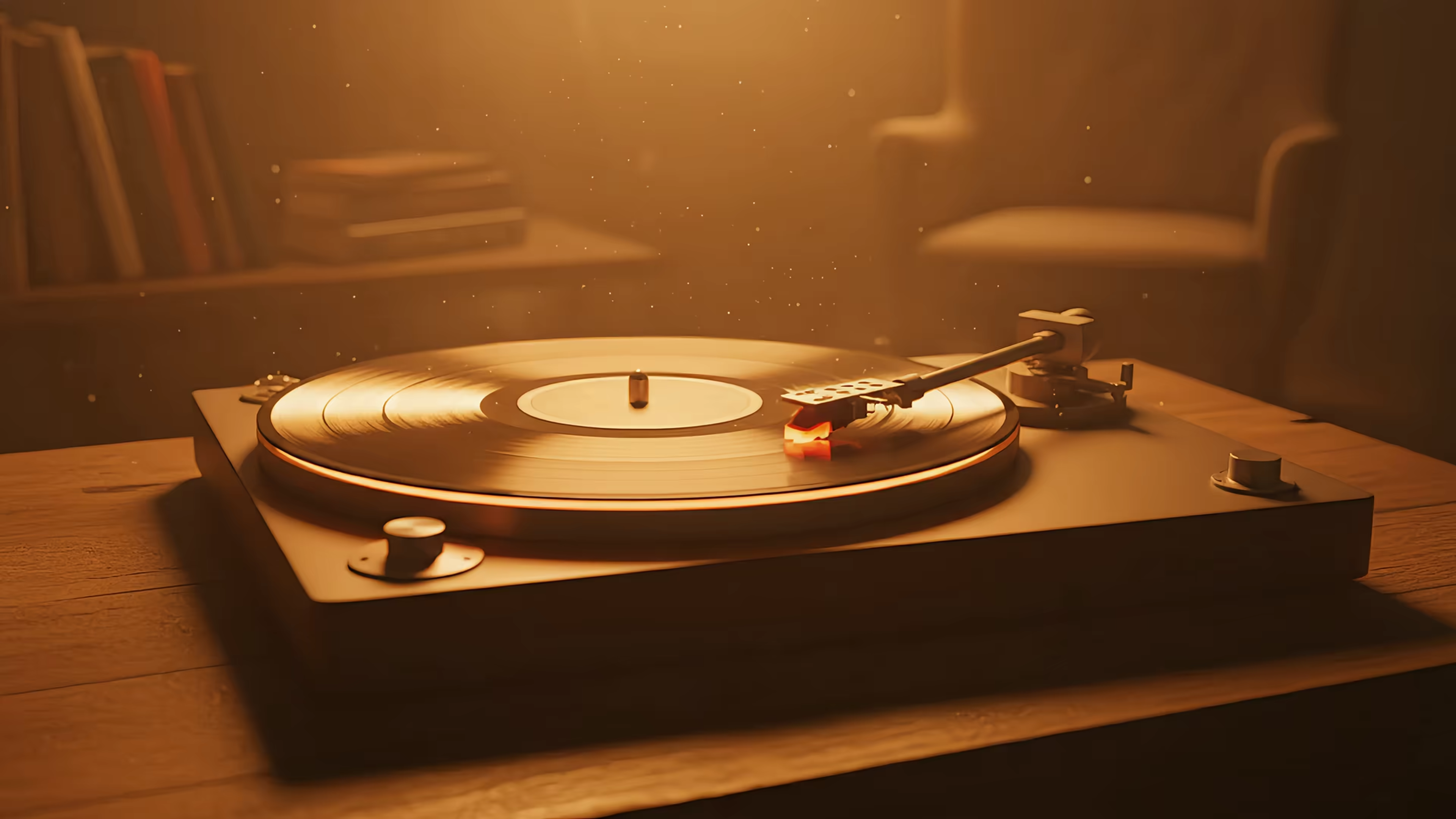
Lock Screen Wallpaper App: The Definitive Mac Guide (2026)
You wake your Mac, tap a key, and there it is again. A perfectly adequate default lock screen. A gradient. Some polite scenery. Drone footage of a coastline you have never visited and probably never will, because you're currently reheating pasta and answering messages.
It isn't offensive. That's almost worse.
If you spend hours a day looking at a laptop, caring about how it looks is not vanity. It's basic environmental hygiene. People buy lamps, chairs, posters, and suspiciously expensive mugs for the same reason. Digital space counts too. If you need physical inspiration, Striped Circle's ultimate guide to wall art that doesn't suck makes the same point for walls, which is nice if you'd like your room and your screen to stop arguing with each other.
The weird part is that plenty of Mac users already know what they want. They had it on Windows. They search for Wallpaper Engine-style options on Mac. Interest in "Wallpaper Engine Mac" queries has reportedly risen 40% YoY according to the referenced Google Trends discussion in this video source. Then they hit a swamp of half-answers, old forum posts, and suggestions that boil down to "what if your wallpaper were a slideshow from 2014."
If that's where you are, this Mac lock screen guide is the broad version. What follows is the fussy version. The one for people who care about the difference between "technically animated" and good.
Your Mac's Lock Screen Is a Cry for Help
A lock screen gets ignored because it's brief. That's exactly why it matters.
You see it at the start of the day, after breaks, after meetings, after the moment you close the lid because someone asks a "quick question" that becomes a geological era. It's the first frame of your computer experience. Apple treats it like a waiting room. Many users would prefer something closer to a front porch.
The default mood is polite emptiness
The stock Mac lock screen usually lands in one of three categories:
- Abstract but sterile. Nice color. No personality. Like hotel lobby fruit.
- Scenic but distant. Mountains, ocean, aerial footage. Beautiful, but emotionally identical to a screensaver in a dentist's office.
- Personal photo but awkward. Adorable in theory, chaotic in practice. Your lock screen doesn't always need your cousin's wedding photo enlarged to mural scale.
None of this is catastrophic. It's just wasted real estate.
You access your Mac constantly. The thing greeting you should feel chosen, not assigned by a committee that really trusts gradients.
The urge to customize is normal
Lock screen wallpaper apps are not some niche fever dream. The category is huge. Zedge alone has 500M+ downloads, and dedicated lock screen customization apps continue to rank strongly, with "Lock Screen OS" reaching 110K+ installs and a 4.0-star average in 2026 according to Similarweb's referenced app data.
That doesn't mean every app is good. It means the instinct is real.
People want their phones and computers to feel like theirs. Not in a corporate "personalization ecosystem" sense. In a normal human sense. You stare at this rectangle for an unreasonable portion of your life. It might as well show you a quiet train at night, a fireplace, neon rain, or a snow-covered cabin instead of the visual equivalent of a shrug.
What Even Is a Live Wallpaper in 2026
Apple has made wallpaper terms just confusing enough to be annoying. If you're searching for a lock screen wallpaper app, you're usually trying to describe one thing and getting results for three different ones.
Here's the clean version.
Three wallpaper types that people keep mixing up
| Type | What it is | What it does not do |
|---|---|---|
| Static wallpaper | One image | Move, animate, or react |
| Dynamic wallpaper | A set of still images that change over time | Play as continuous video |
| Video or live wallpaper | A looping motion scene | Behave like a slideshow |
A Dynamic Desktop is not a live wallpaper. It's a timed costume change.
An Aerial is Apple's own style of motion wallpaper. Think smooth video scenes handled like a native system feature, not a little movie awkwardly taped on top of your desktop. That distinction matters more than most guides admit.
What people usually mean by live
When someone says "I want a live wallpaper on Mac," they usually mean:
- A continuous loop, not a slideshow
- High-resolution motion, not a crunchy old GIF
- Proper lock screen support, not just the desktop
- No weird floating overlay window
- No fan noise because a fish tank is apparently rendering in the background
A real live wallpaper should look like it belongs there.
The visual test is brutally simple
Open the lid. Wake the Mac. Watch the scene.
If the wallpaper feels native, you stop thinking about the app and just enjoy it. If it feels bolted on, you'll notice immediately. The loop stutters. The scaling looks off on Retina displays. The lock screen and desktop feel like separate planets. Ambient audio, if present, arrives with all the grace of a shopping mall kiosk.
Practical rule: If a wallpaper app treats the lock screen as an afterthought, it usually treats quality the same way.
That's why terminology matters. If you're only looking for a changing still image, the built-in options are fine. If you want a true motion lock screen that feels like Apple made it by accident while having an unusually good day, you're in a much narrower category.
The Great Mac Lock Screen Problem
The reason Mac lock screen wallpaper apps are rare isn't that developers forgot. It's that macOS makes this hard on purpose.
Security on the lock screen is not a decorative idea. Apple protects that surface aggressively. As a general rule, apps are not supposed to poke around inside system-owned interfaces just because they have artistic ambitions and a folder full of neon rain loops.

Why most attempts feel janky
A lot of so-called live wallpaper tools solve the problem sideways.
They animate the desktop but not the lock screen. Or they fake the effect with an overlay. Or they ask you to accept compromises that get hidden until after installation, such as weird transitions, poor Retina scaling, or "close enough" behavior that falls apart the moment the machine sleeps and wakes.
The lock screen is where those shortcuts get exposed.
These are the key constraints:
- App Store sandboxing blocks a lot. Apps distributed through Apple's store live inside strict permission boundaries.
- System surfaces are protected. The lock screen is one of the least forgiving places to improvise.
- Desktop tricks don't automatically carry over. Something can work beautifully as a desktop animation and still fail completely on wake or when logging in.
- Retina quality raises the bar. A low-quality loop looks especially terrible when macOS presents it full-screen with nowhere to hide.
Why direct distribution matters
This is also why some Mac utilities ship outside the Mac App Store without being shady. Sometimes the feature itself requires it.
A direct-download app can still be notarized by Apple, which is the important trust signal for software distributed outside the store. In plain English, Apple checks it, signs off on it, and macOS can verify that the app hasn't been tampered with.
That arrangement isn't a rebellious aesthetic choice. It's a technical requirement when the app needs access the sandbox won't allow.
Most "why can't somebody just make this work?" questions on macOS eventually end with "because the operating system takes security seriously and hates party tricks."
Which, to be fair, is a decent quality in a computer. It just means a proper lock screen wallpaper app has to work with the system's rules, not try to elbow them aside with a trench coat and false mustache.
How gifPaper Works The Right Way
The clean solution is to stop fighting macOS and use the machinery it already respects.
That's the whole trick.
Instead of pretending a lock screen is just another desktop layer, gifPaper uses Apple's native Aerial wallpaper format, the same class of system-supported approach Apple uses for its own video wallpapers. You can browse the wallpaper library at gifpaper.com. The useful part is not that the wallpaper moves. Lots of things move. The useful part is that it behaves like a real system wallpaper, not an impostor.
Native format versus overlay nonsense
The difference shows up in four places.
First, the lock screen and desktop belong to the same visual world. You don't set one thing for wake and another thing for the desktop and then pretend the mismatch is charming.
Second, motion is handled like wallpaper, not like a tiny video player hiding under your icons.
Third, Retina scaling holds up. Fine detail matters with 4K loops. Neon signs, snowfall, record-player reflections, window lights in distant buildings. If the source pipeline is wrong, those details turn to soup.
Fourth, the login transition feels natural. That matters more than screenshots can explain.
The technical reason it behaves properly
On macOS, lock screen wallpaper apps like gifPaper can use Core Animation and AVFoundation to deliver smooth 4K video loops on Retina displays with zero CPU overhead during idle states. Video decoding runs through hardware-accelerated VideoToolbox, sustaining 60 FPS at high resolutions without thermal throttling, with reported benchmarks showing <1% GPU utilization in optimized setups according to Wallper's lock screen technical notes.
That's the boring sentence with the important consequences.
It means the system isn't brute-forcing a fake animation while your Mac cooks itself. It means motion can stay smooth. It means idle behavior is sensible. It means a lock screen wallpaper app can look expensive without acting needy.
The best wallpaper tech is invisible. You notice the scene, not the machinery.
What works and what doesn't
A few trade-offs are worth stating plainly.
What tends to work well
- Continuous loops with clear focal points. Snow falling outside a cabin window. A train gliding through the night. Firelight in a dark room.
- Still-first desktops with optional motion. This keeps the desktop calm when working.
- Ambient audio as seasoning. Good when subtle. Terrible when it tries to become your personality.
What usually fails
- Busy scenes on busy desktops. If your wallpaper has too much action, icons disappear into it like socks in a dryer.
- Low-bitrate loops. Compression artifacts look especially ugly on Mac displays.
- Fake lock screen support. If an app only sort-of supports the lock screen, you'll find out immediately on wake.
Why I built it this way
I wanted the lock screen to do the same thing Apple's own video wallpapers do. Wake the Mac. Show a living scene. Let the motion settle as you authenticate. No hacks. No floating nonsense. No "good enough if you squint."
That turned out to be much harder than making a desktop wallpaper app. Which is exactly why most desktop wallpaper apps stop there.
Set Your First Live Wallpaper in 60 Seconds
The setup should be short enough that you don't have time to reconsider your aesthetic choices.

If you want the longer walkthrough, I wrote one at how to get live wallpapers on Mac. The short version is below.
The fast path
-
Download the app
Use the free trial. No card first. No ceremonial sacrifice to a pricing page.
-
Open the gallery
Pick a scene that makes sense for your screen time. If you live in dark mode, choose something that won't glare at you like a fluorescent supermarket aisle.
-
Click once to apply
The app sets the wallpaper for the system in the format macOS expects. That's the important part. You're not pinning a movie to your desktop with tape.
-
Wake your Mac and watch
Close the lid. Open it again. This is the moment where you know whether the effect is right or fake.
A good first choice helps. Strong silhouette. Clear motion. Not too chaotic.
Good first-wallpaper choices
If you're unsure where to start, use this cheat sheet:
-
For calm focus
Try something from the lofi wallpaper collection. Window light, rain, slow movement. Good for long desk sessions. -
For cozy nonsense
Fireplaces work absurdly well on a lock screen. They make your laptop feel like it owns a cardigan. -
For visual drama
Neon scenes are for people who want the machine to look like it knows a synthwave producer.
A lock screen wallpaper app should not require a tutorial series, three helper tools, and a tolerance for failure. Install it. Pick a loop. Wake the Mac. Done.
Choosing Scenes That Do Not Induce Existential Dread
A wallpaper can be technically perfect and still wrong for daily life.
Here, people overcorrect. They choose the most dramatic thing in the gallery, then discover that staring into a cyberpunk abyss at 9:12 every morning is a lot. Beautiful, yes. Slightly too much Blade Runner for checking calendar invites, also yes.
Pick for repetition, not for first impression
You are not choosing a poster for a gallery wall. You are choosing a scene you'll see repeatedly.
That changes the criteria.
- Gentle motion ages better. Slow rain, drifting snow, flickering fire, city lights.
- Simple composition survives icons. The desktop still has to be usable.
- A clear mood beats visual chaos. One good idea is enough.
The good news is performance anxiety is mostly overstated with properly optimized apps. Mac-specific benchmarks cited in this reference video report 60fps on M-series chips with <1% thermal throttle, and note that post-Ventura 14.5 updates expanded ambient video support that apps can utilize. Translation: your wallpaper does not need to sound like it's mining cryptocurrency.
Four moods that hold up
Cozy
Snow outside. Fireplace inside. Lamplight somewhere in the middle.
These are the scenes you use when you want your Mac to look like it has opinions about blankets. The winter wallpaper collection is full of this sort of thing.
Lofi
Lofi wallpapers are good because they know when to shut up.
A desk lamp, a train window, a city at night, a bit of rain, maybe some ambient audio if you're into that. The lofi wallpaper collection is made for people who like soft motion and low visual stress.
Neon
Neon is trickier. Great at night. Risky at noon.
Used well, it gives the lock screen a cinematic edge. Used badly, it turns your Mac into an energy drink. If you want that sharper look, the neon wallpaper collection is where the purple rain and glowing alleys live.
Dark minimal
This is the sensible option for people who still want atmosphere.
Dark scenes with restrained movement work especially well if your desktop is crowded or you spend all day in design tools, terminals, or documents. They don't compete. They frame.
Choose the wallpaper you can live with on a Tuesday, not just the one that impresses you for eight seconds on a Saturday.
The best lock screen wallpaper app doesn't pick your taste for you. It just gets out of the way and presents the scene properly.
The Part Where I Ask You For Money
Alright. The app isn't free.
I built it as a paid Mac app because I would rather charge $4.99 once than perform the usual subscription ritual where your wallpaper develops a monthly relationship with your bank account. There's also a 7-day free trial with no credit card required, and a 30-day money-back guarantee if your ideal lock screen is still a static blue hill and a sense of restraint.

A few practical notes matter more than slogans:
What you're paying for
-
Native lock screen support
This is the hard part, and the whole reason the app exists. -
Desktop and screen saver support
Same wallpaper world, less fiddling. -
A direct download that is notarized by Apple
The app isn't on the Mac App Store because Apple's sandboxing prevents live lock screen wallpapers there.
What to expect
The library contains a curated collection of continuously looping high-resolution wallpapers with ambient music on many scenes, more added over time. The app requires macOS 26 Tahoe or later.
If that sounds fair, the obvious next step is gifPaper for Mac. If not, at least you now know why so many lock screen wallpaper app options feel half-finished. Sometimes the absurd little details are the whole product.
Frequently Asked Questions
Will a live lock screen wallpaper drain my MacBook battery
A properly built one shouldn't cause dramatic battery or heat issues during normal use. The category has plenty of sloppy implementations, which is why people are suspicious.
For context, optimized Mac lock screen wallpaper apps can use system video frameworks and hardware decoding rather than brute-force animation. That's a very different situation from old-school GIF hacks.
Is it safe to install an app outside the Mac App Store
It can be, if the app is notarized by Apple and downloaded from the developer's official site.
For this kind of tool, direct distribution is often necessary because App Store sandbox rules limit lock screen access. Outside the store does not automatically mean unsafe. It means you should verify the developer, the notarization status, and the download source.
What macOS version do I need
This app requires macOS 26 Tahoe or later.
If you're on an older version, you'll need to update before expecting native lock screen video support to behave correctly.
How many wallpapers are there
The current library contains a curated collection of looping high-resolution wallpapers, and the site gallery keeps growing. The point is curation, not dumping a warehouse of mediocre loops on your lap and calling it freedom.
Are lock screen wallpaper apps popular
Yes. This is a very large category, not a tiny hobby for three overly caffeinated desktop tweakers. Top apps dominate store rankings, and Zedge alone has hundreds of millions of downloads. Dedicated lock screen apps also keep finding users, including "Lock Screen OS" with 110K+ installs and a 4.0-star average, as summarized in Similarweb's app ranking reference.
Can I use the same wallpaper for the lock screen and desktop
Yes. In fact, that's the version that usually feels most coherent.
When the lock screen and desktop share the same visual identity, the Mac feels intentional instead of stitched together from separate customization experiments.
You already look at your Mac too much. You might as well enjoy the first thing it shows you. Browse the wallpapers on gifPaper, find a scene you want to wake up to, and if the lock screen matters as much as the desktop, the Mac app is there for the rest of the trick.