
7 Best Live Wallpaper Weather Apps for Your Mac
You check the weather on your phone, your watch, and probably a widget buried in a corner of your screen. It's functional, sure, but also... bland. What if your Mac's desktop didn't just tell you it's raining, but actually showed you a cozy, rain-streaked window? Or replaced a static mountain photo with a view of gentle snow falling on a pine forest?
That's the entire idea behind live weather wallpapers. They turn your screen into an ambient, animated reflection of a mood or an actual forecast. It's less about knowing the temperature to the decimal point and more about making the eight hours you spend staring at your Mac a little more beautiful. You're going to look at it anyway; it might as well not be boring.
This guide covers the best apps for adding animated weather to your macOS desktop. I'll provide direct links and key details to help you choose the right one, whether you want an accurate forecast or just a perfectly looping snowy scene to get you through your inbox.
1. gifPaper: Cinematic Weather, Not Just a Forecast
For those who prioritize atmosphere over atmospheric pressure, gifPaper stands out. It operates on a simple premise: your desktop's mood shouldn't be dictated by the actual weather outside. This app is less a weather utility and more an aesthetic engine, granting you the power to summon a cozy blizzard on a sweltering July afternoon or work through a neon-drenched cyberpunk downpour while the sun shines. It decouples the vibe of weather from the reality of a forecast, offering a curated library of pure, uninterrupted visual ambiance. This is the choice for anyone seeking high-fidelity live weather scenes as a form of digital escapism, not as a data feed.
The core strength lies in its technical execution. The gifPaper macOS app is the first and only one to use Apple's native wallpaper system to set true 4K looping videos on both the lock screen and desktop. This results in an incredibly polished experience that feels like a native macOS feature. When you wake your Mac, the lock screen video gracefully slows to a stop as you log in, mirroring the behavior of Apple's own dynamic wallpapers. It's a small detail that makes a significant difference, avoiding the clunky overlays common in other wallpaper apps.
Key Strengths and Use Cases
gifPaper's curated approach is its defining feature. Instead of scraping random GIFs, every scene in its 150+ wallpaper library is chosen for its seamless loop and high-resolution quality, ensuring there are no compression artifacts or jarring cuts on a Retina display.
- Curated Weather Moods: The library features entire categories dedicated to winter and rain. You can find everything from a quiet, snowy cabin to a mesmerizing view from a train window on a rainy day. It's perfect for setting a specific work environment, like a focused, rainy-day mood for deep work or a tranquil snowfall for relaxed browsing.
- Immersive Audio: Many scenes include optional, high-quality ambient audio. The gentle crackle of a fireplace or the soft patter of rain can transform your workspace into a more immersive, focused environment.
- One-Click Simplicity: The user experience is direct. You browse the web gallery, find a scene you love, and the companion app sets it with a single click. There are no complex settings to configure. For those new to the concept, there's a helpful guide on how to get live wallpapers on Mac that explains the process.
The platform is designed for Mac users who value aesthetics and seamless integration. The pricing model is a 7-day free trial (no credit card needed) followed by a single $4.99 one-time purchase—it's not a subscription. While it doesn't sync with your local forecast, its strength is in providing deliberate, cinematic control over your digital environment.
2. Living Earth (Radiantlabs)
For those who want less of a cinematic scene and more of a data-driven, elegant visualization, Living Earth is a standout choice. Instead of looping video, it provides a stunning, live 3D globe of our planet that lives on your desktop. This app is less about capturing the mood of a rainy day and more about providing a beautiful, functional window into real-time global weather patterns. It's a polished, Mac-first application that turns your desktop into a command center for global data.
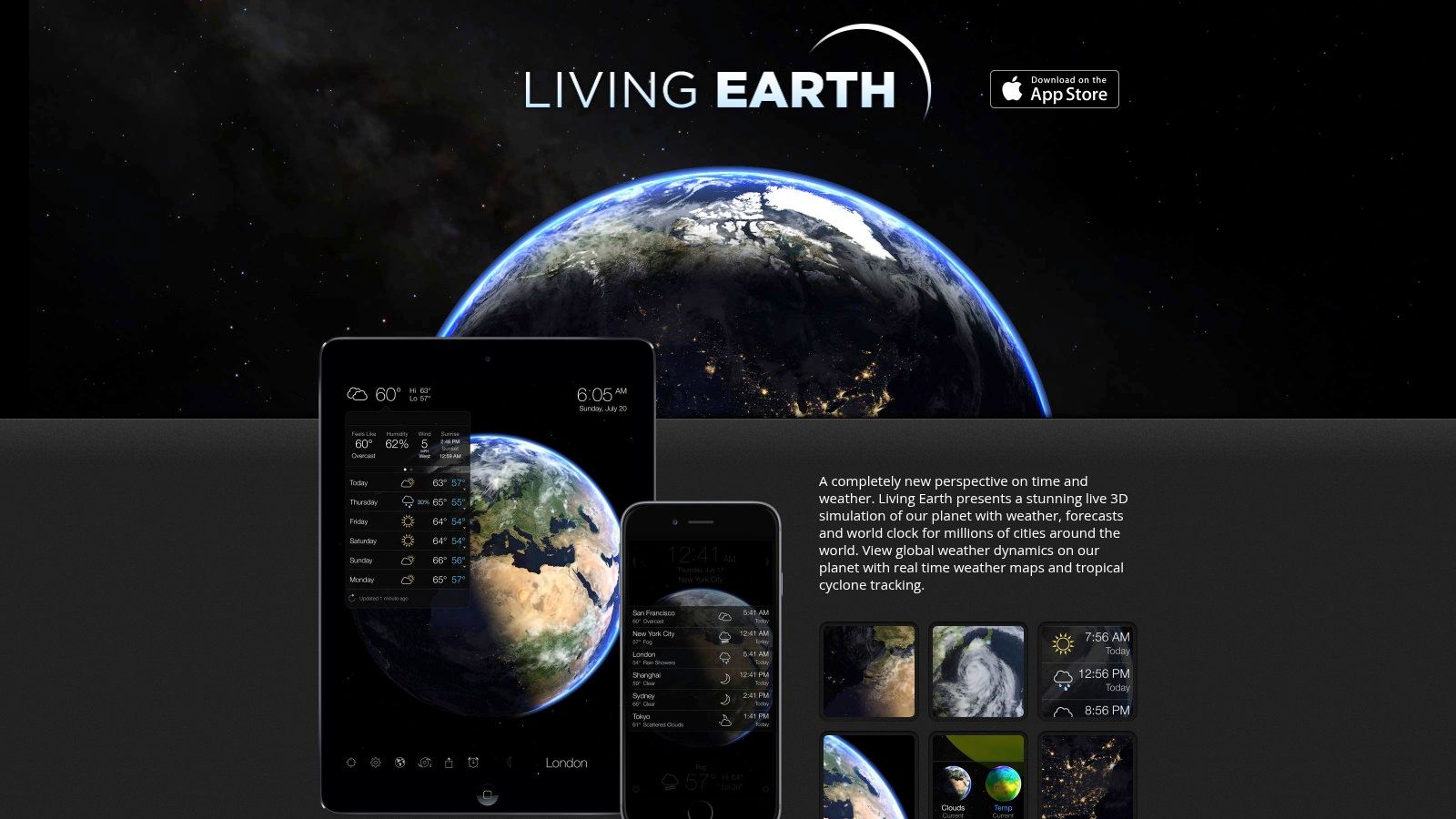
The primary draw is its near-real-time satellite cloud layer, which updates throughout the day to show storms and weather systems moving across continents. This feature alone makes it one of the most accurate live weather sources you can find. It also visualizes the day/night terminator, showing exactly where the sun is rising and setting around the world.
Key Features and User Experience
Living Earth is more than just a pretty globe. It's an integrated weather and world clock utility.
- Real-time Weather Data: See global clouds from geostationary satellites, and overlay maps for temperature, wind, and humidity.
- Forecast Integration: It includes a 10-day forecast for millions of cities worldwide.
- World Clock: Displays time, sunrise, and sunset times for cities you add. Syncs with iCloud, so your locations appear on the iOS companion app.
The setup can be slightly more involved than a simple wallpaper app due to macOS security features, but the developer, Radiantlabs, provides clear support documentation to guide you. It's an excellent choice if you appreciate data visualization or have an interest in meteorology. It also offers a different flavor of ambient desktop visuals that aligns well with the aesthetic found in many detailed space wallpaper collections. The app is available on the Mac App Store for a one-time purchase.
3. EarthDesk (Xeric Design)
For those seeking a more scientific and continuously updated global perspective, EarthDesk is a long-standing and mature application for both Mac and Windows. Similar to Living Earth, it replaces your static desktop background with a dynamic, rendered view of our planet. It focuses less on cinematic weather scenes and more on providing an accurate, always-on context of global conditions, sun and moon positioning, and live cloud coverage. It's a utilitarian tool that has cultivated a dedicated niche following over years of development.
The core appeal of EarthDesk is its purpose-built function as an always-on global monitor. It runs efficiently in the background, updating the planet's lighting to show the true terminator line between day and night, as well as accurate moonlight shading. The optional live cloud data is a key feature for anyone interested in weather wallpapers, overlaying near real-time imagery onto the globe, letting you watch weather systems evolve across the globe directly from your desktop.
Key Features and User Experience
EarthDesk is a powerful data visualization tool masquerading as a simple wallpaper. Its strength lies in its extensive customization options.
- Multiple Map Projections: Choose from over a dozen map projections, from the familiar Mercator to more artistic or focused views like Azimuthal Equidistant.
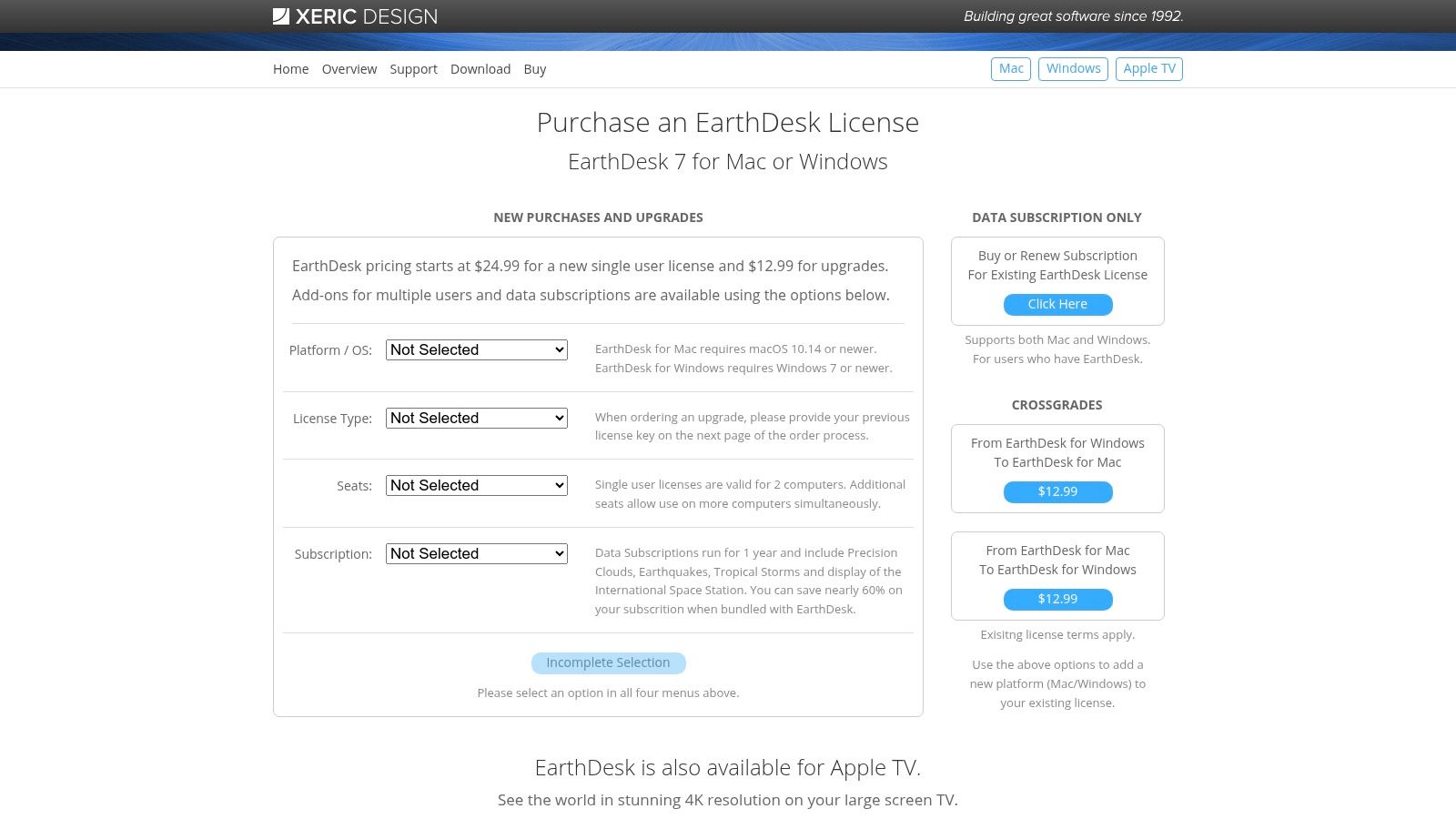
- Live Cloud Data: An optional, subscription-based service provides a composite cloud image updated every few hours, delivering a real-world look at global weather.
- Detailed Shading: The app renders highly accurate sun, moon, and city lighting, giving you a real sense of time around the world.
- Cross-Platform: Unlike many Mac-first aesthetic apps, EarthDesk has maintained versions for both macOS and Windows.
The user interface feels more functional than flashy, prioritizing detailed settings over modern design flourishes. While the base app is a one-time purchase, accessing the live cloud data requires a separate subscription through Xeric Design's data service, which is a crucial point to consider. It remains a fantastic choice for data lovers, pilots, or anyone who prefers a globe-trotting view over a local one. You can get more information and purchase a license directly from the Xeric Design website.
4. Aerial (Aerial screensaver + Companion)
For those who prioritize breathtaking, high-quality video footage over direct weather animation, Aerial is an exceptional open-source project. Originally designed as a macOS screensaver that brings Apple TV's stunning aerial videos to your Mac, it has evolved into a highly customizable tool. While not a dedicated weather engine, its power lies in layering elegant, data-rich overlays onto world-class cinematography. The result is a desktop that feels both incredibly premium and personally informative.
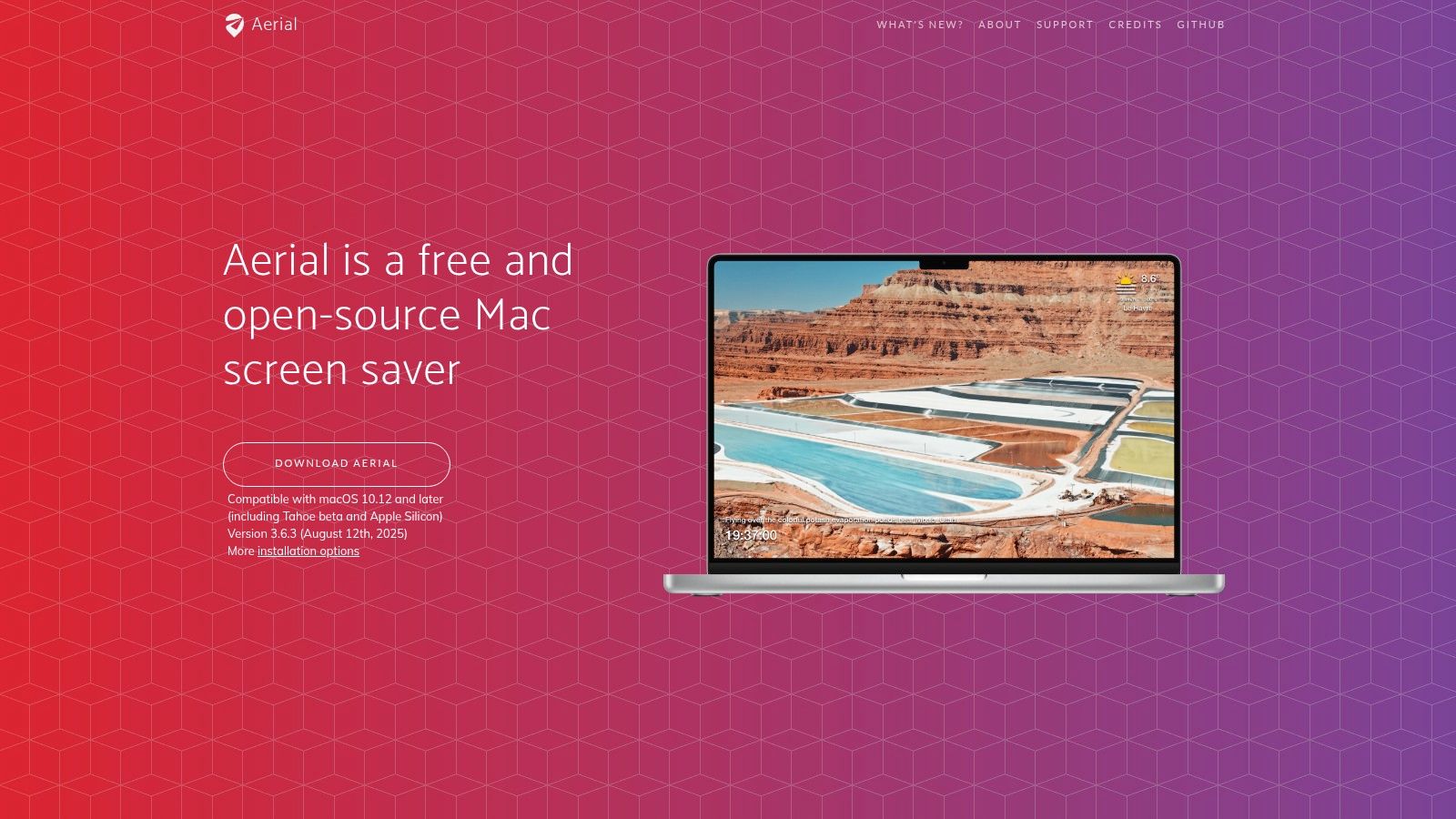
What makes Aerial a compelling choice is its combination of gorgeous, native-feeling visuals with practical information. You can display the current conditions, a multi-day forecast, time, and location directly over a slow-motion video of the Dubai skyline or the Scottish Highlands. This makes it a unique hybrid: part art installation, part dashboard. As a free, community-driven project, it offers a level of customization that many paid apps lack, making it a fantastic option for weather wallpaper enthusiasts who like to tinker.
Key Features and User Experience
Aerial is primarily a screensaver, but with the help of the Aerial Companion app, it can be configured to run as a live wallpaper on some macOS versions. Its true strength is in its robust overlay system.
- Customizable Weather Overlays: Connects to OpenWeather (a free API key is required) to display current temperature, conditions, and a multi-day forecast. You can control the position, font, and style.
- Massive Video Library: Access to all of Apple's aerial videos, including cityscapes, landscapes, and space views, with options to cache them locally.
- Informational Displays: Beyond weather, you can add clocks, location text, battery status, and custom messages.
- Free and Open Source: The entire project is free to use and supported by a community of developers. The Aerial Companion app simplifies installation and keeps it updated.
Setup involves downloading the app and configuring its extensive settings panel. While using it as a true desktop wallpaper is considered experimental and not supported on all systems, its function as a feature-rich screensaver is flawless. For anyone looking for a no-cost way to get beautiful video with a functional weather display, Aerial is a top-tier choice. You can learn more and download it from the official Aerial website.
5. Weather Screen
If you love your current desktop wallpaper but wish it could react to the weather outside, Weather Screen is the app for you. Instead of replacing your background entirely, it overlays beautiful, dynamic weather effects on top of your existing setup. This turns any static image—a favorite vacation photo, a piece of abstract art, or a shot of your cat judging you—into an atmospheric window. It's designed for those who want their desktop to feel alive and connected to the real world without sacrificing their personal aesthetic.
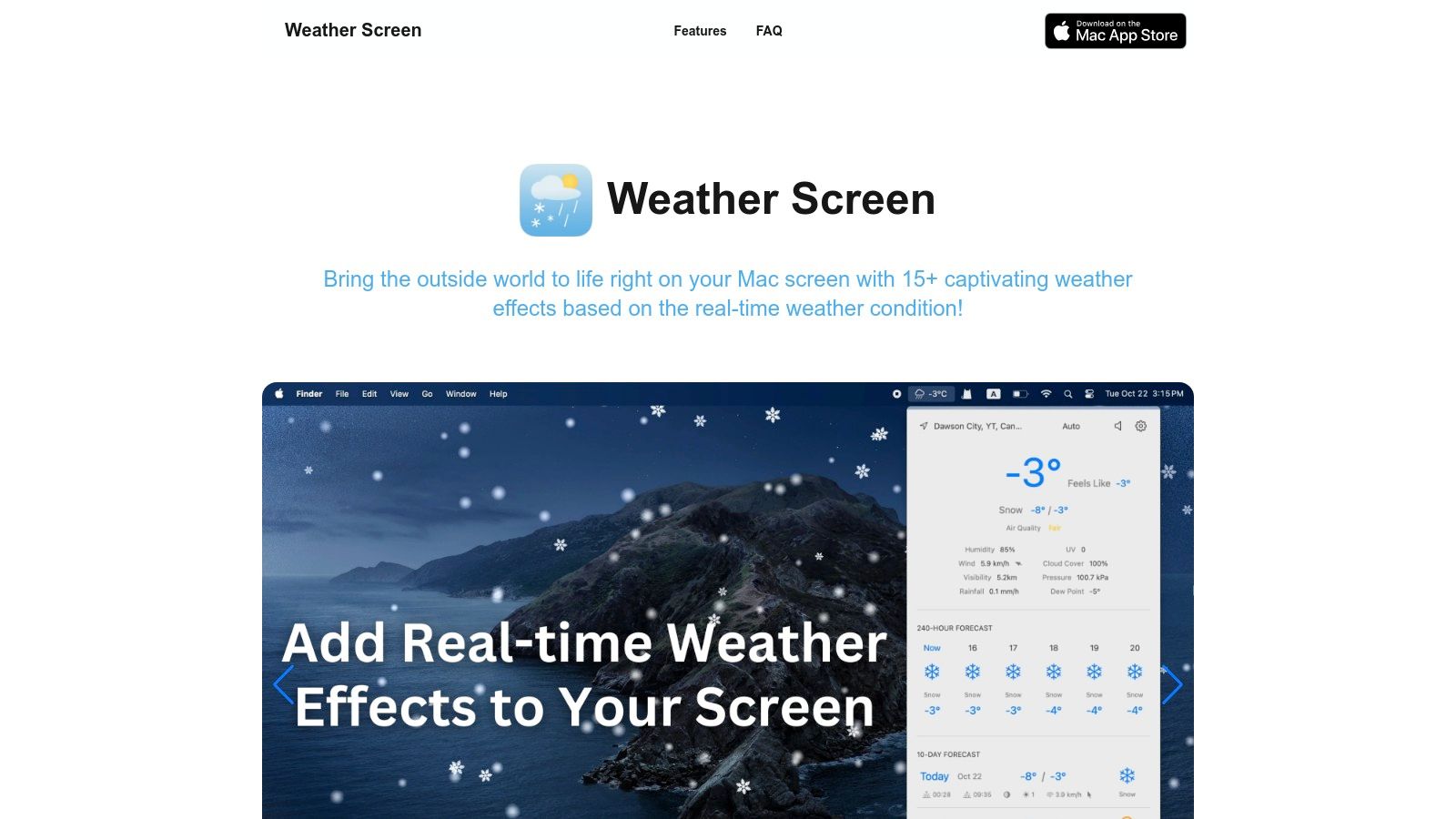
The core idea is simple yet effective: the app pulls real-time local weather data and renders corresponding visuals like gentle rain, falling snow, or even the aurora borealis directly on your screen. Because it works as an overlay, the results are deeply dependent on your chosen wallpaper. A dark, moody forest scene becomes incredibly immersive during a digital thunderstorm, while a bright, sunny beach photo might look a bit odd with snow falling on it. This makes it one of the most customizable weather wallpaper solutions, as the final look is a collaboration between the app and your own image choice.
Key Features and User Experience
Weather Screen is a purpose-built utility focused on doing one thing well: bringing accurate, real-time weather effects to your desktop with a high degree of control.
- Real-Time Effects: Visuals like rain, snow, thunderstorms, fog, and auroras are automatically matched to your current local conditions via OpenWeather data.
- Detailed Forecasts: The app includes a built-in 10-day hourly and daily forecast, along with sunrise/sunset times and Air Quality Index (AQI) information.
- High Customization: You can adjust the intensity and frequency of effects. Want a torrential downpour or just a light drizzle? You have that control.
- Performance-Aware: It uses Apple's Metal framework for efficient rendering and includes battery-saving modes to minimize impact on system resources.
The app offers a free trial, with some advanced features and unlimited use locked behind a subscription. This makes it a great option to try before you commit. Its overlay approach is a unique take, but for those who prefer fully integrated scenes, you can find more tips on setting up a complete ambiance in our guide to live rain wallpapers. You can download Weather Screen directly from its website.
6. Motion Weather 4K (Mach Software Design)
For users who want the cinematic quality of a filmed scene combined with the utility of real-time data, Motion Weather 4K offers a powerful middle ground. It's a dedicated macOS application that pairs gorgeous, high-resolution 4K video loops of weather events with integrated forecast desklets and widgets. This approach gives you the immersive mood of a thunderstorm or snowy forest while keeping practical, glanceable weather information right on your desktop.
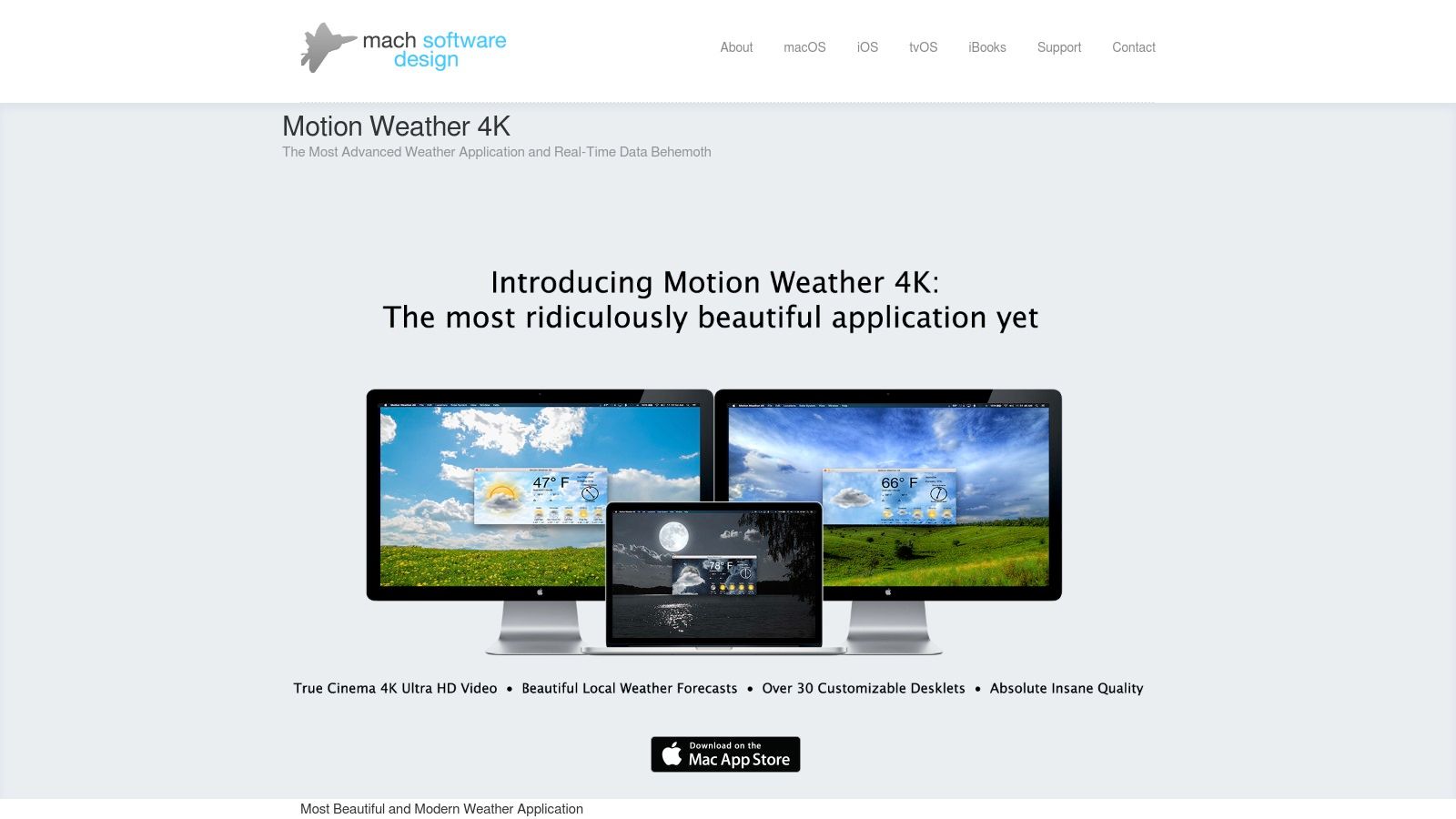
Unlike simple video players, Motion Weather 4K is purpose-built as a desktop enhancement tool. It automatically detects your location to sync its scenes with local conditions, or you can manually set it to your preferred aesthetic. Its main strength lies in its deep customization, allowing you to create a desktop that is both visually rich and genuinely useful, particularly if you have multiple monitors. The app provides one of the most feature-dense weather wallpaper experiences available for Mac.
Key Features and User Experience
Motion Weather 4K is designed for tinkerers who appreciate control over their desktop environment. It's less of a "set it and forget it" app and more of a dashboard.
- Cinematic 4K Scenes: Comes bundled with high-quality, seamlessly looped videos of various weather conditions, optimized for Retina displays.
- Integrated Desklets: You can add, remove, and customize on-screen widgets for the current weather, multi-day forecasts, clocks, and more.
- Multi-Display Control: Offers advanced settings for users with more than one screen, allowing you to set different wallpapers and configurations on each display.
- Automatic Switching: The app can automatically change themes based on the current weather or the time of day, transitioning from a sunny afternoon to a starry night.
The initial setup requires downloading a significant amount of data due to the bundled 4K video assets, so a fast internet connection is helpful. While the interface has a learning curve due to its extensive options, it rewards you with an unmatched level of personalization. Motion Weather 4K is available from the developer's website, Mach Software Design, for a one-time purchase.
7. Earth 3D (3Planesoft)
For those who want a high-fidelity, polished globe on their desktop, Earth 3D by 3Planesoft offers a truly impressive experience. It sits somewhere between a pure data visualization tool and an artistic screensaver, rendering our planet in striking detail. Optimized for Retina displays, this app provides a smooth, animated view of Earth that can serve as both a live wallpaper and a screensaver. It's less about showing you a detailed local forecast and more about providing a beautiful, ambient view of the planet as a whole.
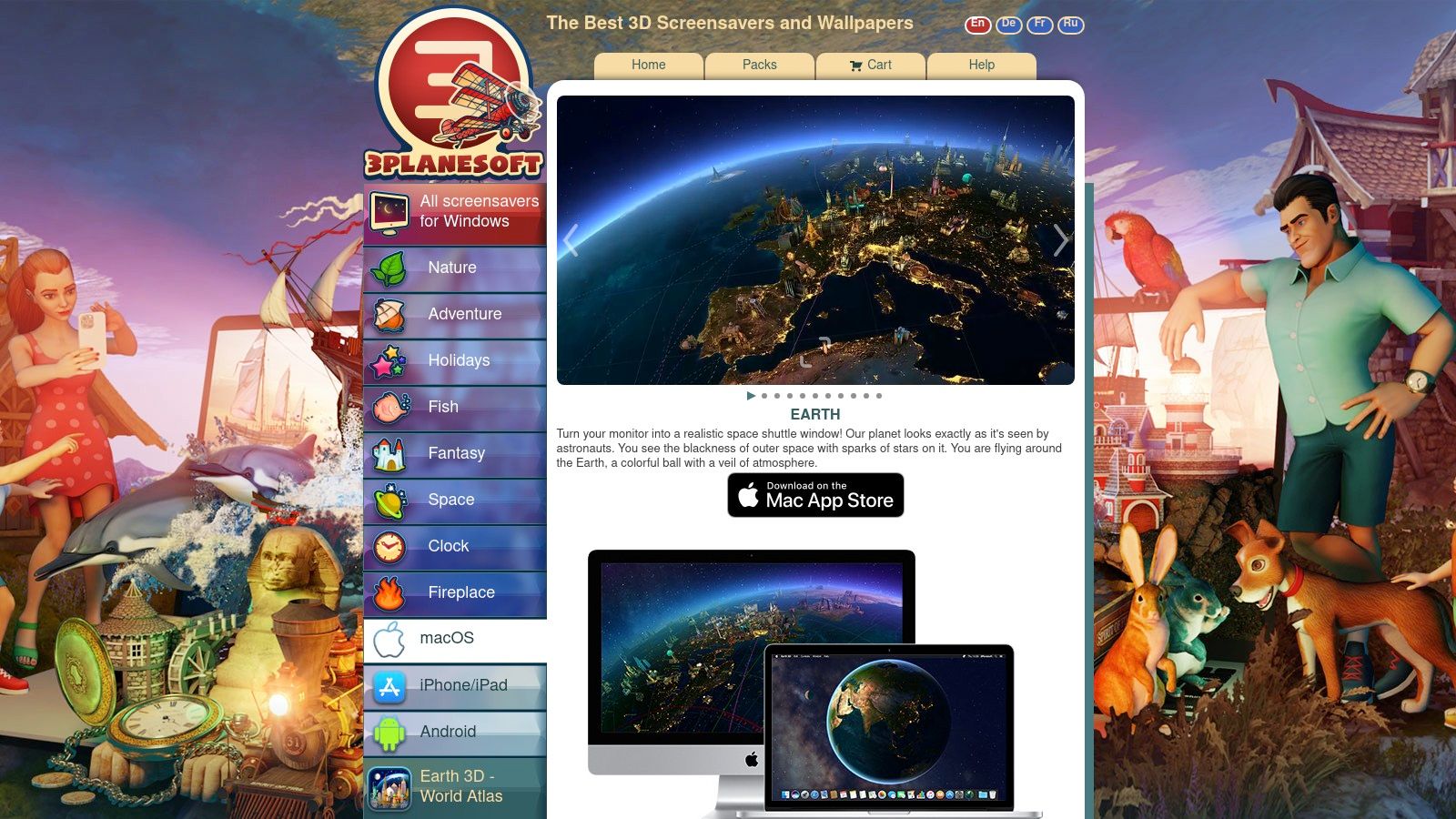
The app's main appeal is its high-quality 3D model of the Earth, complete with a day/night cycle that realistically reflects the planet's rotation. You can watch city lights appear on the dark side of the globe while clouds drift across continents. While it doesn't provide granular, real-time storm tracking like some other apps, its optional information layers add a functional dimension. This makes it one of the more visually striking weather wallpaper options that focuses on the big picture.
Key Features and User Experience
Earth 3D is designed for flexibility, giving you control over what you see and how the app behaves. It delivers a strong "wow" factor with its detailed textures and smooth animations.
- High-Quality 3D Rendering: The app features a highly detailed 3D globe with realistic atmospheric effects and day/night cycles.
- Optional Info Layers: You can overlay information like major city names, which is useful for a quick geographical reference.
- Dual Functionality: It works seamlessly as both a live wallpaper that sits behind your desktop icons and as a screensaver for when your Mac is idle.
- High-Resolution Support: It's specifically optimized for high-resolution displays, ensuring crisp, clear visuals on MacBooks with Retina screens and external 4K monitors.
The setup is straightforward, and the app is available directly from the developer's website for a one-time purchase. It's a great choice if your priority is a polished, ambient planet on your screen rather than a detailed local weather dashboard. It provides a more cinematic, less data-heavy alternative to other globe-based wallpapers.
Live Weather Wallpapers — 7-Item Comparison
| Item | Implementation complexity | Resource requirements | Expected outcomes | Ideal use cases | Key advantages |
|---|---|---|---|---|---|
| gifPaper | Very low — install macOS app and one‑click set | Low–moderate CPU/GPU; 4K assets; one‑time $5 | Seamless Retina 4K live wallpapers (desktop + lock screen); optional ambient audio | Mac users wanting polished cinematic wallpapers without subscriptions | Native macOS, true 4K loops, one‑click set, organized shareable gallery |
| Living Earth (Radiantlabs) | Moderate — install and configure cities/sync | Low–moderate; real‑time cloud data and forecast updates; iCloud sync optional | Polished 3D globe with real‑time clouds, forecasts and world clocks | Users who want a planet view with live weather and city clocks | Real‑time satellite clouds, maps & forecasts, reputable developer |
| EarthDesk (Xeric Design) | Moderate — install and configure map/projection options | Moderate; live clouds may require paid data subscription | Always‑on Earth/weather wallpaper with day/night and moon shading | Users needing continuous global weather context on Mac or Windows | Mature app, multiple projections, live clouds and shading |
| Aerial (Aerial screensaver + Companion) | Moderate — install screensaver + companion; configure overlays/API | Low–moderate; uses Apple TV aerial videos; optional OpenWeather API keys | High‑quality aerial videos as screensaver; optional weather/clock overlays; experimental wallpaper use | Users wanting free, open‑source, beautiful screensaver with custom overlays | Free and open source, gorgeous Apple TV footage, highly customizable overlays |
| Weather Screen | Moderate — install and enable overlays; customize effects | Moderate; uses Metal for rendering; some features behind subscription | Dynamic weather effects over existing wallpaper with ambient sound and forecasts | Users who want condition‑based visual effects layered on their desktop | Real‑time condition mapping, extensive visual controls, performance modes |
| Motion Weather 4K (Mach) | Moderate–high — install large 4K asset pack and desklets | High; bundled 4K assets take space; multi‑display support | Cinematic 4K weather scenes with integrated forecast desklets and per‑display control | Users with 4K/Retina setups wanting cinematic scenes + widgets | Rich cinematic scenes, deep customization, multi‑display control |
| Earth 3D (3Planesoft) | Moderate — install and choose layers/screensaver settings | Moderate–high for high‑detail 3D rendering; optimized for Retina | Striking 3D Earth visuals as wallpaper or screensaver with ambient planet info | Users seeking polished planet ambiance and dual screensaver/wallpaper use | High‑quality 3D rendering, seamless screensaver/wallpaper flexibility, Retina optimized |
So, Should You Turn Your Mac Into a Weather Station?
The real question isn't whether you should use live weather wallpapers, but what kind of weather you truly want on your Mac. After looking at everything from real-time meteorological data feeds to cinematic, looping snowstorms, it's clear there are two distinct paths. One path is for the data purist; the other is for the atmosphere architect.
If you're the type who wants to see current cloud patterns sweeping across a photorealistic globe or get precise, hyper-local weather conditions reflected on your screen, then tools like Living Earth or EarthDesk are your answer. They turn your desktop into a functional, data-driven dashboard. They are less about mood and more about information, providing an accurate, ever-changing snapshot of our planet's climate. They serve a practical purpose.
Key Takeaway: Choosing the right tool comes down to a simple question: Do you want to see the weather, or do you want to feel a certain weather? Data-driven apps show you what is, while aesthetic apps let you create what you want to be.
But what if you don't care about the actual weather in Cupertino and would rather be working from a cozy cafe in a rain-soaked, neon-lit Tokyo? What if your ideal work environment involves a gentle, looping snowfall outside a cabin window, even if it's 85 degrees and sunny where you live? This is where the focus shifts from data accuracy to aesthetic curation. You're not looking for a weather report; you're building a vibe. You want the calming effect of a thunderstorm without the power outage, the beauty of a blizzard without the frostbite.
For this, you need a tool built for the experience, not the forecast. The problem is that many wallpaper apps are resource hogs, clunky, or offer low-resolution GIFs that stutter. I built gifPaper because I wanted the best of both worlds: stunning, 4K seamlessly looping scenes that run efficiently using Apple's native wallpaper system. It's the only app that puts these cinematic loops right on your lock screen, greeting you the same way Apple's own wallpapers do, but with a scene you actually chose.
Ultimately, turning your Mac into a visual weather station is less about practicality and more about personalizing the digital space you inhabit for hours each day. You're going to stare at that screen anyway. It might as well be something that brings you a little bit of calm, focus, or joy. Whether that's a real-time satellite view or a perfectly crafted fantasy storm is entirely up to you.
Ready to stop looking at a static desktop? The entire gifPaper for Mac collection, including dozens of rain, snow, and atmospheric scenes, is available to try right now with a 7-day free trial. It sets your lock screen, desktop, and screen saver with one click. Give your Mac the weather you want, not just the weather you have.