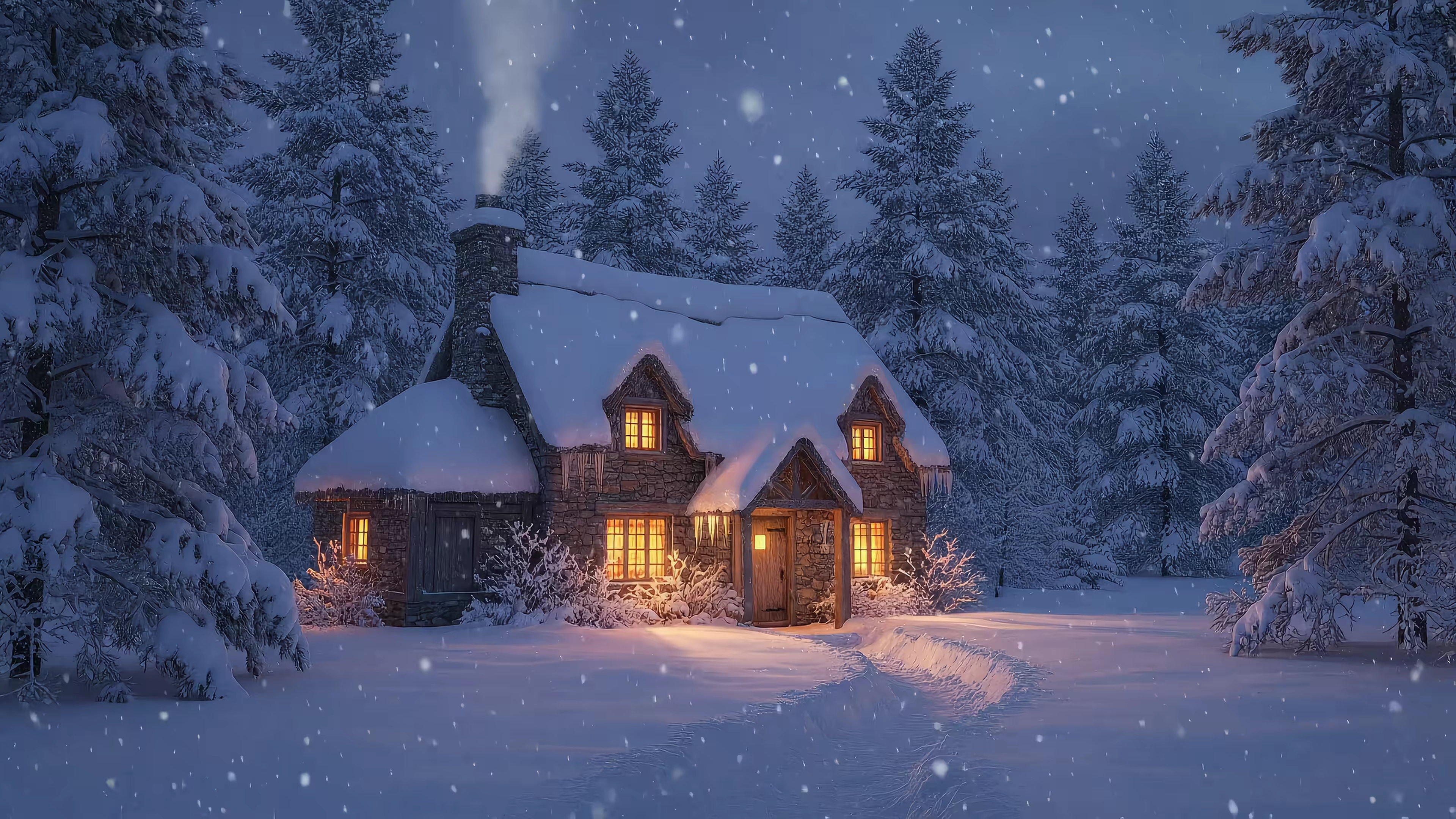
7 Best Winter Live Wallpaper Options for Your Mac in 2026
Your Mac is cold. Make it cozy.
The weather outside is doing its annual theater production of gray skies and damp nonsense. Meanwhile, your desktop is still some default mountain photo you never picked, never loved, and barely notice. You deserve better. You're going to look at your Mac for hours anyway. Might as well make it pretty.
A proper winter live wallpaper should feel like a tiny escape hatch. Snow drifting past a cabin window. A silent forest at dusk. A city street reflecting fresh snow and neon in equal measure. Something that makes answering emails feel marginally more cinematic, which is about the most any wallpaper can do without filing your taxes.
Most options are bad in very predictable ways. They're blurry GIF relics, clunky overlays, or they stop at the desktop and leave your lock screen looking like a tax form. Older tools leaned on animated GIFs and background agents, with heavier CPU overhead and no lock screen support, which is exactly why that approach feels ancient now, as OSXDaily's writeup makes painfully clear.
This list skips the fluff and goes straight to the winter live wallpaper options that make sense on Mac, especially if you care about 4K quality, smooth loops, native performance, and not turning your laptop into a pocket radiator.
1. Winter Live Wallpapers for Mac
You open your Mac on a dark winter morning, and the desktop still looks like the same forgettable default image you ignored in October. Fix that first.
Winter Live Wallpapers for Mac is the cleanest starting point if you care about how this stuff works, not just how it looks in a screenshot. The collection lives inside gifPaper's gallery and focuses on winter scenes that hold up on a Retina display: cabins, snowy forests, city lights on wet pavement, northern lights, the usual cozy suspects, but done with enough quality that they don't turn into blurry wallpaper sludge.
A strong example is the Snow House wallpaper. It has the exact vibe widely desired for a winter desktop: warm light, falling snow, zero visual clutter, and motion that doesn't feel cheap.
Why this one stands out
The main reason to start here is technical quality. gifPaper uses Apple's native Aerial wallpaper format for lock screen playback, which puts it in a different class from older wallpaper hacks and GIF-based workarounds. According to Cadran's explanation of live wallpapers on Mac, Apple's Aerial format is built for small file sizes and native lock screen behavior. That matters if you want winter video wallpaper that looks sharp without making macOS feel like it is dragging a sled uphill.
The setup also makes sense. You browse the gallery first, then use the app to apply the wallpaper to your lock screen, desktop, and screen saver. One action sets the lock screen and desktop together, which is how it should work. If you want the practical steps, the guide to getting live wallpapers on Mac walks through the install process.
There is also a simple quality filter here that a lot of wallpaper roundups ignore. If an app cannot handle the lock screen properly, it is not a full solution. It is half-finished desktop decoration.
What to know before you buy
The app requires macOS 26 Tahoe or later. It is a direct download rather than a Mac App Store app, because Apple does not allow this kind of live lock screen behavior through App Store sandboxing. It is notarized by Apple, which is the part that is important when you are installing a utility outside the store.
Pricing is sensible. It is $5 once, with a 7-day free trial and a 30-day money-back guarantee. That is the right model for wallpaper software. Pay once, keep the thing, move on.
Pros - Native-format lock screen support: Better fit for macOS than old overlay tools. - Winter collection with actual taste: Cozy cabins, snow scenes, and darker winter city shots instead of random low-grade filler. - 4K playback that looks right on Mac displays: Sharp enough for Retina screens without the usual compressed mess. - Simple setup: Lock screen, desktop, and screen saver are handled in one app.
Cons - Mac-only: Great for Mac users, irrelevant for everyone else. - Animated desktops still cost battery: Static mode is the smarter choice on a laptop if you care about runtime.
2. Vivid Walls
Vivid Walls is the pick for people who came from Windows, miss Wallpaper Engine, and want something closer to that "scene wallpaper" vibe on macOS.
This one doesn't just play video loops. It leans into rendered scenes, which can feel more alive than a straightforward looping clip. That's useful for winter wallpapers, where a little motion in snow, lighting, or layered effects can make the whole thing feel less like a screensaver from a dentist's waiting room.
The trade-off is obvious. More ambitious scene rendering means compatibility can vary, especially when you start dealing with imported content. Vivid Walls openly positions itself as the closest macOS thing to the Wallpaper Engine style, but not every imported scene lands perfectly. That's not a scandal. That's just what happens when one ecosystem speaks fluent Windows and the other speaks fluent "it's complicated."
Best for Wallpaper Engine refugees
If your dream setup is a snowy balcony scene, a winter village, or a Christmas fireplace with more movement than a plain video loop, Vivid Walls is one of the more interesting options.
What stands out - Scene-based wallpapers: Better for people who want more interactivity than a simple loop. - Mac App Store setup: Easy installation, less fiddling. - Winter and holiday material in the gallery: Good seasonal fit without needing to build everything yourself.
It's the closest thing on Mac to that Wallpaper Engine itch, which is a sentence no normal person should need, yet here you are.
Where it's less clean - Import compatibility varies: Some imported scenes need work. - Less straightforward than pure video tools: Great when it works. Slightly annoying when it doesn't.
If you like the idea of winter live wallpaper with more movement and don't mind a little edge-case weirdness, Vivid Walls earns its spot.
3. Magic Window – Timelapse Desktop
Magic Window – Timelapse Desktop is for people who want winter atmosphere without visual chaos.
Not everyone wants drifting particle effects, layered UI tricks, or a lock screen that looks like a sci-fi dashboard got into mulled wine. Sometimes you just want a tasteful cold-weather timelapse running in the background while you work. Magic Window is very good at that particular job.
Its winter appeal is subtle. Think snowy mountain scenes, seasonal vistas, and slow-moving footage that doesn't slap you in the eyeballs every time you switch apps. That's the right move for a lot of desks. Especially if you stare at the screen all day and want calm, not spectacle.
Why it works
The app's style is restrained. That's a compliment. Winter wallpapers can get tacky fast, especially when developers assume "seasonal" means "add more glitter until the CPU files a complaint." Magic Window keeps things cleaner and more cinematic.
It also fits the broader shift toward higher-fidelity desktop video. Mac users have been drifting toward Retina-quality ambient loops over compressed GIFs, and Cindori notes that Backdrop has seen adoption from more than 70,000 Mac users using 4K video wallpapers. Different app, same lesson. On a Mac display, proper video looks right. Cheap animation doesn't.
Best for low-drama desktops
Choose Magic Window if you want - Slow timelapse ambiance: Good for work setups where distraction is the enemy. - Screen saver support: Useful if you still enjoy your Mac pretending it's 2009, but prettier. - A more traditional feel: Less experimental, more polished postcard energy.
Skip it if you want - Interactive winter effects: That's not its thing. - One big integrated scene library experience: The appeal is quality and restraint, not novelty overload.
Magic Window is the winter live wallpaper option for people with decent taste and limited patience.
4. Wallper
Wallper is what I'd recommend to the person who says, "I want 4K video wallpapers on both the desktop and lock screen, and I care more about smooth playback than gimmicks."
That's a sensible person. Maybe a little fussy. Fussy is good here.
Wallper has a performance-first reputation, and that matters more on Mac than marketing pages like to admit. The whole live wallpaper category falls apart if playback stutters, battery tanks, or your machine starts sounding like it's preparing for takeoff.
The performance-minded choice
Wallper's developer has talked publicly about building the app to "run smooth even with 4K video" and avoiding telemetry, in a macOS developer post on Reddit. That same post points to a useful technical benchmark. 4K animated wallpaper apps need sub-15ms frame latency to stay smooth without dragging system performance.
That's the kind of detail most wallpaper roundups skip because "latency" isn't as fun as "snowfall vibes." It's still the thing that decides whether your desktop feels premium or cheaply assembled.
Smooth beats flashy. A winter scene that stutters is just a sad postcard with commitment issues.
Wallper also reflects a broader macOS reality. Setting live wallpapers across both Home Screen and Lock Screen isn't always automatic. Some setups still require system-level toggles for screen saver behavior during login, which makes native-feeling lock screen support more technical than it looks.
Who should pick it
Wallper makes sense if you want - A curated 4K video library: Better than hunting random clips. - Lock screen support: Important if you care what you see before login. - A developer who seems to care about overhead and privacy: Always nice.
Wallper makes less sense if you want - Interactive scene wallpapers: It's still a video-loop approach. - The cheapest route possible: You're paying for polish.
If your standard is "winter live wallpaper, but make it smooth and not stupid," Wallper is a strong option.
5. OS Engine
OS Engine is the chaos gremlin of this list, in a good way.
Instead of asking you to accept whatever winter scene some gallery offers, it lets you slap winter effects on top of almost anything. Snow. Rain. Cursor-interactive effects. Layers. Web and HTML overlays. It's the tool for people who enjoy tinkering and don't mind turning their desktop into a mildly theatrical weather system.
That flexibility is its whole appeal. If you already have a background you like, OS Engine can make it feel seasonal without forcing you into a totally different aesthetic.
Best for custom winter effects
The standout move here is layering snow effects over your existing wallpaper. That means you can take a dark cityscape, a cozy room, or even something from a neon wallpaper collection and give it winter energy without replacing the whole visual identity.
There's a practical reason this matters. A lot of winter live wallpaper content still lives in the old Android mold. One early category giant, Blackbird Wallpapers' Winter Live Wallpaper, built its popularity around falling 2D and 3D snowflakes, frozen window effects, and more than 30 winter backgrounds in one app. That was useful then. On a modern Mac, it can look a little toy-like.
OS Engine sits in the middle. More dynamic than an old snowflake app. Less dependent on a fixed cinematic clip than a pure video library.
The catch
What's good - Layered winter effects: Great if you want snow without replacing everything. - Automation and multi-monitor support: Helpful for power users. - More playful than strict video wallpaper apps: Cursor interaction adds a bit of nonsense, which is healthy.
What's less good - Smaller ecosystem: You're buying tools more than a giant ready-made gallery. - Requires taste: With enough overlays, anything can become ugly. Rapidly.
If you like building your own winter mood instead of picking from a shelf, OS Engine is the fun one.
6. Mural
Mural is for the DIY crowd. Not the "I churn my own butter" crowd. The "I already have video clips and opinions" crowd.
Its strength is customization. You can use your own videos as wallpapers, add grading, text, widgets, and ambient audio, then sync dynamic wallpapers to the macOS lock screen. That makes it less of a curated gallery app and more of a wallpaper workshop.
For winter live wallpaper, that's either exciting or annoying, depending on your tolerance for setup. If you already have winter footage, or you want to source your own clips and shape them into something personal, Mural gives you room to mess around.
Good if you already have the raw material
Mural shines when you bring your own taste to the party. Maybe that's drone footage of snow-covered trees. Maybe it's a street scene with sleet and warm shop windows. Maybe it's your own trip footage, and now your lock screen gets to cosplay as a memory.
That flexibility matters because available source material for winter loops is no longer scarce. Pixabay currently lists 10,906 royalty-free HD and 4K winter-tagged stock videos, which tells you the raw ingredients are everywhere. The hard part isn't finding clips anymore. It's turning them into something that looks good on a Mac and loops cleanly.
A giant pile of winter footage doesn't automatically become a good wallpaper. Editing still exists. Taste still exists. Tragic font choices also still exist.
Who should use it
Pick Mural if - You want control: Your own clips, your own audio, your own look. - You enjoy tweaking: Widgets and overlays are part of the appeal. - You don't need a heavily curated built-in winter library: The tool matters more than the catalog.
Pass if - You want one-click simplicity: This is not the lazy option, and I say that with affection.
Mural is capable. It just assumes you want to do some of the work.
7. Wallpaper Engine
Wallpaper Engine on Steam is on this list for one reason. If you're coming from Windows, it's probably the thing you mean when you say, "I want a winter live wallpaper."
It has the giant ecosystem. It has the searchable community content. It has the culture around making and sharing animated scenes. If your memory of desktop customization involves browsing endless snowy cities, blizzards, cabins, fireplaces, and suspiciously intense anime winter scenes, this is the source of that memory.
The bad news is simple. It's Windows-only. There's no official Mac version.
Why Mac users still need to know about it
Wallpaper Engine still matters because it shapes expectations. Mac users switching over often want the same abundance and flexibility they had on Windows. They also want guidance on what translates well to Mac, because "ported from Windows" can mean anything from "works nicely" to "behaves like a cursed appliance."
If that's your situation, the gifPaper guide to Wallpaper Engine for Mac is the practical read. It clears up what carries over, what doesn't, and why native Mac wallpaper tools often feel different.
Useful as a benchmark, not a Mac solution
Wallpaper Engine is still great for - Huge variety: Winter content is easy to find. - Authoring and sharing: The ecosystem is the core product. - Setting your standard: It teaches you what a good animated wallpaper library can feel like.
Wallpaper Engine is not great for - Mac use, directly: Because it's not on Mac. - Native macOS lock screen integration: You'll need a different approach.
One more thing worth saying plainly. A lot of what passes for winter wallpaper online still hasn't caught up to Mac displays. There's a real gap between cartoon snowflake effects and proper Retina-ready 4K loops with ambient audio, which is exactly why so many switchers end up disappointed. Wallpaper Engine proves demand exists. It doesn't solve the Mac side by itself.
Winter Live Wallpaper: Top 7 Feature Comparison
| Product | Implementation complexity | Resource requirements | Expected outcomes | Ideal use cases | Key advantages |
|---|---|---|---|---|---|
| Winter Live Wallpapers for Mac (gifPaper) | Very low, one‑click preview & set | macOS only; 4K video loops (higher CPU/GPU/battery); one‑time purchase after 7‑day trial | Seamless 4K winter video loops with optional ambient audio and lock‑screen support | Users who want instant cinematic winter backgrounds with minimal setup | True 4K loops, Retina playback, simple workflow, affordable one‑time price |
| Vivid Walls (Mac) | Moderate, install app; optional Windows companion to import scenes | Native Metal renderer (Apple Silicon optimized, low CPU claims); Mac App Store license | Interactive scene‑style wallpapers similar to Wallpaper Engine with playlists and multi‑monitor support | Users wanting a Wallpaper Engine‑like experience on macOS and to import community scenes | Native renderer, imports many Wallpaper Engine scenes, feature rich for macOS |
| Magic Window – Timelapse Desktop (Mac) | Low, install and choose timelapses | Designed for low CPU/battery use; optional separate 4K edition | High‑quality slow timelapse wallpapers and screen savers with speed control | Users who prefer subtle, non‑distracting winter vistas and screensavers | Elegant, low‑key timelapses; long‑running developer support |
| Wallper (Mac) | Low–Medium, install, trial, one‑time license | 4K/1080p video support, native lock‑screen, larger disk for video files; performance focused | Curated, regularly updated 4K video wallpapers with native playback and lock‑screen sync | Users wanting performant, high‑quality video wallpapers and frequent content updates | Performance focus, active developer, regularly refreshed catalog, lifetime updates |
| OS Engine (Mac) | Moderate, install and configure overlays/effects | Metal‑rendered effects targeted 60 fps; supports automation and multi‑monitor; battery‑friendly options | Real‑time interactive snow/rain overlays and web/HTML layers on any wallpaper with lock‑screen support | Users who want to add interactive winter effects to existing wallpapers or automate behavior | Interactive overlays, native lock‑screen integration, automation and real‑time effects |
| Mural (Mac) | Moderate, import footage and customize with tools | Uses your own videos; macOS 14+ lock‑screen support; App Store trial, paid unlock | Customizable live wallpapers from user clips with color grading, widgets, text and audio | Creators who want to DIY winter scenes or heavily customize clips for their desktop | Flexible customization, real‑time grading/overlays, widget and audio support |
| Wallpaper Engine (Windows; via Steam) | Moderate–High, powerful editor and publishing workflow | Windows + Steam required; large Workshop content; low one‑time Steam price | Vast library of authored and community winter scenes plus full authoring tools | Windows users seeking the largest selection and ability to create/publish scenes | Unmatched variety, powerful editor, massive community Workshop |
The Easiest Way to a Cozier Mac
You wake your Mac on a cold, gray morning and the whole vibe falls apart in one second. The desktop is static, the lock screen feels disconnected, and that "winter wallpaper" you picked looks cheap on a Retina display. If you care how your Mac feels day to day, that gets annoying fast.
That's the gap gifPaper tries to fix.
I built it for Mac because too many wallpaper apps still feel like hacks. They play a clip on the desktop, then stumble on crop handling, loop quality, performance, or lock screen support. If you want a winter live wallpaper that looks sharp in 4K, loops cleanly, and behaves like a real Mac app, those details matter more than the marketing screenshots.
The setup is simple. Choose a wallpaper once, then keep the look consistent across the desktop, screen saver, and lock screen. That continuity is what makes a Mac feel polished instead of patched together. You can run motion on the desktop or switch to a still frame during work if you want less movement.
The catalog helps, too. gifPaper includes more than 150 looping 4K wallpapers, and winter is just one slice of it. If you want a different mood later, the nature wallpaper collection and the fireplace wallpaper collection are both worth a look.
Here's the practical part. There's a 7-day free trial, no credit card required. If you keep it, it's a one-time $5 purchase. No subscription. There's also a 30-day money-back guarantee. It requires macOS 26 Tahoe or later, and it ships as a direct download because Mac App Store sandbox rules block live lock screen wallpapers. The app is notarized by Apple, which sounds dull and matters anyway.
If you're done messing around with low-grade GIFs and wallpaper tools that almost work, use the option built for people who notice frame pacing, resolution, and whether an app respects macOS. Browse gifPaper.