
Top Work From Home Desk Setup Ideas for 2026
Meta description: Practical work from home desk setup ideas for 2026, from ergonomic gear guides to live Mac wallpapers that make your desk feel finished.
Your desk is already doing too many jobs. It's an office, a Zoom stage, a lunch counter, a charging station, and in some homes, a place the cat has formally annexed under squatters' rights. That's why most work from home desk setup ideas fail. They treat the desk like a shopping list instead of a scene you have to live inside all day.
That matters because remote work isn't a side quest anymore. In 2025, about 32.6 million Americans, or 22% of the US workforce, are working remotely. Your desk isn't a temporary folding table situation now. It's the set for your professional life, whether that set lives in a spare room or a suspiciously ambitious corner of the living room.
And yes, layout still matters before you buy anything. A bad room flow can make even good furniture feel wrong, so it's worth stealing a few ideas from Room Sketch 3D's home office layout guide before you start bolting monitor arms to everything in sight.
The overlooked part is the screen. People obsess over desks, chairs, lamps, and cable trays, then leave the biggest visual surface in the room showing a default wallpaper that looks like it came free with tax software. That's like decorating a film set and forgetting the background.
So this list starts where most guides don't. With the digital window you stare through all day. Then it moves through the best resources for physical setup ideas, from layout planners to ergonomic references to real-world desk galleries. Not a giant pile of random products. Just the tools and guides worth raiding when you want a desk that works and doesn't look like a beige HR seminar.
1. gifPaper

You sit down at a decent desk, flip on a nice lamp, line up the keyboard, and then your monitor greets you with the same dead-eyed default wallpaper it had three software updates ago. That is how a setup goes from "carefully built" to "corporate rental car" in one glance.
gifPaper fixes that part first. It's a Mac app for live wallpapers on the desktop, lock screen, and screen saver, and it uses Apple's native Aerial wallpaper format instead of the usual layer of weird desktop hackery that makes your machine feel faintly haunted.
Why it belongs in a desk setup list
This article is about the best resources for building a setup, not just another parade of desks with potted plants and suspiciously clean cable runs. gifPaper earns the opening slot because the screen is the most overlooked surface in the room, and it affects the mood of the whole space more than people admit.
The site also works as a curated wallpaper library. You can browse themed collections, including winter wallpapers, and pick something that fits the rest of the room instead of accepting whatever pastel fog your operating system shipped with.
If you want a broader style reference before choosing one, gifPaper's MacBook wallpaper aesthetic guide is useful for matching the screen to the rest of your setup instead of treating it like an afterthought.
What works
gifPaper's main advantage is restraint. The gallery feels curated, not algorithmically dredged from the bottom of the internet. You get specific scenes with their own pages, including the record player scene and the snow house wallpaper.
That matters in practice. A lot of wallpaper tools give you infinite choice and terrible taste.
Some wallpapers include ambient music. Others are silent. That split is useful because there's a real trade-off here. Audio can add atmosphere after hours, but during the workday I usually want motion without extra sound competing with calls, music, or the low industrial hum of Slack panic.
Practical rule: If your desk is visually minimal, let the wallpaper carry more of the mood. If you already have warm lighting, wood, plants, and shelves full of tiny goblin-tier decorations, use a calmer background.
The app has a 7-day free trial with no credit card required. After that, it's a $4.99 one-time purchase, with a 30-day money-back guarantee. In software terms, that is refreshingly normal behavior.
Trade-offs worth knowing
This is Mac-only, and it requires macOS 26 Tahoe or later. Windows users can stop reading this section without guilt.
Live wallpapers also use system resources. On a plugged-in desk setup, that's usually fine. On battery, especially if you keep animation running all day, the smarter move is moderation. gifPaper handles this well because the desktop can sit on a still frame by default, with a toggle for full video animation when you want it.
The gallery is not trying to win by sheer volume either. It has about 150 wallpapers right now, with more added regularly, which is enough to give you range without turning the site into a digital flea market.
For Mac users, this is one of the few setup upgrades you notice every single day. Furniture sets the stage. Your screen finishes the scene.
2. WIRED
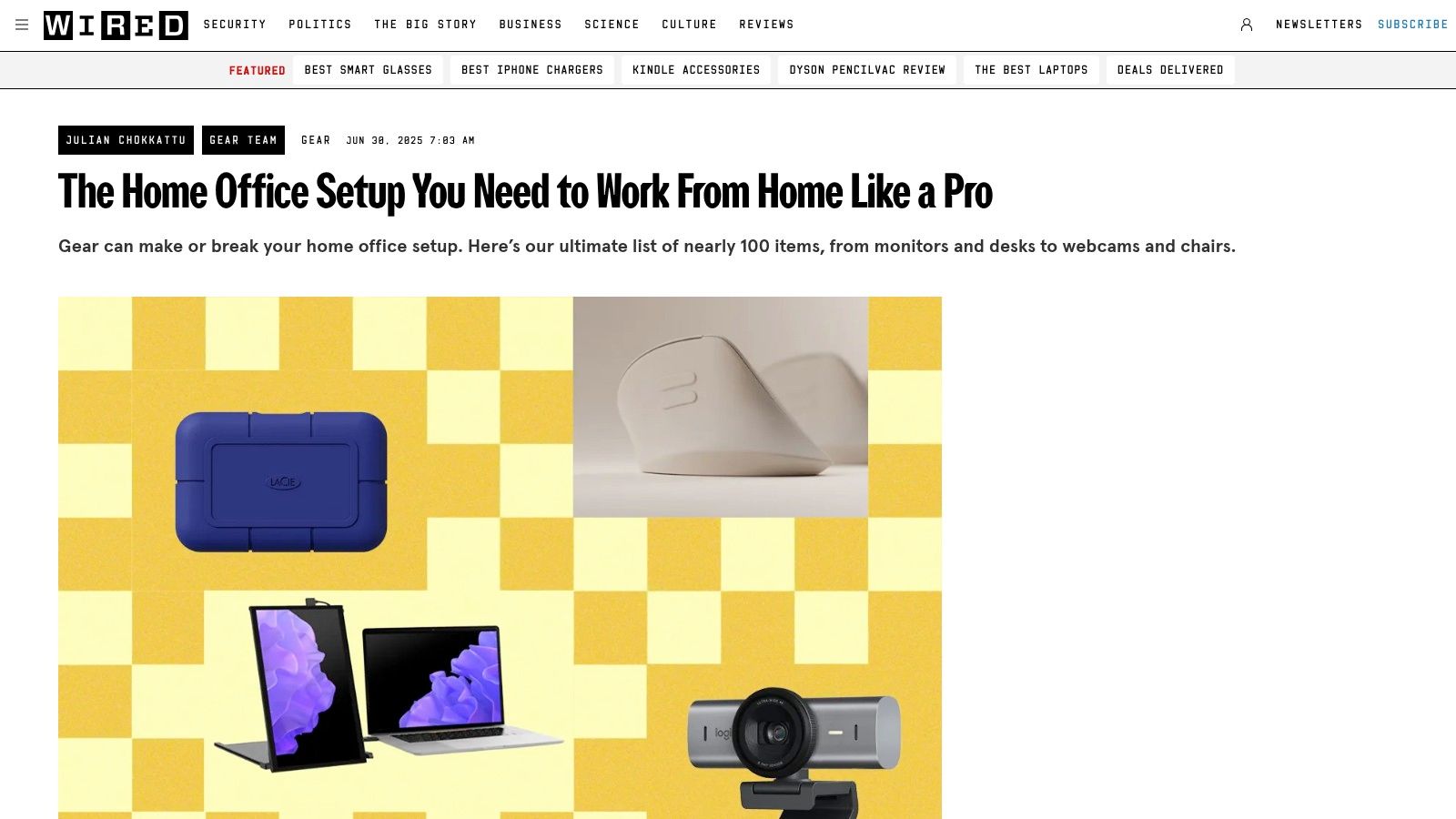
If gifPaper handles the mood, WIRED's home office gear guide handles the shopping chaos. This is the resource to open when you know your setup is missing something, but you don't yet know whether that something is a desk lamp, a webcam, a monitor arm, or a chair that doesn't feel like a church punishment device.
WIRED's strength is breadth. It pulls together desks, chairs, monitors, lighting, webcams, storage, and accessories in one place, then branches into more focused buying guides when you need detail.
Best use case
Use WIRED when you're building from a blank page or fixing several weak points at once. It's less useful if you want one exact build handed to you. It's more useful if you want a short list of credible options at different budgets.
That distinction matters. A lot of "desk setup" content is secretly furniture cosplay. WIRED is closer to a real procurement list for people who need the space to function on Monday.
Where it helps most
The guide is especially handy for hybrid workers because the best modern setups aren't single-purpose anymore. Stanford and Neat note that 83% of global workers prefer hybrid work, which explains why so many people now want desks that can shift between focused work, calls, admin, and the occasional "I'm technically off the clock but still near the laptop" drift.
That's where WIRED shines. It doesn't just recommend expensive hero pieces. It also points to the small boring upgrades that keep a desk from turning feral.
- Small fix first: A monitor riser, desk pad, or lamp often changes day-to-day comfort faster than a dramatic furniture swap.
- Use category guides strategically: If your chair is fine but your webcam is tragic, skip the giant list and go straight to the sub-guide.
- Expect some choosing: This isn't a single recipe. You still have to decide whether you want compact, premium, modular, or "good enough and shipping this week."
Don't use a giant roundup as permission to buy everything. Use it to identify the one bottleneck making the desk annoying.
The main downside is exactly what makes it useful. You have options. That's great until you've opened twelve tabs and started comparing desk lamps like a Victorian lamp clerk. Also, some recommendations are easier to buy in the US than elsewhere, so international readers may need substitutes.
Still, as a practical source for work from home desk setup ideas, it's one of the better places to get unstuck fast.
3. IKEA US
A lot of home office advice tends to assume you have a spare room and the patience of a museum curator. IKEA's home office how-to section is better for the actual species known as "person with one free wall and a power strip doing emotional labor."
That matters because IKEA is not just selling desks. It's showing workable combinations of desks, storage, lighting, shelves, and cable control that people can copy without needing a contractor, a studio loft, or a trust fund disguised as "taste."
Why IKEA keeps showing up in real setups
IKEA is strongest when the room is awkward. Bedroom corner. Living room edge. Dining table ceasefire zone. Its examples are useful because they solve around constraints instead of pretending constraints are a mindset problem.
The modular approach offers the greatest benefit. Start with a basic desk. Add drawers later. Add a pegboard when the small items start breeding. Add task lighting when winter turns 4 p.m. into cave mode. That staged build is more realistic than buying a perfect setup in one shot.
There's also a screen-side lesson hiding in these room builds. Good setups are judged from the chair, not from the doorway. If the desk looks tidy but your monitor position is wrong or your eyes are getting cooked for eight hours a day, the setup still loses. It helps to pair furniture planning with a practical guide on reducing eye strain from computer use.
What IKEA gets right, and where it can go wrong
The biggest strength is cohesion. IKEA makes it easy to build a desk area that looks intentional, even on a budget, and that's useful if you want the space to feel calmer without turning it into a sterile productivity shrine.
The trade-off is that visual coordination can hide bad decisions.
- A neat setup can still be uncomfortable: Desk height, monitor position, and chair support still decide whether the space works.
- Storage often fixes more than a bigger desk: Drawer units, wall shelves, and pegboards can rescue a cramped room faster than swapping to a wider tabletop.
- Stock changes can wreck a plan: Check availability before you commit to a whole layout built around one specific piece.
I'm also less convinced by IKEA seating than by its desks and storage. Some chairs are fine for lighter use. If you spend long workdays planted at the desk, inspect the chair harder than the room photos encourage. Cheap visual harmony is fun right up until your back starts filing complaints.
For budget-minded work from home desk setup ideas, IKEA remains one of the more useful resources on this list. It helps you build in layers, adapt to small spaces, and get the boring infrastructure right. That last part matters more than people admit. A desk setup starts with what you see all day, then everything around it has to support that reality.
4. Herman Miller
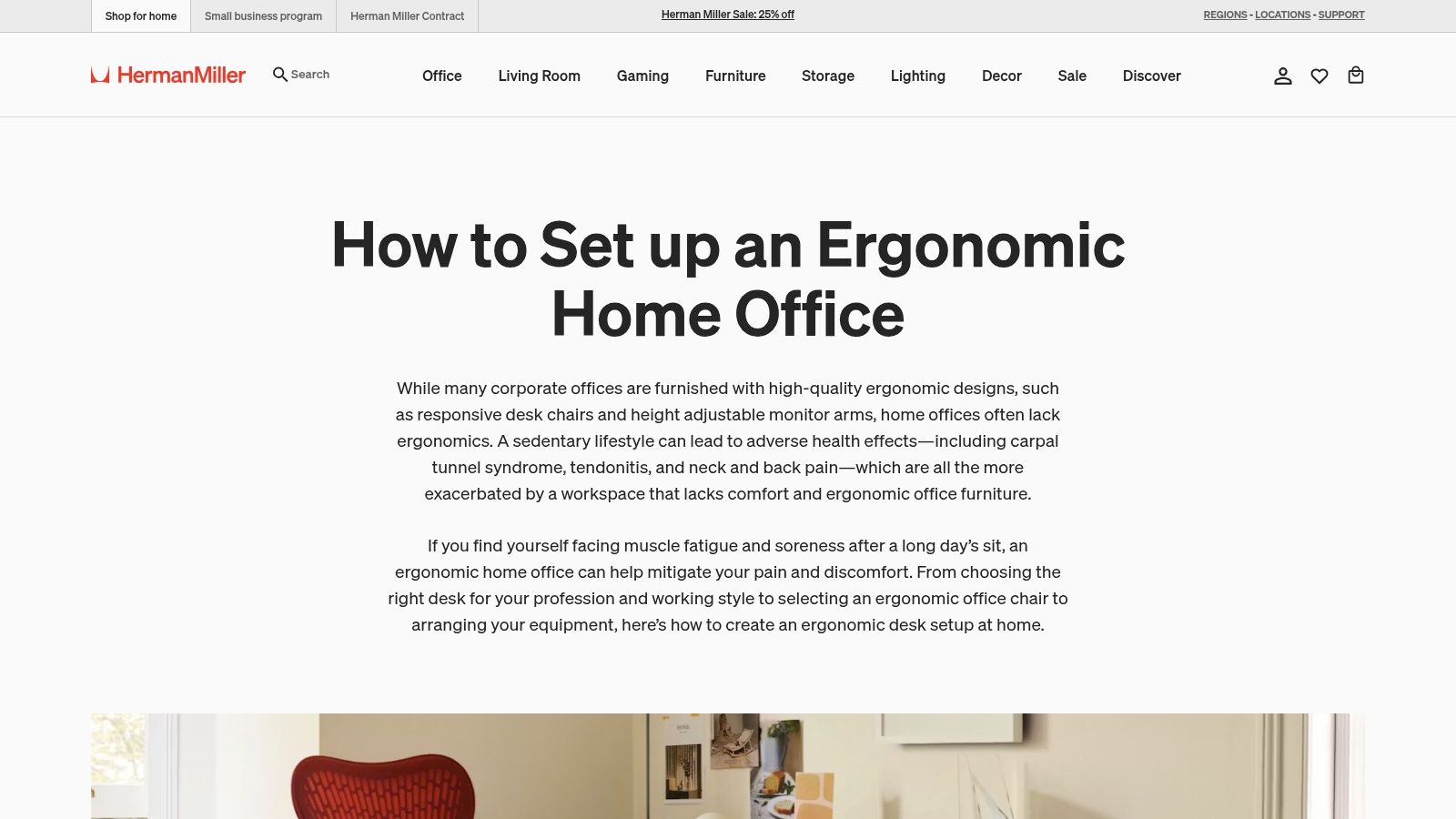
You sit down for work, the desk looks tidy, the wallpaper is perfect, and 90 minutes later your shoulders feel like two bricks in a hoodie. That is usually the point where people realize aesthetics were never the hard part. Herman Miller's ergonomic home office guide is useful because it deals with the part of a setup that ultimately determines whether you can work comfortably for hours: screen height, seat depth, desk height, arm position, and posture.
That makes it one of the better resources in this list for building a setup from the screen backward. If your monitor is too low, too close, or off to one side, the rest of the desk starts compensating around a bad center point.
Use the guidance as a measuring tool
The best part is the posture chart and adjustment advice. It gives you a way to diagnose what feels wrong instead of throwing random purchases at the problem like a confused side quest.
A lot of desk setup content is great at selling the vibe and terrible at helping you configure the machine you sit inside all day. Herman Miller is much better at calibration. If your neck hurts, your wrists feel cramped, or your chair somehow supports everything except your body, this is the page to check first.
Eye comfort belongs here too. If you are already fixing monitor height and viewing distance, pair it with practical advice on reducing eye strain from computer use. A work from home setup lives or dies by what happens on the screen, not just by the furniture around it.
Where Herman Miller helps, and where it does not
Herman Miller is strongest when you need precise ergonomic reference points. It is less helpful for budget planning, room styling, or making a spare bedroom corner feel less like an apologetic tax write-off.
That trade-off matters. The examples orbit premium products, so the site can make proper ergonomics look more expensive than it has to be. The good news is the body-position advice still applies if your desk is IKEA, your monitor arm came from somewhere less glamorous, and your chair cost a fraction of an Aeron.
Use this resource to tune the fundamentals. Check how high the screen sits, whether your elbows rest naturally, whether your feet are planted, and whether the chair is helping or subtly sabotaging you.
A desk setup can look immaculate and still be physically wrong. Herman Miller is one of the best sources here for catching that before you waste money polishing the wrong problem.
5. Grovemade
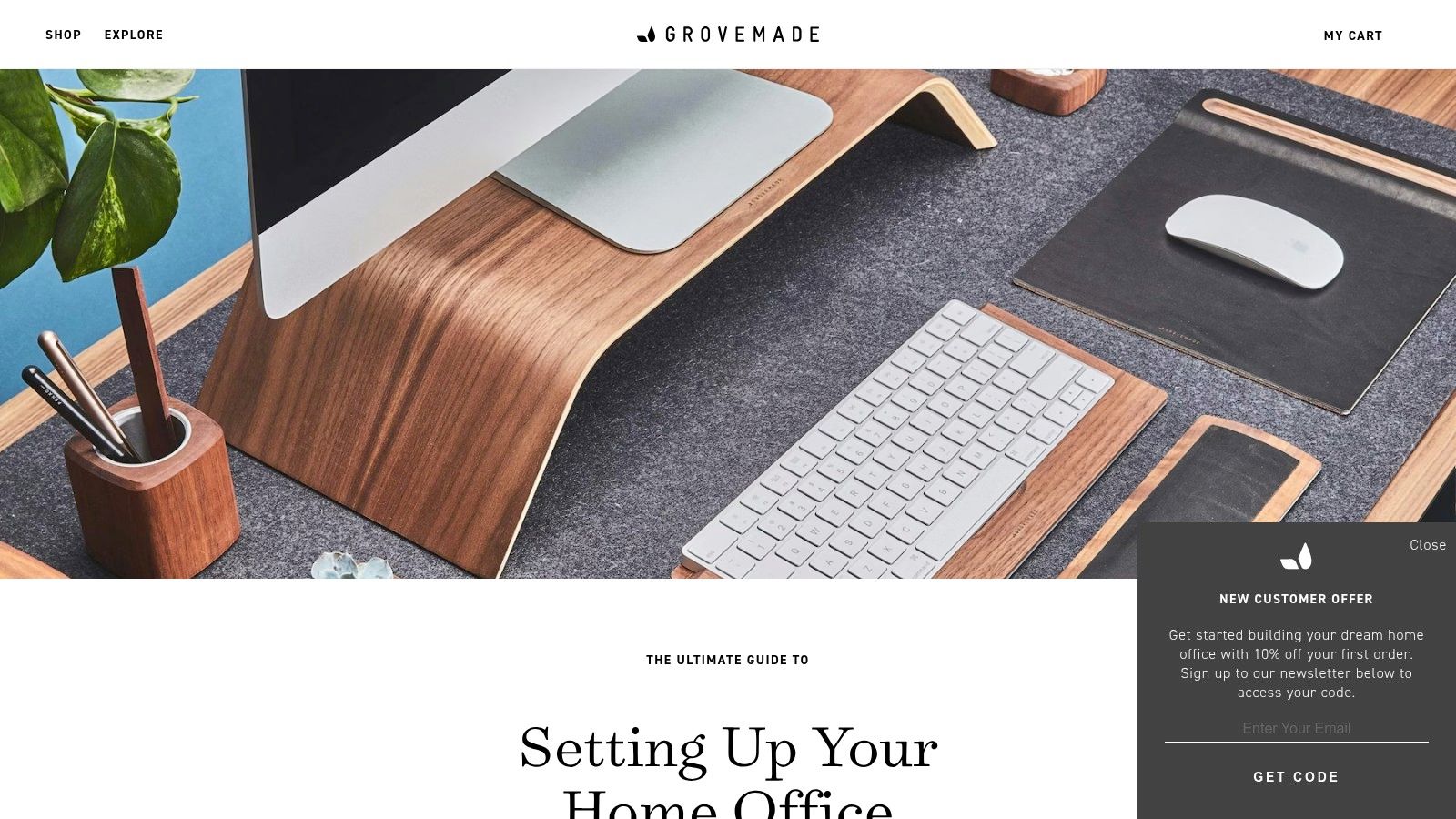
Grovemade's ultimate home office guide is what you read after the desk works and before it feels finished. It's less about core survival gear and more about visual order, materials, desk shelves, lighting placement, and the little choices that make a workspace look deliberate instead of accidentally inhabited.
This is accessory-driven inspiration, and that's not an insult. Accessories are often where a desk stops looking temporary.
Why people like it
Grovemade understands the psychology of a tidy surface. A shelf lifts the monitor, hides a few visual sins, and creates a cleaner line across the desk. Matching materials make a setup feel calmer. Better cable routing makes everything else look more expensive than it is.
That's especially relevant because so many work from home desk setup ideas online get trapped in the same loop of monitor arms, giant desks, and sterile minimalism. Grovemade's content pays more attention to atmosphere, finish, and how objects relate to each other.
If your setup leans warm wood, soft light, and low-clutter calm, this is the style reference that tends to click. Pairing that kind of desk with a subdued nature wallpaper collection or a darker, moodier fireplace wallpaper collection usually works better than a loud, high-contrast background.
The trade-off
Grovemade's weakness is the obvious one. You can spend a lot of money making a mediocre foundation look tasteful. That's backwards.
- Buy core comfort first: Desk, chair, and monitor position come before premium accessories.
- Use style references selectively: One or two finishing pieces can do the job. You don't need to reconstruct the entire catalog.
- Steal the spacing, not just the products: The room in the layout often matters as much as the item itself.
Grovemade is best when you treat it like a design editor, not a commandment tablet. It's very good at showing what "finished" looks like. Just don't let a handsome desk shelf distract you from the fact that your chair still belongs in a conference room from 2009.
6. UPLIFT Desk
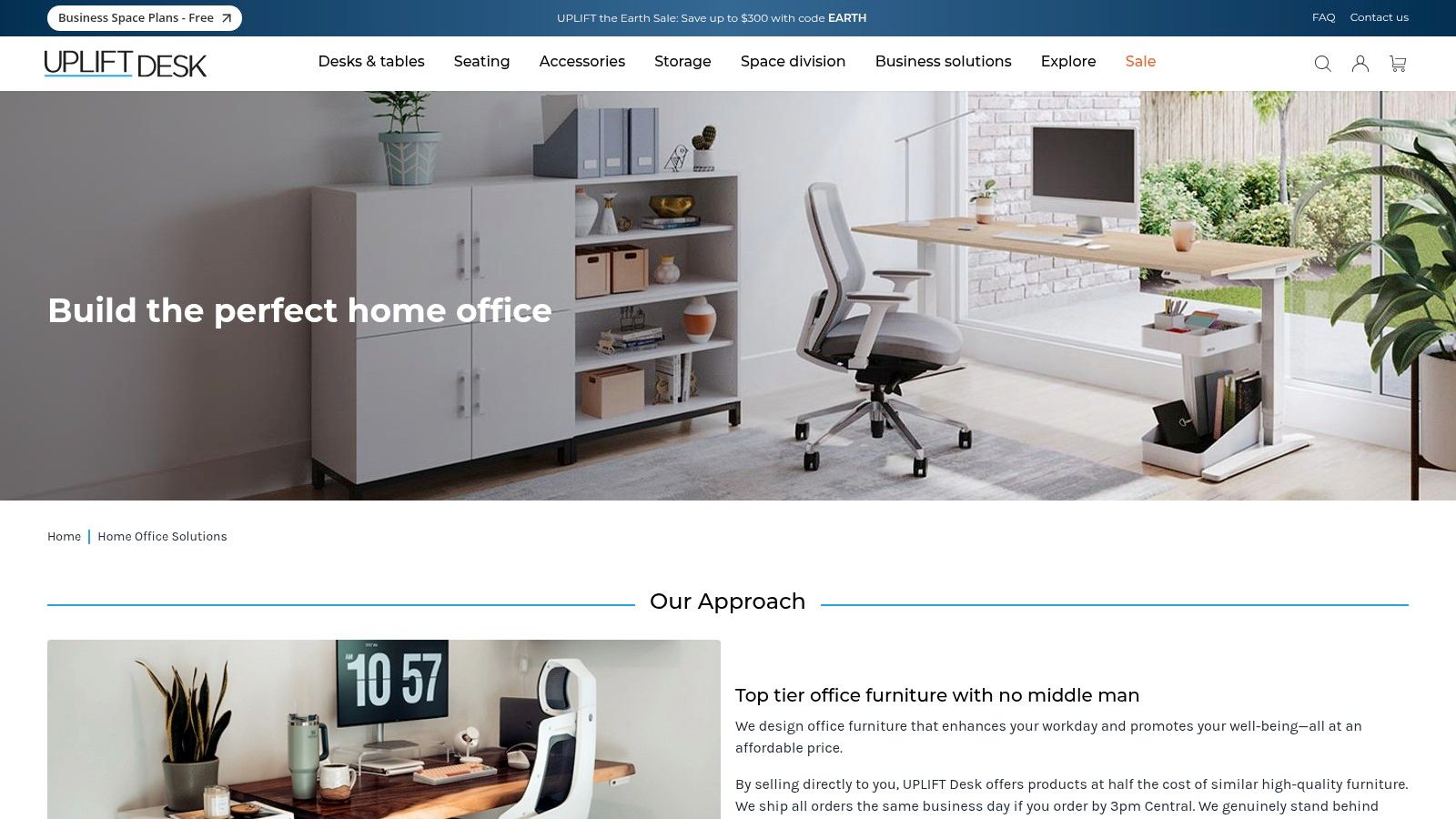
You raise the desk to standing height, and suddenly the whole illusion breaks. One cable goes taut, the monitor arm drifts like it has its own agenda, and the lamp only lights half your keyboard. That is why UPLIFT Desk's home office section is useful. It shows the boring but important parts that make an adjustable setup work after the unboxing high wears off.
That makes UPLIFT a better planning resource than a lot of desk brands. The desk matters, yes, but the supporting pieces decide whether you use the standing feature or leave it parked at sitting height forever like a sports car stuck in school traffic.
The customer gallery earns its keep here. Product renders are clean. Real setups are honest. You get to see how people handle drawers, under-desk storage, monitor arms, cable trays, and power placement once laptops, audio gear, notebooks, and the usual desk goblins move in.
Why UPLIFT is worth studying
UPLIFT is strongest when you treat it as a systems catalog. That fits this article's bigger point. Good work from home desk setup ideas do not start and end with the desktop slab. They extend to what your body has to do at the desk, what has to move with it, and what ends up on your screen all day.
If you want the ergonomics side explained more directly, pair the inspiration with Sit Healthier for better desk ergonomics.
What to copy from UPLIFT
- Plan for motion, not just surface area: Sit-stand desks expose bad cable routing immediately.
- Store gear below the work zone: Under-desk drawers, hooks, and caddies preserve usable space up top.
- Choose accessories that solve a repeat problem: A keyboard tray, cable tray, or monitor arm can help. Decorative extras multiply fast.
- Check the whole chain: Desk height range, chair height, monitor position, and reach all need to agree with each other.
One caution. UPLIFT gives you enough configuration options to turn a simple purchase into a minor side quest. That is great if you know what you need. It is less great if you are the kind of person who can lose twenty minutes comparing frame colors like you are selecting armor in a 1998 RPG.
Use UPLIFT for setup logic, not just shopping. Study how adjustable desks are assembled into complete workstations, then decide which parts solve your problem. That usually leads to a better result than buying a fancy frame and hoping the rest of the room figures itself out.
7. Workspaces.xyz
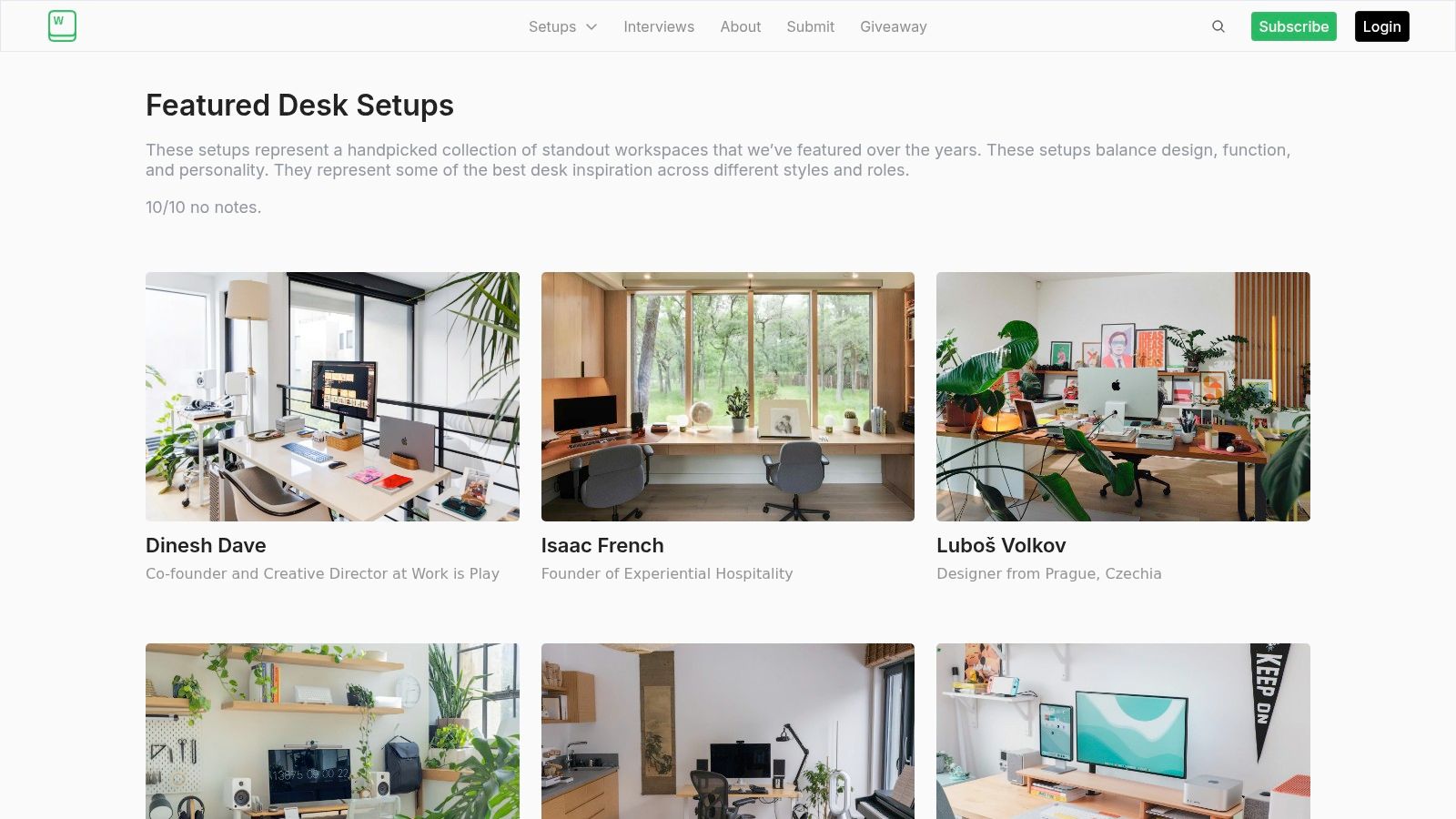
Some desk setup sites show products. Workspaces.xyz featured desk setups shows lives. That's why it's useful. You get photos of real rooms from designers, engineers, filmmakers, and other creative professionals, often with gear lists and context for how the space functions.
That real-world messiness is a gift. Not literal mess, usually. More like evidence that a room has a purpose beyond looking nice on the internet.
What it's good for
Use Workspaces.xyz when you don't need shopping recommendations. Use it when your problem is taste, layout logic, or role-specific ideas.
A programmer's setup often solves different problems than a video editor's. A designer may prioritize reference display placement. A music-focused desk may handle speakers differently. Seeing those differences is more helpful than another generic "buy a plant" article.
That's also why this site works well as a bridge between inspiration and ergonomics. You can study real monitor placement patterns, shelf heights, side-table use, and room zoning, then cross-check the physical side with a practical ergonomics explainer like Sit Healthier's standing desk setup guide.
The trade-off with inspiration galleries
Inspiration is slippery. It's useful right until it turns you into a detective hunting discontinued lamps from four years ago.
A few rules keep Workspaces.xyz productive.
- Look for patterns, not clones: Repeated ideas matter more than any single product.
- Notice the room edges: Wall shelves, side storage, and lighting placement often matter more than the desk itself.
- Translate, don't imitate: A setup built for filmmaking may still teach you cable routing or speaker placement even if you'll never own that gear.
This resource isn't step-by-step, and that's the main drawback. It won't hand you a shopping cart. Some older setups also feature gear that's harder to find now. But it's one of the best ways to escape the generic influencer desk formula and see what real working spaces look like when they've evolved around actual jobs.
7-Source Home Office Desk Setup Comparison
A good desk setup usually comes from mixing sources, not swearing loyalty to one brand like you are joining a small, very organized furniture cult. One resource shows you how a space should look. Another helps your back survive Tuesday. Another handles the desk itself. And one of them starts where a lot of people weirdly stop thinking, which is the screen.
Use the table below like a build map, not a winner-takes-all ranking.
| Item | Implementation complexity | Resource requirements | Expected outcomes | Ideal use cases | Key advantages |
|---|---|---|---|---|---|
| gifPaper | Very low, install app, pick a wallpaper, set it | macOS (Retina) only; moderate GPU/CPU use and optional audio | High-quality 4K animated wallpapers and stronger desktop atmosphere | Mac users who want visual polish on the part of the setup they stare at all day | True 4K looping, lock-screen support, curated gallery, one-time $5 purchase |
| WIRED – Home Office Guide | Low, read the guide and compare recommended gear | Varies by selected gear; links to retailers | Clear equipment shortlist and buying guidance across desks, chairs, lighting, and accessories | People planning a full home office and trying to avoid random purchase mistakes | Wide coverage, frequent updates, and direct links to buying guides |
| IKEA (US) – Home Office Ideas | Low, copy a room layout and assemble the parts | Budget-friendly modular products; US stock varies by store | Cohesive, space-efficient setups that work well in smaller rooms | Renters, students, small apartments, and budget-conscious buyers | Visual room galleries, shoppable builds, clear pricing, and easy room-scale ideas |
| Herman Miller – Ergonomic Guides | Moderate, apply the guidance and adjust your setup carefully | Premium chairs or desks help, but the guidance is useful with other furniture too | Better posture, saner monitor placement, and more comfort during long work sessions | People fixing pain points instead of chasing aesthetics first | Credible ergonomic guidance and a printable posture PDF |
| Grovemade – Inspiration & Guide | Low to moderate, buy accessories and copy the layout logic | Premium materials and accessories, so the cost climbs fast | A polished workspace with better detail choices and fewer visual mismatches | People who already have the basics and want the setup to feel finished | Strong photography, clear styling direction, and accessory-first design ideas |
| UPLIFT Desk – Solutions & Gallery | Moderate to high, configure a desk and sort through add-ons | Mid-to-premium budget; lots of accessories, possible lead times | A customizable sit-stand workstation with room to expand later | Buyers who want adjustability, storage options, and a deeper parts ecosystem | Large accessory catalog and a well-regarded V2 and V3 standing desk lineup |
| Workspaces.xyz – Curated Setups | Very low, browse and study real examples | Variable depending on the gear you copy or adapt | Practical layout ideas from real workspaces, not showroom fantasy land | Creatives and professionals who want role-specific inspiration | Curated real setups, gear breakdowns, and a wide range of styles and room types |
The trade-offs are pretty straightforward.
WIRED is useful for broad purchase planning, but it will not hand you a distinct visual identity. IKEA is strong on room efficiency, though some setups can feel a little too catalog-clean unless you add your own personality. Herman Miller gives you the body mechanics. It does not give you cheap answers. Grovemade is excellent at finishing touches, but it can turn a simple desk into a premium accessories side quest at alarming speed.
UPLIFT is the builder's option. You get flexibility, add-ons, and a path to a serious sit-stand setup, but configuration depth can also slow decisions if you already have ten tabs open and mild desk-brain. Workspaces.xyz is the best source here for seeing how real people combine tools, storage, lighting, and monitors around actual work.
gifPaper stands apart because it covers the part of the setup that keeps getting treated like an afterthought. For a work from home desk setup, the screen is not decoration glued on at the end. It is part of the room. If the desk, chair, and lighting are the hardware, your display is the mood engine, and yes, that sounds dramatic, but so does spending real money on walnut accessories just to leave the monitor looking like a tax kiosk.
The practical move is simple. Use WIRED or IKEA to shape the buying list. Use Herman Miller to fix ergonomics. Use UPLIFT if the desk itself needs to do more. Use Grovemade and Workspaces.xyz to sharpen the look. Then finish the setup on the screen, where the whole thing finally starts to feel intentional.
Your Screen is the Final Piece of the Puzzle
You spend a weekend fixing the desk, the chair, the cable mess, and the lighting. Then the monitor wakes up with a generic stock wallpaper and the whole setup drops ten points. It feels like building a clean arcade cabinet and slapping a beige office sticker on the marquee.
That screen matters because it is the part you look at most. It also carries more of the room's personality than setup guides usually admit. This article has been a resource list, not another pile of desk recommendations, and that distinction matters here. The best sources help you choose furniture, ergonomics, accessories, and layout. The screen is what pulls those decisions into a single visual system.
Ignore it, and the setup stays half-finished.
A desk can be functional and still feel dead. Good ergonomics fix strain. Good lighting fixes visibility. A screen background fixes neither, but it does change whether the space feels intentional or like a temporary camp site with premium coasters.
The practical question is not "should you customize the screen?" It is "what kind of screen treatment fits the room you already built?" Warm wood and soft lighting usually pair better with restrained motion or darker scenes. A minimal setup can handle a little more movement. A busy desk with RGB, stacked gear, and visual clutter often needs the screen to calm down and stop auditioning for a cyberpunk reboot.
As noted earlier, gifPaper is useful here on Mac because it treats the display like part of the setup instead of a dead panel you tolerate between apps. The appeal is straightforward. You can match the desktop, lock screen, and screen saver to the room's mood without turning the whole thing into a fake productivity religion.
That trade-off matters. Motion helps some setups feel alive. Too much of it becomes background noise with stage-fright energy. The right choice supports the desk. It should not wrestle the lamp, shelves, and monitor light bar for attention like three side characters trying to steal the scene.
If you already used WIRED, IKEA, Herman Miller, UPLIFT, Grovemade, and Workspaces.xyz to make smart physical decisions, finish the digital layer with the same level of care. Pick something that matches the room, not just something that looks cool in isolation.
A wallpaper will not fix a bad chair or a low monitor. It will make a good setup feel complete, and that last ten percent is usually the difference between "I can work here" and "I want to sit down here."