How to Download Wallpaper Engine Wallpapers for Mac
You switched to a Mac, admired the hardware for about six minutes, then looked at the wallpaper situation and felt the emotional equivalent of stepping on a Lego.
On Windows, Wallpaper Engine let your desktop brood properly. Rainy neon alleys. Lofi train loops. Fireplace scenes that made spreadsheets feel slightly less insulting. On macOS, you get a handsome static image and the vague sense that someone confiscated your personality at setup.
That's why people search download wallpaper engine wallpapers in the first place. Not because they want "a live wallpaper" in the abstract, but because they want that specific Workshop wallpaper they already loved, or one very much like it, on the machine they use all day.
The Void Wallpaper Engine Leaves on Mac
A lot of Mac switchers land in the same place. New machine. Beautiful display. Excellent trackpad. Extremely polished operating system. And a desktop that just sits there like a framed print in a dentist's office.
The search pattern is real. Mac users switching from Windows frequently search for phrases like Wallpaper Engine wallpapers Mac and Wallpaper Engine alternative Mac download, but existing results still don't solve the actual problem of legally and cleanly adapting Workshop wallpapers for macOS without quality loss, as noted by Steam Workshop Downloader's Wallpaper Engine page.
Why this search keeps happening
You're not being picky. You're going to look at this screen for hours anyway. Wanting it to feel alive is a perfectly normal form of desktop vanity, and frankly a healthier hobby than mechanical keyboards with keycaps themed after fruit.
A lot of guides stop at "Wallpaper Engine doesn't exist on Mac." True, but useless. That's like telling someone their favorite bakery is closed and then offering no bread.
What people want is one of these:
- Their old Workshop wallpaper back
- A way to download Wallpaper Engine wallpapers without weird piracy traps
- A Mac-native result that doesn't look compressed or janky
- Something that works without turning setup into an evening project
The pain isn't just missing an app. It's missing a whole library of moods.
The rabbit hole is real
There is a technical path. It involves a Windows environment, Workshop files, asset extraction, and conversion work that ranges from mildly annoying to fully absurd depending on the wallpaper.
If you've already been circling that drain, the guide on Wallpaper Engine for Mac covers the broad problem. The rest of this article is the more hands-dirty version, including where the process works, where it breaks, and where it starts to resemble digital taxidermy.
Some wallpapers convert cleanly. Some arrive as a folder full of parts and bad intentions. Some can't be meaningfully ported at all because the magic lives inside Wallpaper Engine's renderer.
That distinction matters.
Why You Want Workshop Wallpapers Specifically
The appeal of Wallpaper Engine was never just the app. The app was the machine. The Steam Workshop was the city built around it.
Since its 2018 debut, Wallpaper Engine has fueled a Workshop explosion, with wallpapers accumulating millions of unique visits, subscribers, and favorites, and top packs reaching hundreds of thousands of users, according to SteamSpy's Wallpaper Engine data.
Workshop is not a wallpaper folder
A normal wallpaper site gives you files. The Workshop gives you a culture.
That's why people don't search for "animated background video." They search for a specific scene they remember. A pixel train crossing a rainy bridge. A space station window with Earth in the distance. A dark room, softly lit, with the sort of ambience that implies you definitely have your life together.
Those wallpapers matter because they're shared references. One person builds a scene, thousands subscribe to it, then it becomes desktop folklore.
A few vibes show up over and over because they work:
| Mood | Why people keep coming back |
|---|---|
| Lofi loops | Gentle motion, low visual noise, easy to leave running all day |
| Neon city scenes | High atmosphere, dramatic lighting, enough cyberpunk to feel cooler than your inbox |
| Nature and winter | Calming motion without demanding attention |
| Dark minimal scenes | Animated, but not screaming at your menu bar |
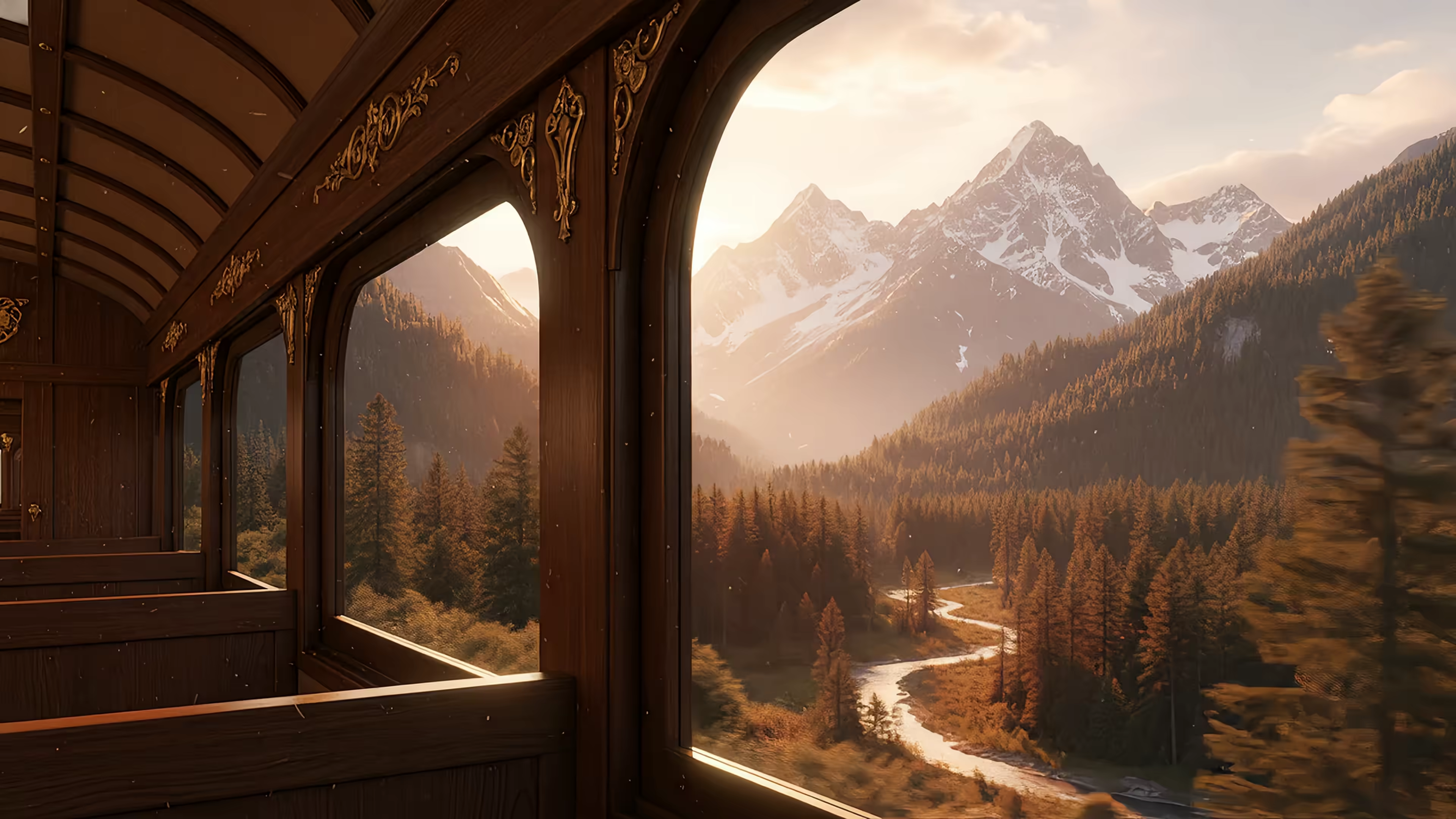
The same cravings show up outside Steam too. If your taste runs toward endless train-window melancholy or rainy city glow, the lofi wallpaper collection and neon wallpaper collection hit the same nerve.
A good example of that mood:
Why generic video backgrounds don't scratch the itch
People often say, "Just use any looping video." That misses the point.
Workshop wallpapers feel intentional. Someone tuned the pacing, the loop point, the framing, the particles, the lighting, sometimes even the audio response. A random stock clip of clouds drifting over a lake is technically animated, but spiritually it's a waiting room TV.
Practical rule: If you're trying to download wallpaper engine wallpapers, you're usually chasing a specific aesthetic, not motion for its own sake.
That's also why the download process gets messy. Many Workshop wallpapers aren't just videos. They're projects.
The Technical Path Downloading Workshop Files
If you want the raw files, you need access to a Windows environment. A real Windows PC works. A virtual machine on your Mac also works if you have the patience to set one up and enough tolerance for hearing your laptop sigh.

The core extraction method is straightforward in theory. Wallpaper Engine stores Workshop downloads in a Workshop directory, commonly C:\...\steamapps\workshop\content\431960, where each subfolder maps to a wallpaper ID. Inside, you'll find project files such as .scene JSON and assets like .mp4 or .png, which you have to deconstruct for any use outside the app, as summarized in Wikipedia's Wallpaper Engine overview.
What you need before touching anything
Don't start by downloading random "no Steam" ZIPs from the internet and hoping for the best. That road leads to unstable files, broken assets, and the general ambiance of a cursed USB stick.
The practical setup looks like this:
- A Windows install
- Physical PC or VM.
-
The VM route is fine for extraction, though not always pleasant.
-
Steam and Wallpaper Engine
-
You need the app installed so Workshop subscriptions resolve properly.
-
The Workshop URL
-
Grab the wallpaper page and note the item ID from the URL.
-
A file archiver and video tools
- 7-Zip helps inspect folders.
- HandBrake or
ffmpegwill matter later.
If you want the non-technical overview first, the guide on Wallpaper Engine download options is the simpler on-ramp.
The extraction flow that usually works
Once Wallpaper Engine is installed in Windows, the least painful route is usually to subscribe to the wallpaper through Steam rather than relying on flaky downloader sites.
Then:
- Open the Workshop item in Steam and subscribe to it.
- Let Steam download the assets fully.
- Access the Workshop content folder for app
431960. - Find the matching subfolder for that wallpaper's ID.
- Inspect the contents.
What you're hoping to find is one of these:
- A ready-made video file such as
.mp4or.webm - Image layers and config files that can still be rendered into video
- A full scene project with scripts, particles, and layered logic
That third category is where optimism goes to die.
What the folder contents actually mean
Here's the quick read:
| File type | Good news | Bad news |
|---|---|---|
| .mp4 | Easiest case. Usually portable. | May need cleanup or re-encoding |
| .webm | Often usable after conversion | Can introduce codec headaches |
| .png / .jpg assets | Useful if you want stills or rebuild pieces | Not a wallpaper by themselves |
| .scene / project files | Contains the real structure | Not directly usable on Mac |
| Scripted assets | The wallpaper may be interactive or reactive | Those behaviors won't come across cleanly |
If the wallpaper depends on scene logic, particles, or scripting, you're not "downloading a wallpaper" so much as extracting ingredients from a machine that only knows how to cook one dish.
That's the big trade-off. This path can get you files. It does not guarantee a clean Mac-ready result.
Converting and Preparing Videos for a Mac
Once you've extracted the files, you need to figure out whether you have a usable video or just a folder full of stage props.
Best case and worst case
Best case: there's a clean .mp4 already sitting in the folder. You copy it out, test playback in QuickTime, and move on with your life like a person blessed by rare desktop fortune.
Common case: you get a .webm, a few image assets, and a project file. Then you convert the video, hope the loop survives, and try not to notice how much effort is going into making your background move slightly.
Worst case: the wallpaper is a true Scene setup with layered effects or script logic. In that case, there may be no meaningful one-file export available from the assets you extracted. You can salvage pieces, but not the original experience.
The conversion settings that usually make sense
For video files that are convertible, the target is simple:
- Container: MP4
- Codec: H.264 or H.265
- Resolution: match your Mac display as closely as practical
- Loop point: verify manually after conversion
- Audio: keep it only if your wallpaper tool supports it cleanly
HandBrake works well if you prefer buttons. ffmpeg works well if you enjoy typing commands and feeling superior for a few minutes.
If the source is low quality, converting it won't magically improve detail. It will only make a low-quality file in a more convenient wrapper. If you're trying to rescue a soft or compressed source, a guide to video upscaling software is useful background before you waste time re-encoding a blurry mess.
The failure modes nobody mentions up front
Wallpaper Engine's minimum Windows specs are enough to run basic wallpapers, but extraction and export get messier on weak hardware. User forums report about 40% of initial setup failures coming from ignored DirectX requirements, according to System Requirements Lab's Wallpaper Engine page. On Mac, the exact DirectX issue disappears, but the larger lesson survives intact. Cross-platform jury-rigging breaks in ways the original workflow never had to solve.
That shows up in a few familiar ways:
- Loop seams appear after conversion because the encode shifted timing slightly
- Color changes make dark scenes look washed out on Retina displays
- Frame pacing gets weird if the source was designed around Wallpaper Engine's renderer
- Audio falls out of sync if the wallpaper had timing tied to engine behavior
Don't trust the first export. Watch the loop at least three times. Most bad loops hide in plain sight until your brain notices the hiccup and can never unsee it.
If the file passes that test, then you've earned the right to move to the next annoyance.
The Hidden Cost of DIY Mac Live Wallpapers
Getting a clean MP4 feels like victory right up until you realize macOS doesn't readily let you set arbitrary video as a proper wallpaper in the way you intend.

And this is the hidden cost. The download step isn't the finish line. It's halftime.
Wallpaper Engine's popularity shows how much people care about dynamic desktops. It reached over 150,000 concurrent players on Steam, which says a lot for a desktop customization tool, as shown on SteamDB's Wallpaper Engine charts. Mac users want the same effect, but the DIY route usually ends in compromises.
What those compromises look like
Most Mac wallpaper tools that accept video behave like a pinned playback layer behind your icons. Sometimes that's fine. Sometimes it's a battery nibble that turns into fan noise and an irrational grudge against your own desktop.
The deeper problem is consistency. You might get animation on the desktop, then lock the Mac and fall straight back into a static image. The spell breaks.
Here's the practical trade-off table:
| DIY outcome | What you gain | What you lose |
|---|---|---|
| Raw video on desktop | Motion, custom file support | Often no lock screen support |
| Pinned player approach | Broad format compatibility | Can feel bolted on |
| Converted Workshop export | You keep a favorite scene if it works | Many effects disappear |
Why the process feels worse than it sounds
You started out wanting one wallpaper. Somewhere along the way, you became the unpaid IT department for your own aesthetic preferences.
That's the absurdity here. To download wallpaper engine wallpapers for Mac, you may need Windows, Steam, Workshop subscriptions, folder spelunking, video conversion, and then yet another Mac-side solution just to display the result imperfectly.
A hacked-together desktop can look good in screenshots and still feel bad in daily use.
And daily use is the only test that matters.
The One-Click Solution You Actually Wanted
Users don't want a technical trophy. They want the end result. A live wallpaper on Mac that looks clean, loops properly, and doesn't require maintaining a small pile of workarounds like some kind of desktop necromancer.
That's why a purpose-built Mac route makes more sense than trying to drag Workshop projects across operating systems by force.
What a sane solution should do
If a Mac live wallpaper setup is worth keeping, it should handle the basics without negotiation:
- Set the wallpaper cleanly
- Look sharp on a Retina display
- Loop without hiccups
- Avoid the "video pinned behind desktop icons" feeling
- Work with the lock screen, not just the desktop
- Require zero Windows detour
If you're still comparing approaches, the guide on how to get live wallpapers on Mac is the practical version without the Workshop archaeology.
Why curated beats extracted
There's also a quality argument here. A curated library avoids the usual DIY hazards:
- No mystery codecs
- No broken Workshop dependencies
- No manual trimming to repair loop seams
- No hunting through nested folders for the one usable asset
- No disappointment when a scene turns out to be mostly script logic and cannot be exported meaningfully
That's especially true for mood-heavy categories like dark wallpaper, where subtle lighting and smooth pacing matter more than sheer motion.
A lot of Mac users are really chasing a feeling anyway. Winter cabin warmth. Rainy-night melancholy. Space-window calm. That doesn't require Steam. It requires a library made for macOS instead of smuggled in through a side door.
The honest answer is that extraction is a hobbyist route. It can be satisfying if you enjoy process for its own sake. Most people, though, just want ease of use: one click, one wallpaper, and zero nonsense.
Reasonable goal.
Your Burning Questions Answered
Is it legal to download Wallpaper Engine wallpapers
It's murky. Workshop content lives inside Steam's system, and a lot of it is fan-made. Personal use is one thing. Redistribution, resale, reposting, or packaging someone else's work as your own is where you step into much uglier territory.
A good rule is simple:
- Personal experimentation: lower risk, still not always clearly blessed
- Sharing extracted files publicly: bad idea
- Commercial use: absolutely not without proper rights
That legal fuzziness is one reason so many people look for a Steam-free route in the first place.
Can you use interactive or audio-reactive Wallpaper Engine scenes on Mac
Usually, no. Not in their original form.
Those wallpapers often depend on Wallpaper Engine itself. If the effect comes from scripts, particles, or audio-reactive logic, extracting files won't preserve that behavior in a simple video workflow. You may get a flattened export if one exists. You won't get the whole machine.
A related trend is people searching for Wallpaper Engine wallpapers no Steam, while the official mobile app still limits direct access by requiring wireless transfers from a Windows PC, and third-party sites often drift into pirated or unstable territory, as explained on Wallpaper Engine's Android page.
Why not just use a GIF
Because your Mac deserves better than a format that looks like it lost a fight with time.
GIFs are rough on modern displays. Poor color, poor efficiency, ugly banding, awkward file sizes. A proper video loop is cleaner and far more believable as a wallpaper.
So what actually works
If you insist on extraction, stick to wallpapers that are already video-based. They're the only ones with a realistic chance of crossing over cleanly.
If the wallpaper is a complex scene project, the practical answer is to stop fighting it and use a Mac-native option built for live wallpapers instead.
If you're done babysitting Workshop folders and just want your Mac to look good, try gifPaper. It gives you a curated library of 150+ smoothly looping 4K live wallpapers with ambient audio, plus a Mac app that sets them on your lock screen, desktop, and screen saver using Apple's native Aerial format. There's a 7-day free trial, then it's $4.99 once, not a subscription. A ridiculous little luxury, yes. Also a sensible one when you're staring at the same screen all day.