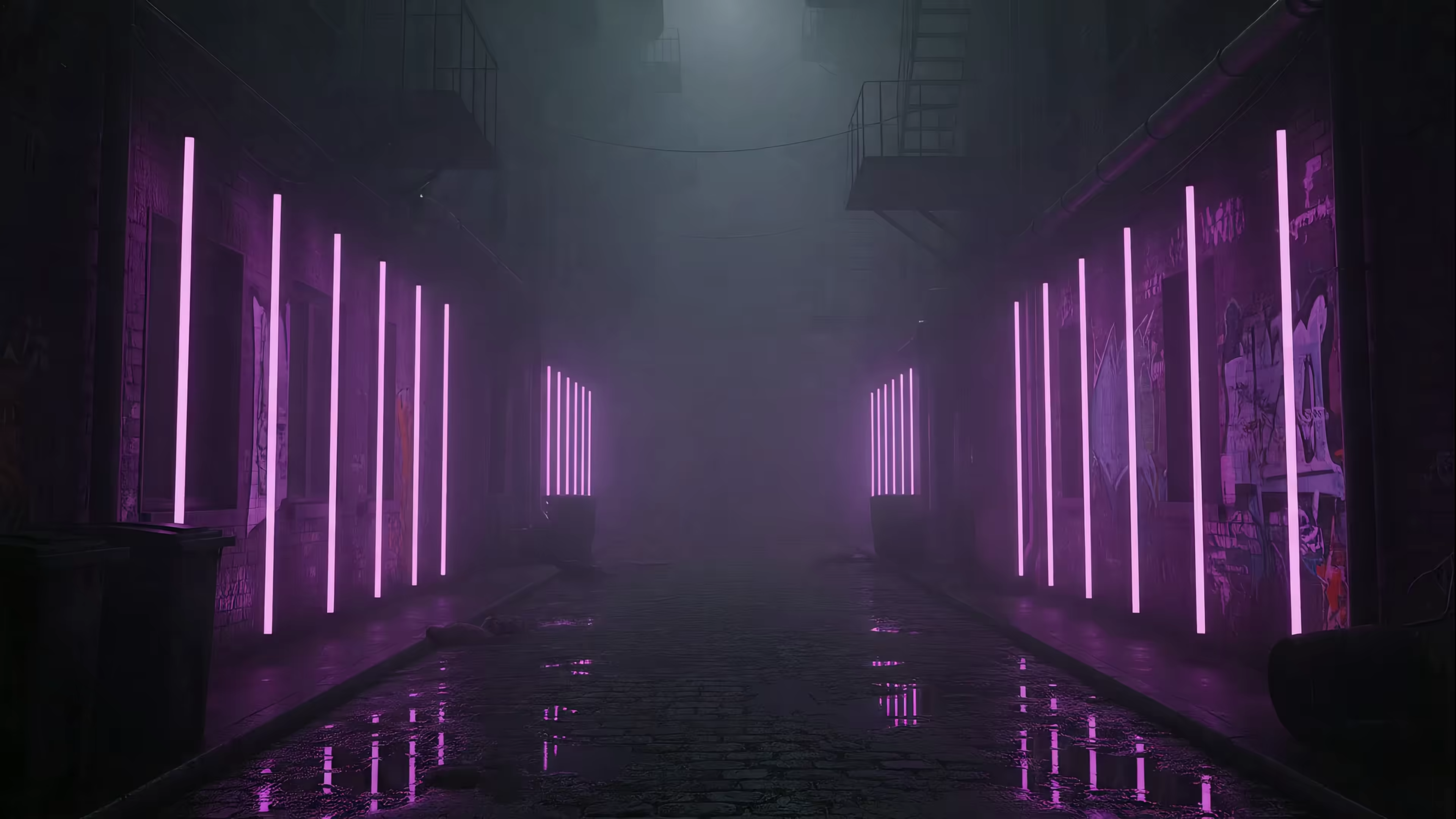
Your Next Fallout New Vegas Background: 7 Top Sources
You close a tab full of email, glance at your desktop, and get greeted by a stock wallpaper that looks like it shipped with a dentist's waiting room. That's a bad trade. If you're going to spend all day on your Mac, the screen might as well give you the Mojave, the Strip, or one extremely judgmental NCR Ranger.
Fallout: New Vegas still has that effect on people. The game stuck because the writing, factions, and world design were worth remembering, which is more than I can say for most of what lives in your Downloads folder. A good background lets you keep one piece of that mood around while you do less heroic work, like answering Slack messages and pretending the spreadsheet is temporary.
The right choice depends on the version of New Vegas you want on your screen. Some wallpapers go for empty highways, dust, and burned-out signs. Some go full casino glow with neon, noir shadows, and the kind of retro future that still looks great on a Mac. If that's your thing, this retro-futurism wallpaper aesthetic guide is a useful shortcut.
This guide does more than throw links at you. It helps you choose the right aesthetic, find cleaner high-resolution sources, and turn a static image into a live Mac lock screen with gifPaper, because if you're going to romanticize the apocalypse, you should at least do it properly.
1. Alpha Coders (Wallpaper Abyss)
Start here if you want volume first and taste later.
Alpha Coders' Fallout: New Vegas gallery is the easiest first stop because it behaves like an actual wallpaper library instead of a digital junk drawer. You can move fast, sort through a big stack of options, and grab something usable without signing up for a sacred covenant in blood. That's already more courtesy than half the internet.
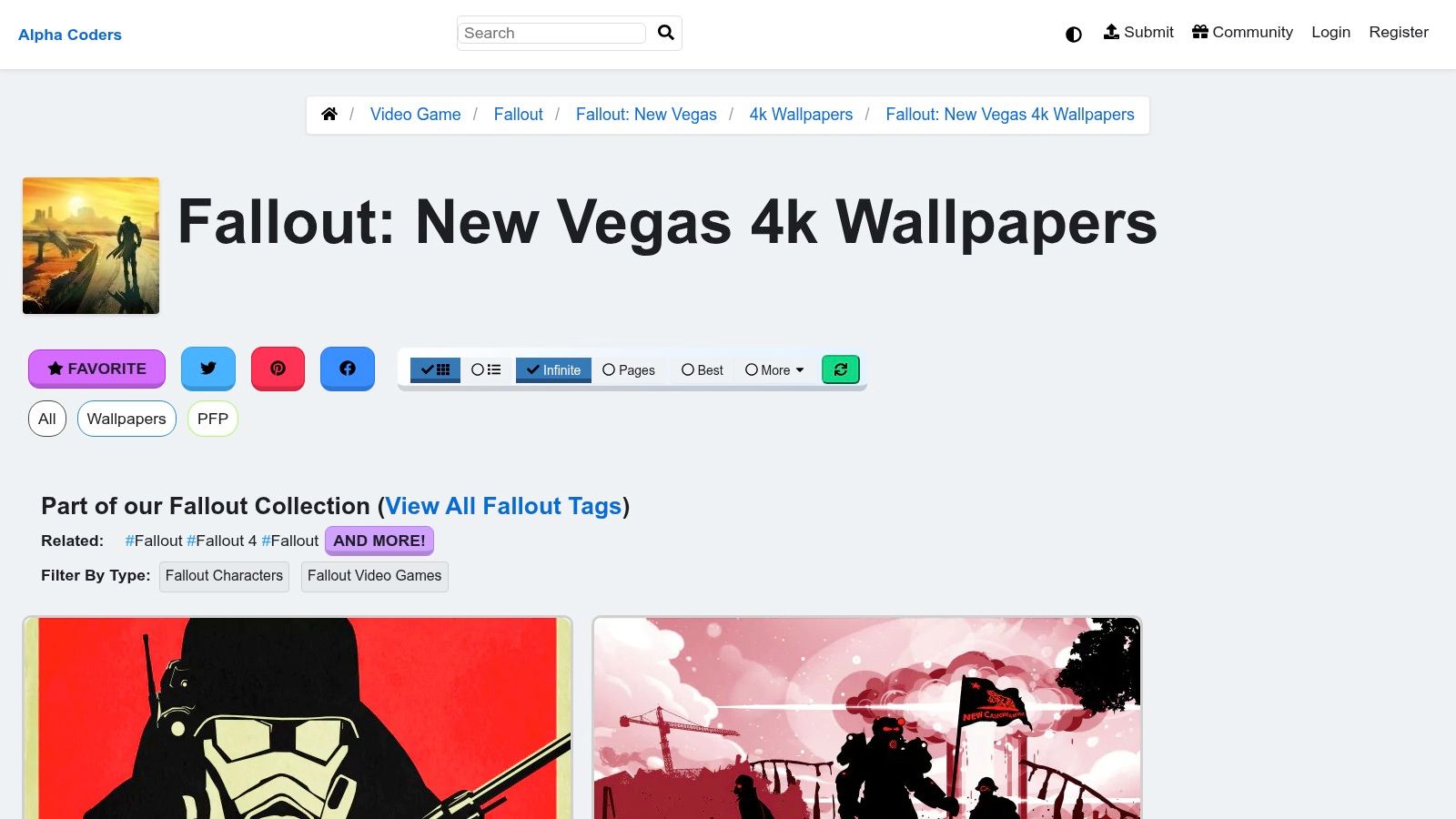
The main appeal is range. You'll see official-looking promo art, screenshots, fan edits, and faction-heavy pieces that lean NCR, Legion, or straight-up Strip neon. If your personal version of a Fallout: New Vegas background changes daily between "bleak desert solitude" and "retro-futurist casino nightmare," this is useful.
What it's good at
Alpha Coders works best when you don't want one exact wallpaper yet. You want options. Lots of them. It's especially good for browsing by vibe, which matters with New Vegas because the game swings from lonely wasteland to kitschy pre-War spectacle without asking permission.
That retro-future split is part of why the game still sticks in your brain. If that's the angle you like most, the retro-futurism aesthetic write-up pairs nicely with this kind of search.
Practical rule: Check each image at full size before you commit. Some uploads look great in preview and then reveal the texture quality of a haunted toaster.
The catch
Quality varies because uploads come from different people. Some images are clean and sharp. Some are clearly screenshots or reposts that had a rough life. Usage rights also vary by image, so if you're picky about artist credit or official art versus fan work, slow down and look.
If you want one broad, free, low-friction place to begin, Alpha Coders wins the opening round. It isn't fancy. It is useful. Like a reliable caravan guard with questionable hygiene.
2. HDQWalls
HDQWalls is for people who don't want to browse forever. You want a crisp image, a clean page, and fewer distractions. Reasonable behavior, frankly.
HDQWalls' Fallout: New Vegas page tends to feel more curated than the giant aggregator sites. The images lean poster-friendly. That's good news if your ideal Fallout: New Vegas background is less "random screenshot from a side quest" and more "NCR Ranger standing there like he already knows this won't end well."
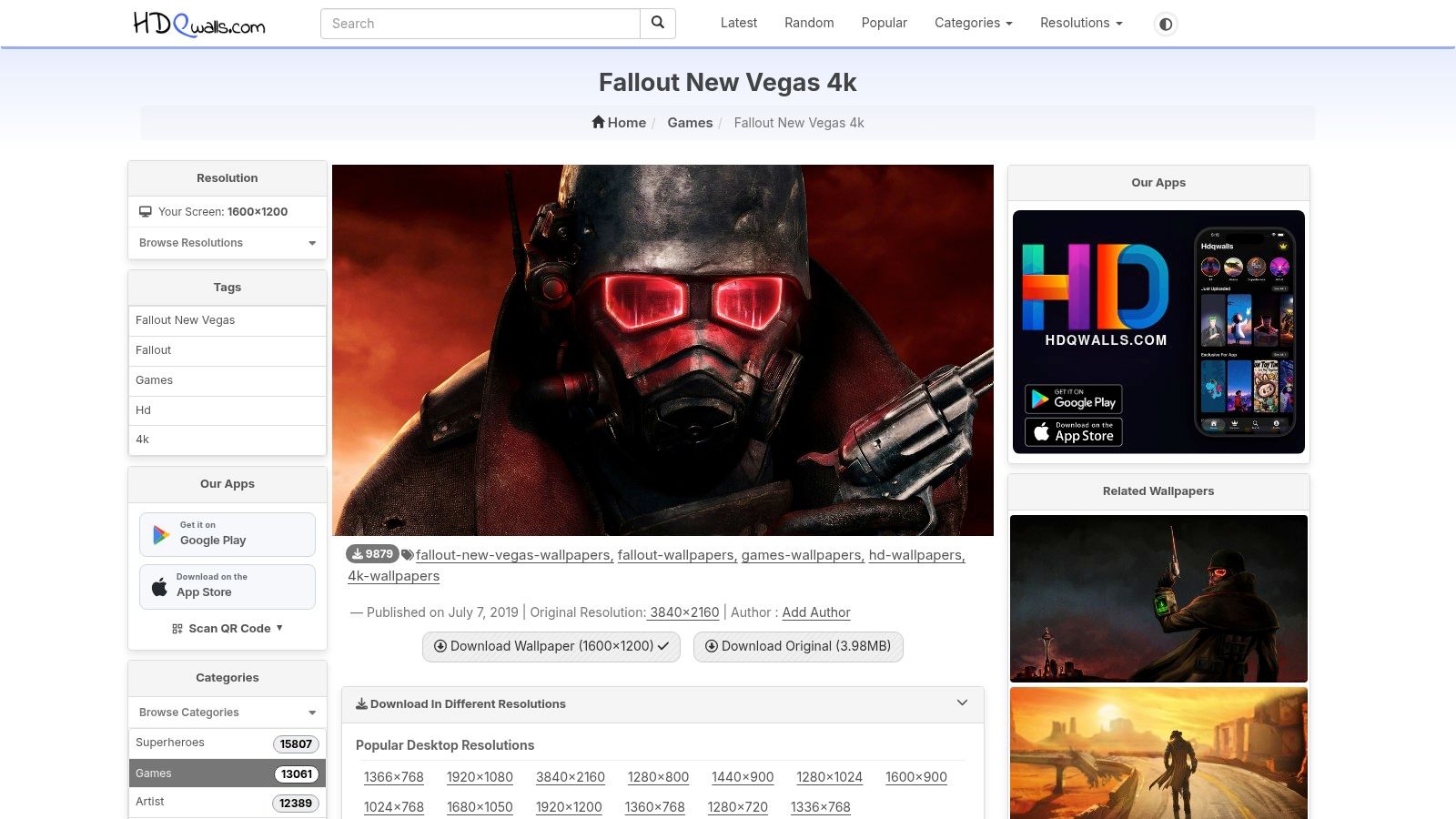
A smaller catalog can help here. Instead of digging through endless near-duplicates, you get a handful of stronger compositions that fit modern displays without much drama.
Best for the Strip at night
New Vegas is built on a delicious visual contradiction. The Mojave is dry, hostile, and mostly beige. Then the Strip barges in with casino light, chrome fantasy, and a grin full of bad intent. HDQWalls tends to surface images that lean into that contrast.
If what you really want is "Fallout, but make it neon and morally compromised," you'll probably also like this piece on the synthwave aesthetic. Same electric swagger. Fewer irradiated geckos.
- Clean previews: You can usually tell what you're downloading without wrestling popups or strange crops.
- Poster energy: Character-focused wallpapers hold up well on a desktop, especially if you like stronger silhouettes.
- Good for quick picks: You won't spend an hour here. Instead, you find something solid in ten minutes and get back to pretending you're productive.
Where it falls short
The downside is obvious. The catalog is much smaller than the giant wallpaper archives. If you need a very specific scene, faction, or obscure piece of promo art, this probably won't be the deepest mine in the Mojave.
Still, for sharp, straightforward downloads, HDQWalls is one of the least annoying places on this list. That's a compliment. Online wallpaper hunting is often an endurance sport.
3. WallpapersWide
WallpapersWide is the practical pick. Not glamorous. Not trendy. Just annoyingly competent.
WallpapersWide's Fallout: New Vegas section is what I recommend if your setup is weird in a fun way. Ultrawide monitor. Dual displays. One screen for work, one for avoiding work. This site is better than most at offering multiple aspect ratios per wallpaper, which saves you from doing your own crop surgery.
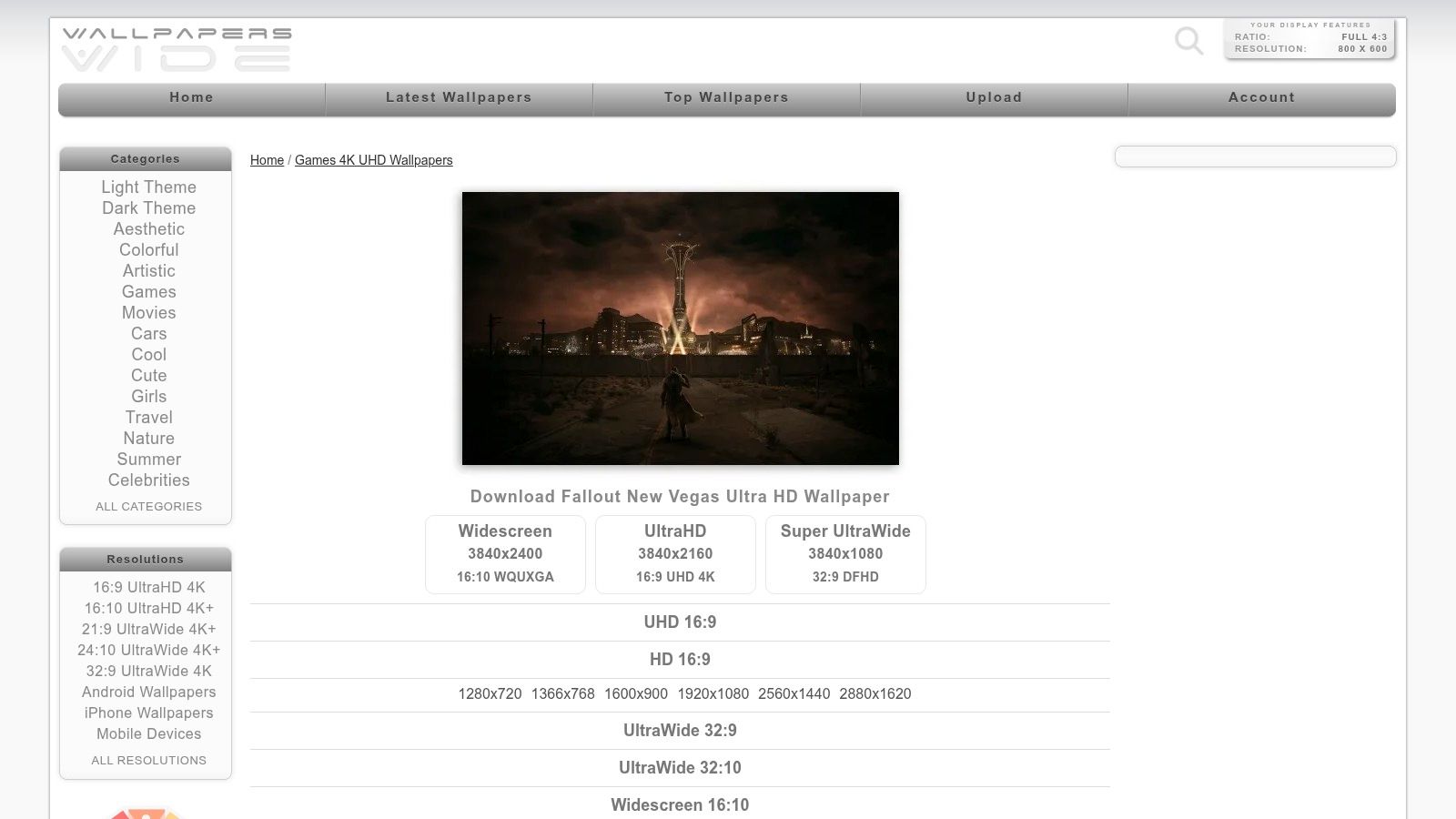
That matters more with New Vegas than with many games. A lot of the best images rely on horizon lines, desert emptiness, or a dramatic figure offset against the Strip. Bad cropping ruins the mood fast.
The ultrawide answer
If your Mac connects to a wide external monitor, WallpapersWide makes life easier. You can usually grab a format that respects the original composition instead of chopping Boone's head off or stretching the Lucky 38 into architectural blasphemy.
Sometimes the best wallpaper site isn't the prettiest one. It's the one that understands your monitor isn't a default rectangle from 2012.
This also makes WallpapersWide a decent bridge if your taste leans from Fallout's retro tech toward broader cyberpunk aesthetics. Different genre, same need for proper framing when neon signs and skylines are doing the heavy lifting.
The trade-off
The library feels older, because it is. That's not always bad. Older sites sometimes keep images newer sites have forgotten. But it does mean visual variety is thinner, and some files may not be as pristine as they first appear.
Use WallpapersWide when format matters more than discovery. If you already found the right vibe and just need it to fit your screen without becoming a cursed crop, this one earns its spot.
4. Wallpapers Den
You open a wallpaper site for one clean New Vegas image and get hit with enough pop-up energy to make you reconsider owning a computer. Wallpapers Den's Fallout: New Vegas page is the opposite. It gets to the point.
That makes it useful for a very specific job. Pick an aesthetic fast, check the resolution, download the file, move on with your life. If your goal is a Mojave skyline, a sharp character shot, or Strip neon that does not look like it was saved twelve times through a microwave, Wallpapers Den is a solid stop.
Best for quick, clean picks
Wallpapers Den works well when you already know the vibe you want and don't need a giant archive.
The selection is smaller, which helps. You spend less time scrolling past filler and more time judging the actual image. For this article's angle, that matters. A good Fallout: New Vegas background is not just something you download. It is the base layer for the desktop mood you want on your Mac before you turn it into a live lock screen with gifPaper.
Strong fit for Retina screens
Retina displays are rude in the most honest way possible. If an image is soft, overcompressed, or badly upscaled, your Mac will rat it out immediately.
Wallpapers Den makes the screening process easier because the resolution is obvious and the presentation is cleaner than the usual wallpaper junk drawer. You still need eyes. High resolution does not guarantee a clean source file, and skies, smoke, and dusty gradients are usually where the artifacts start looking haunted.
Quick rule: Zoom in on the sky before you commit. If the gradient looks blotchy, your desktop will look worse every time you unlock it.
Who should use it
Use Wallpapers Den if you want a current-looking Fallout: New Vegas background without doing digital archaeology. It is a good choice for Mac users who care more about image quality and composition than raw volume.
It will not beat the biggest wallpaper libraries for variety. It will save you time, which is a nicer gift than variety when you're three tabs away from turning wallpaper hunting into a minor life crisis.
5. Wallpapers.com
You open ten wallpaper tabs telling yourself this will take two minutes. Twenty minutes later, you're comparing dust tones like your Mac depends on it. Wallpapers.com fixes some of that nonsense.
The Fallout: New Vegas collection on Wallpapers.com is good for fast visual sorting. That is its main utility. You can scan a lot of images quickly, decide whether you want Mojave emptiness or Strip glow, and move on before wallpaper hunting becomes your whole personality for the afternoon.
That matters for this article's whole goal. You're not just grabbing a random Fallout: New Vegas background. You're choosing the base aesthetic for your desktop, then deciding whether it should stay static or later become something with more life on your Mac lock screen.
Best for choosing an aesthetic fast
Wallpapers.com works best if you pick by mood first and file name second. The collection usually makes that easy because the visual range is broad enough to help you settle on a direction.
- Mojave quiet: Empty highways, washed-out skies, old signs, and that specific kind of desert loneliness that looks great until Monday starts.
- Faction-heavy art: NCR, Legion, Rangers, weapons, propaganda energy. Good if you want your desktop to look mildly hostile.
- Strip lighting: Neon, casino glow, darker scenes, and the more theatrical side of New Vegas. Best choice if you want your screen to feel less wasteland and more bad-decision noir.
This is the site's advantage over tighter, cleaner libraries. It helps you choose the vibe before you obsess over the perfect file.
The catch
Quality control is uneven. Some images look sharp and clean. Some are obvious reposts. Some have watermark problems, soft details, or compression in the skies that your Mac will expose immediately because Retina displays are snitches.
Check the image at full size before downloading it. Look at the sky, shadows, and any neon edges first. If those areas look smeared or crunchy, skip it and keep scrolling. Wallpapers.com is strong for discovery, not trust. Use it to find the look, then keep your standards.
6. Wallpaper Cave
You searched the polished wallpaper sites, found the usual Ranger poses, and still didn't get the oddly specific version living in your head. Wallpaper Cave is the place to check when your taste gets annoyingly specific.
The main site at Wallpaper Cave runs on old internet energy. User albums, messy tagging, forgotten uploads, weirdly durable fan collections. That sounds chaotic because it is. It also means you can turn up older promo art, offbeat crops, and New Vegas backgrounds that feel tied to a very specific era of the fandom.
That makes it useful for this guide's actual job. Choosing the right aesthetic, not just grabbing the first decent JPG and pretending your desktop has a point of view. Wallpaper Cave is good for hunting the less obvious moods. Bleak desert emptiness. Gritty faction wallpaper from a decade ago. Neon-heavy edits that can look great later on a Mac lock screen if you plan to animate the vibe with gifPaper.
Best for niche pulls
Use Wallpaper Cave when you want variants instead of a pristine gallery piece. It works well for edge cases, older resolutions, unusual crops, and fan-made wallpapers that other sites buried years ago.
It also helps if your desktop idea is a little deranged in a productive way. Maybe you want a dusty, low-saturation Mojave shot for daytime focus, because apparently staring into digital emptiness counts as organization. Maybe you want a louder Strip image with enough glow to feel alive once you start thinking about lock screen motion later. Wallpaper Cave gives you more oddball material to work with than cleaner libraries usually do.
What to watch for
- Duplicates are common: The same image can show up in multiple albums with different quality.
- File quality is inconsistent: Some downloads are sharp. Some are compressed into a sad blur.
- Ads get in the way: The site is usable, but it doesn't believe in subtlety.
Wallpaper Cave is a scavenger hunt, not a showroom. Go in with a clear aesthetic target, inspect every file at full size, and leave with the one image that earns a spot on your Mac.
7. ArtStation
If aggregator sites are the general store, ArtStation is the boutique with better lighting and stronger opinions.
Here, you can find Fallout: New Vegas-inspired art that doesn't look like everybody else downloaded it in the same ten-minute spree. You'll find painterly pieces, stylized character renders, environmental studies, and reimaginings of the Mojave that feel closer to concept art than standard wallpaper bait.
That uniqueness matters if you care about desktop aesthetics as an actual choice, not just fandom decoration. A good Fallout: New Vegas background on ArtStation can feel less like merch and more like a mood piece.
Best for art-first desktops
ArtStation wins when you want something with interpretation. Not just "the NCR Ranger again," but "the NCR Ranger framed like a doomed saint in a dying republic." That's a different desktop. Slightly more tasteful. Equally dramatic.
This also helps if you're tired of the same visual shorthand. New Vegas has plenty of iconic material, but artists often pull out subtler moods from it. Desert dusk. Faded roadside glamour. Casino light bleeding into wasteland dark. Very good if your screen taste leans atmospheric rather than literal.
Ask before downloading if the post doesn't clearly offer a file. ArtStation is full of working artists, not a free-for-all loot chest.
The adult answer about licensing
Licensing varies a lot. Some artists offer downloadable images. Some sell prints or files. Some want you to admire the work and move on like a civilized person. Respect that. If you want a premium-looking New Vegas desktop and don't mind paying or messaging an artist for permission, this is the strongest source on the list.
Top 7 Fallout: New Vegas Wallpaper Sources Comparison
| Site | Implementation complexity | Resource requirements | Expected outcomes | Ideal use cases | Key advantages |
|---|---|---|---|---|---|
| Alpha Coders (Wallpaper Abyss) | Low, one-click downloads, no account | Free; moderate-to-high bandwidth for 4K files | Large, organized selection with many true 4K images; quality varies | First stop for broad variety and genuine high-res downloads | Big curated catalog, fast previews, many native 4K files |
| HDQWalls | Low, direct "Original" links, simple UI | Free; moderate bandwidth for poster-sized images | Consistently sharp, poster-friendly 4K images; smaller catalog | When you want a few crisp, exact-resolution wallpapers | Native 4K originals, clean previews, easy downloads |
| WallpapersWide | Low, simple downloads per aspect ratio | Free; moderate bandwidth; multiple resolution options | Good fit for ultrawide/dual-monitor setups; some upscales | Unusual aspect ratios or multi-display configurations | Wide aspect-ratio support (21:9, dual-monitor, mobile) |
| Wallpapers Den | Low, straightforward browsing and downloads | Free; moderate bandwidth for labeled 4K files | Fresh 4K uploads optimized for modern displays; limited variety | Quick high-res grabs for 4K/Retina screens | Clear resolution labels, recent uploads, simple UI |
| Wallpapers.com | Low, large searchable collection and filters | Free; moderate-to-high bandwidth depending on selection | High volume of styles and variations; mixed provenance | Rapid browsing to match color palette or vibe | Sheer volume and filtering make finding a style easy |
| Wallpaper Cave | Low to medium, community albums and uploads | Free; moderate bandwidth; supports legacy sizes | Massive back-catalog with niche/promo-art variants; variable quality | Hunting for rare, older, or promo-art wallpaper variants | Deep archives and user-curated collections |
| ArtStation | Medium, individual artist pages; downloads or purchases | Often paid or requires permission; higher cost for prints | Premium, unique fan art and concept-quality renders; licensing varies | Commissioning, buying high-res art, or unique desktop pieces | Pro-grade, original artwork and commission/contact options |
From Static JPG to a Live, Flickering New Vegas Strip
You set a killer New Vegas background, admire it for one login cycle, then your brain files it under "desk decoration." That's why the last step matters. Pick the right aesthetic first, then turn it into motion so your Mac lock screen actually feels like the Mojave, not a bulletin board with better taste.
The smart move is to match the vibe before you worry about motion. Go with neon loops if you want Strip energy. Use darker ambient scenes for NCR fatigue, Lucky 38 emptiness, or bunker corridors that look one bad decision away from plasma fire. A good live wallpaper setup starts with taste, not novelty.
As noted earlier, gifPaper handles the actual Mac side well. It uses Apple's Aerial wallpaper format, so the result feels native instead of bolted on by a developer who hates joy. It also needs macOS 26 Tahoe or later, because that version supports the format.
What makes it worth bothering with is the lock screen. The motion settles naturally as you wake the Mac and move past it, which sounds absurdly minor until you see it once and immediately become intolerable about static wallpapers.
Do not grab the first flashy loop you find at 1 a.m. Test a few moods. Neon city scenes work if you want New Vegas excess. Low-light interiors and slower ambient loops fit better if your preferred version of Fallout is dusty, lonely, and one radio song away from a nervous breakdown. That curation step is the whole point.
The price is also sane. It's a one-time purchase, with a full-featured trial first and a money-back guarantee. Good. Your wallpaper should improve your desktop, not start a subscription relationship more toxic than anything on the Strip.