7 Top Sources for Pretty Computer Backgrounds (2026)
Your Desktop Is Boring. Let's Fix It.
You stare at this thing for a significant chunk of your life. It might as well be nice to look at. If your desktop is still wearing the default macOS wallpaper, or worse, a blurry vacation photo from a phone you no longer own, this is a gentle but necessary intervention.
Pretty computer backgrounds aren't about becoming a productivity monk with a perfectly aligned Dock and a morally superior folder system. They're about making your Mac feel less like borrowed office furniture and more like yours. A good background changes the whole mood of the machine. Open the lid, see something calm or weird or neon or snowy, and suddenly the laptop has a personality beyond "rectangle for taxes."
Most roundups stop at static wallpaper sites. That's useful, but it's also incomplete. Some of the best-looking desktop setups now use motion. Not chaotic, battery-chewing nonsense. Just subtle loops, clean composition, and enough movement to make the screen feel alive.
I kept the list focused on sources that are worth browsing, not giant wallpaper junk drawers full of stretched JPEGs and regret. A few are best for minimalist stills. A few are best for odd little niche aesthetics. One is best if you want your Mac lock screen to act like it has standards.
If you also like repeating visual motifs, this odd little page of seamless patterns for computer backgrounds exists in the world, which I respect on principle.
1. 4K Live Wallpapers for Mac | gifPaper
gifPaper is the one I'd point Mac users to first if they want pretty computer backgrounds that don't feel like the same stock-photo carousel everyone else downloaded last week.
The big distinction is simple. These are live wallpapers built for Mac, not static images pretending to be exciting, and not crusty old GIF loops gasping for air on a Retina display. The website hosts a curated gallery of 150+ smoothly looping 4K live wallpapers with ambient audio on many scenes, organized by vibe instead of by whatever keyword happened to satisfy a search algorithm.
A lot of people are clearly looking for this kind of thing. Searches for "Wallpaper Engine for Mac" alternatives spiked by 45% over the last 12 months, according to Google Trends. That tracks. Windows users switch to Mac, discover the live wallpaper situation is weirdly thin, and then spend an afternoon rummaging through static wallpaper sites like raccoons in a recycling bin.
Why it looks better than most live wallpaper options
gifPaper uses Apple's native Aerial wallpaper format in the Mac app, which matters more than the phrase sounds like it should. It means the result feels like part of macOS instead of a layer awkwardly taped on top of it.
Lock screen and desktop are tied together in a satisfying way. Wake the Mac, see motion, then the wallpaper settles in like it belongs there. That's a much prettier effect than the usual "video in one place, unrelated image in another" mess.
If you want specific moods, the category pages are solid starting points. The lofi wallpaper collection is excellent if you want your screen to imply you own a good mechanical keyboard and maybe read poetry. The winter wallpaper collection is for people who want snow without any of snow's administrative burdens.
Need the setup details? The walkthrough on how to get live wallpapers on Mac explains the practical side cleanly.
Practical rule: Live wallpapers should move with restraint. If the scene is shouting for attention while you're trying to work, it's decor failing at decor.
Trade-offs worth knowing
The Mac app is Mac-only, requires macOS 26 or later, and it's a direct download rather than a Mac App Store install because Apple's sandboxing gets in the way of live lock screen wallpapers. It's notarized by Apple, which is the important part.
There's also the honest hardware trade-off. Any live 4K background can ask more of older Macs than a plain image. gifPaper handles this intelligently by showing a still frame on the desktop by default, with a toggle for full animation when you want it. That's a much saner approach than forcing motion all the time for no reason except drama.
The price is refreshingly normal: 7-day free trial, then a one-time $4.99 purchase with a 30-day money-back guarantee. No subscription. No monthly bill for the privilege of having a fireplace on your lock screen. Civilized.
Website: gifpaper.com
2. Unsplash
Unsplash is the safest recommendation if you want static pretty computer backgrounds and don't want to work very hard for them. Search almost any aesthetic you can name, and you'll get something polished within a minute.
It also has sheer depth. Unsplash offers hundreds of free high-resolution images across countless categories, which is a weirdly specific reminder of how broad the library is. If there are that many nice images for niche searches, your odds are good for foggy forests, brutalist interiors, moons, shadows on plaster walls, and every other background genre that makes a laptop seem more emotionally developed.
What Unsplash is best at
Unsplash tends to win on tasteful photography. Not necessarily originality. Tasteful photography.
The platform is strong when you want: - Clean natural scenes: Mountains, oceans, fog, trees, desert roads, all the classic "I would like my laptop to feel calmer than I am" material. - Modern interiors: Concrete, wood, glass, soft light. Very good if your desktop taste leans architecture blog. - Muted color palettes: Beige, charcoal, olive, slate blue. The whole quiet-luxury-for-monitors thing.
The search works well enough that you can narrow fast. "Minimal shadow wall," "night city rain," "green leaves closeup," and similar phrases usually get you somewhere decent. You don't need to become a wallpaper archaeologist.
If you're after a more coordinated look for a Mac specifically, this piece on MacBook wallpaper aesthetic is useful because it frames the vibe question better than just throwing random pretty images at the problem.
Some backgrounds are beautiful in a browser tab and annoying on a desktop. Busy detail behind icons gets old fast.
Where it falls short
Unsplash gets repetitive once your eye adjusts. Certain images become internet furniture. You know the ones. The lone road. The misty pine ridge. The glowing cyberpunk alley with exactly one person in it, contractually obligated to be wearing a coat.
That's not a deal-breaker. It just means Unsplash is ideal for broadly appealing still wallpapers, not for something that feels personal or especially unusual.
Website: unsplash.com
3. Pexels
Pexels feels a little less curated than Unsplash, but in a useful way. It can be better when you want options fast and don't care whether the internet's design crowd has already blessed them.
That looser feel is part of the appeal. You can find pretty computer backgrounds with less editorial sameness, especially if your taste bounces between calming nature shots, abstract gradients, city scenes, and soft-focus detail photography.

Best use case
Pexels is strong when you know the mood but not the exact image. Search terms like "aesthetic desktop wallpaper," "4k night sky," or "minimal desk background" tend to return a lot of workable files quickly.
I also like it for color-based browsing. If you know your desktop needs deep blue, dusty pink, dark green, or pure grayscale because everything else on your setup already has a visual opinion, Pexels makes that kind of narrowing easy.
A few categories that usually work well: - Nature close-ups: Leaves, water, clouds, flowers, snow, rock textures. - Urban night shots: Reflections, lights, wet pavement, passing trains, blurry neon. - Simple abstracts: Gradients, shapes, shadows, and texture-heavy compositions.
Real-world downside
The quality floor is decent, but the curation isn't as tight. You have to skip past more "this looked dramatic on someone's phone" images before landing on something desktop-worthy.
That's the trade. More variety, slightly more rummaging.
If a wallpaper looks great only when viewed full-screen with no icons, it isn't a good desktop wallpaper. It's a poster trapped in the wrong job.
Pexels is still one of the easiest places to grab a free, high-resolution background that doesn't look cheap. For static wallpapers, that's enough to keep it on the list.
Website: pexels.com
4. Wallhaven
Wallhaven is less a gallery and more a very large warehouse run by people who understand that monitor sizes exist.
If you've ever searched for a wallpaper you liked, then discovered it was the wrong resolution, badly cropped, or clearly designed for a phone by someone who thinks laptops are a passing trend, Wallhaven is the corrective.

Why desktop nerds like it
The filtering is the main event. Resolution, aspect ratio, color, categories, tags. If you use an ultrawide monitor, a multi-display setup, or just have unusually specific taste, Wallhaven lets you search like a picky adult instead of a hopeful child.
Wallhaven surpasses most general image libraries. It's desktop-first. That sounds obvious for a wallpaper site, but it weirdly isn't. Plenty of wallpaper sites still behave like "large image" and "good background" are the same thing. They aren't.
Wallhaven is especially good for: - Abstract and minimalist art: Better than stock sites if you want something graphical rather than photographic. - Niche aesthetics: Anime, sci-fi, retro-futurist, dark fantasy, synth-heavy weirdness. - Exact display matching: Handy when your monitor setup refuses to be normal.
What doesn't work so well
The downside is volume. A lot of it is excellent. Some of it is merely present.
You need to use filters aggressively, and you need a little visual judgment. Otherwise you'll end up with an image that looked cool in the thumbnail and then turns your desktop into a crowded convention hall.
One useful habit: sort by resolution first, then by color or tag. That cuts down the nonsense quickly.
I wouldn't send someone to Wallhaven if they want a tiny curated shortlist of universally tasteful picks. I would absolutely send them there if they want control, range, and a very good chance of finding something specific enough to feel like their own.
Website: wallhaven.cc
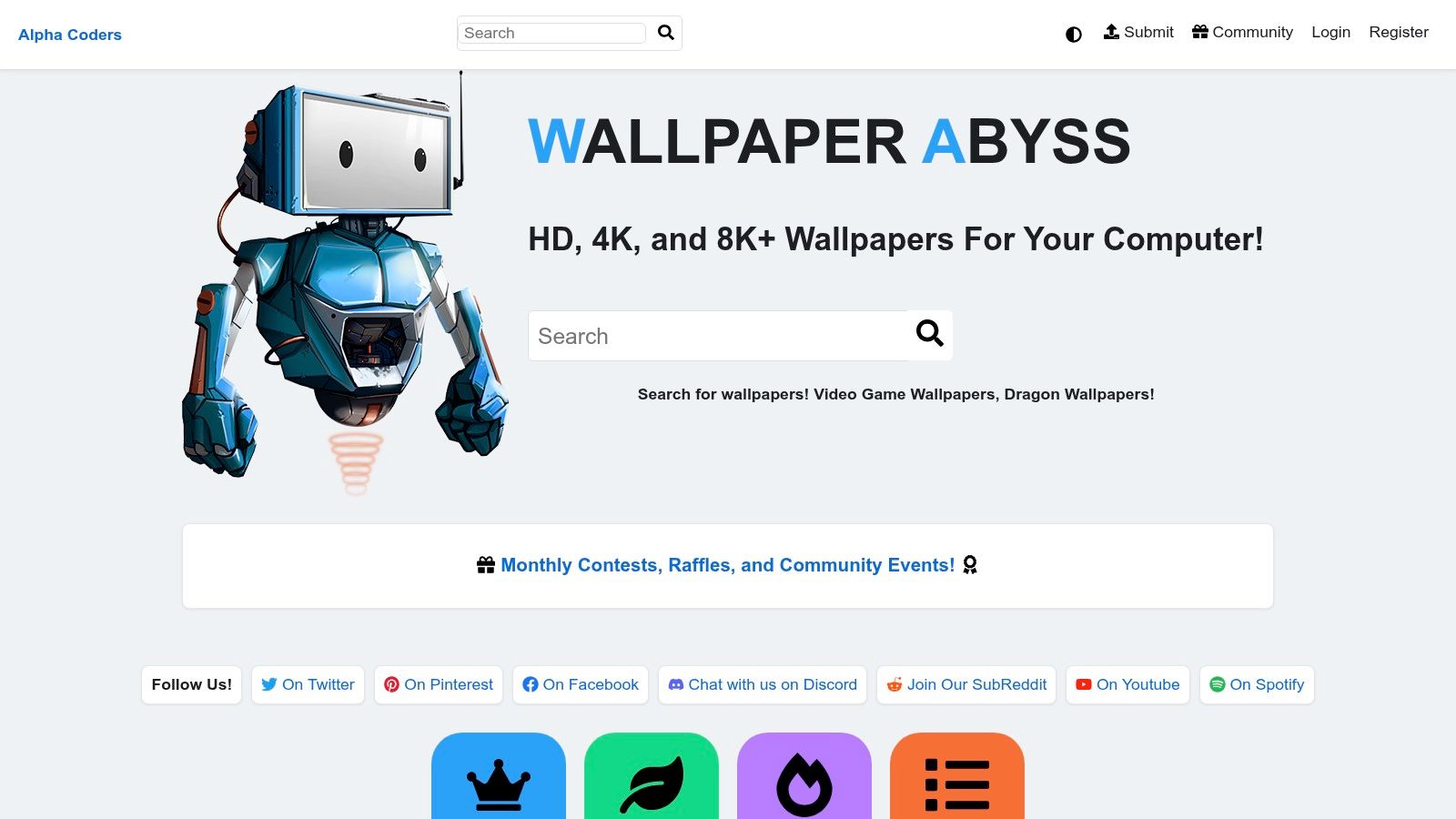
5. Wallpaper Abyss by Alpha Coders
Wallpaper Abyss has the energy of an old, sprawling internet institution that never stopped collecting things. That can be charming. It can also be a bit chaotic. Both are true.
What makes it useful is breadth. If your definition of pretty computer backgrounds includes mainstream natural scenery, game art, anime scenes, minimalist patterns, space imagery, obscure fandoms, or a wallpaper of a robot staring into the middle distance for reasons known only to the robot, this place probably has it.
Where it earns its spot
The site is practical. It offers multiple sizes for many wallpapers, which is useful if you care less about browsing elegance and more about getting the right file for your display without opening an image editor like some kind of 2011 survivor.
This is one of the better picks when: - You want fandom wallpapers: Games, films, shows, characters, and niche franchises. - You need lots of resolution options: Helpful for older displays and unusual setups. - You don't mind hunting: The catalog rewards patience more than taste-level speed.
The trade-off is obvious
The ad-supported experience isn't exactly serene. And the curation varies wildly by category. Some sections feel neat and maintained. Others feel like a digital attic where every shelf contains at least one thing wearing too much contrast.
Still, Wallpaper Abyss is useful because not everyone wants a designer-approved foggy mountain. Sometimes you want a very specific visual obsession on your desktop, and broad libraries are the only places that still respect that impulse.
I wouldn't call it the prettiest site on this list. I would call it one of the most useful once you know what you're after.
Website: wall.alphacoders.com
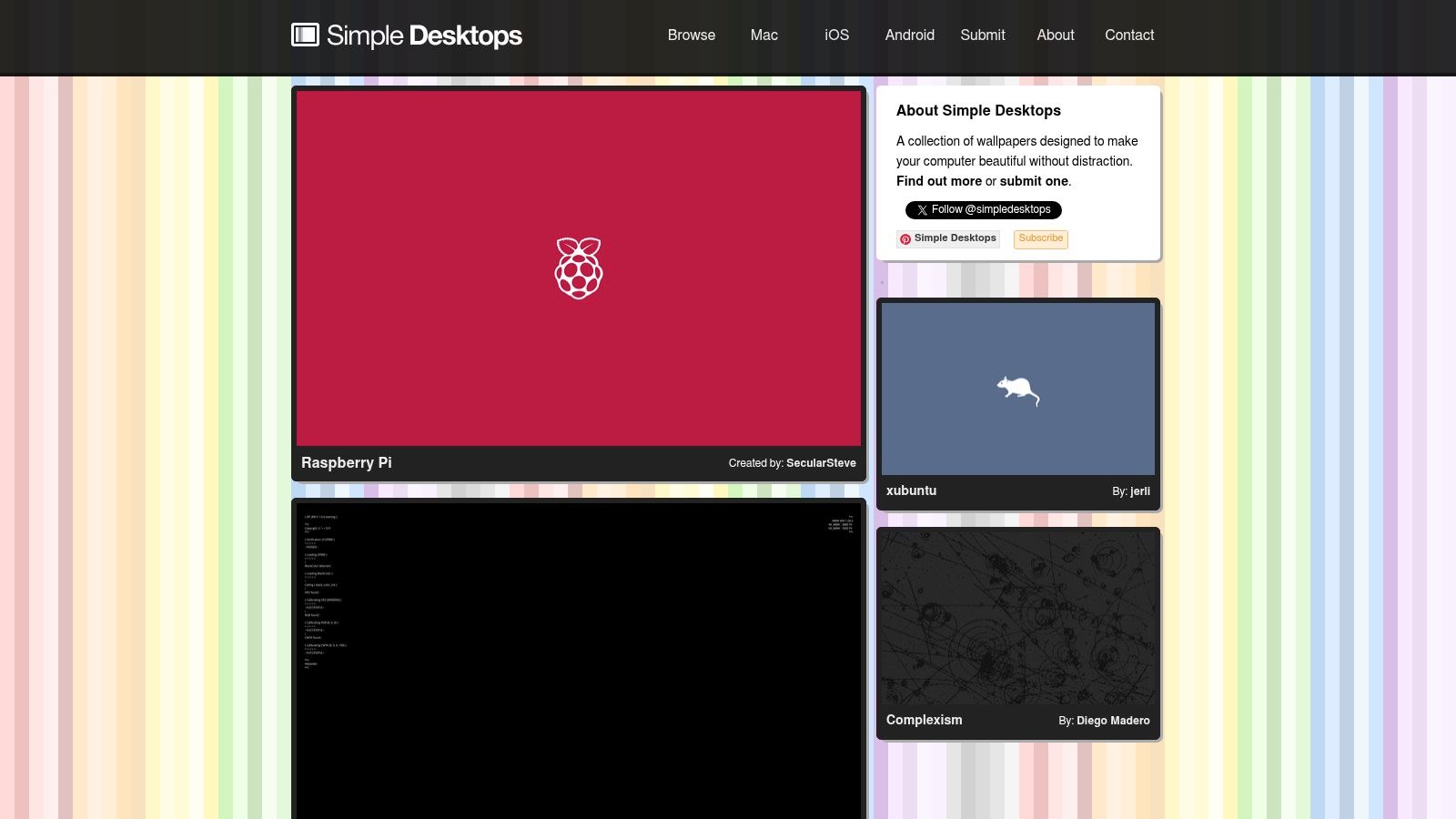
6. Simple Desktops
Simple Desktops does one thing and has the good manners to keep doing that one thing.
If your ideal wallpaper is minimal enough that your icons remain readable, your brain remains quiet, and your desktop doesn't look like it joined three fandoms and a neon cult at once, this is the cleanest recommendation here.
Why minimalism works so well on desktops
A lot of pretty computer backgrounds fail because they try too hard. They want to be admired constantly. They demand attention from behind files, widgets, menu bars, and whatever screenshot you forgot to delete.
Minimal wallpapers do the opposite. A shape, a line, a tiny visual joke, a restrained color palette. That's often better for actual daily use than some glorious cinematic vista with seventeen layers of dramatic weather.
Simple Desktops is great if you want: - Low-visual-noise backgrounds: Better icon visibility, less clutter, calmer screen. - Graphic design flavor: Shapes, typography, illustration, negative space. - A cohesive look: The whole gallery feels related, which makes browsing oddly relaxing.
Who won't like it
If you want grand photography, rich textures, or anything that looks immersive, this probably won't satisfy you. The catalog is also smaller than the mega-libraries, which is partly why the quality stays coherent.
"Minimal" doesn't mean boring. It means the wallpaper knows it's background material and behaves accordingly.
I like Simple Desktops for setups that need discipline. Writing laptops, work machines, second monitors, or any Mac where you want style without visual chatter. It's the equivalent of a room with one good lamp and no motivational wall decals.
Website: simpledesktops.com
7. NASA Image and Video Library
A NASA wallpaper does something stock photography usually can't. It makes your desktop look expensive, strange, and mildly overqualified for checking email.
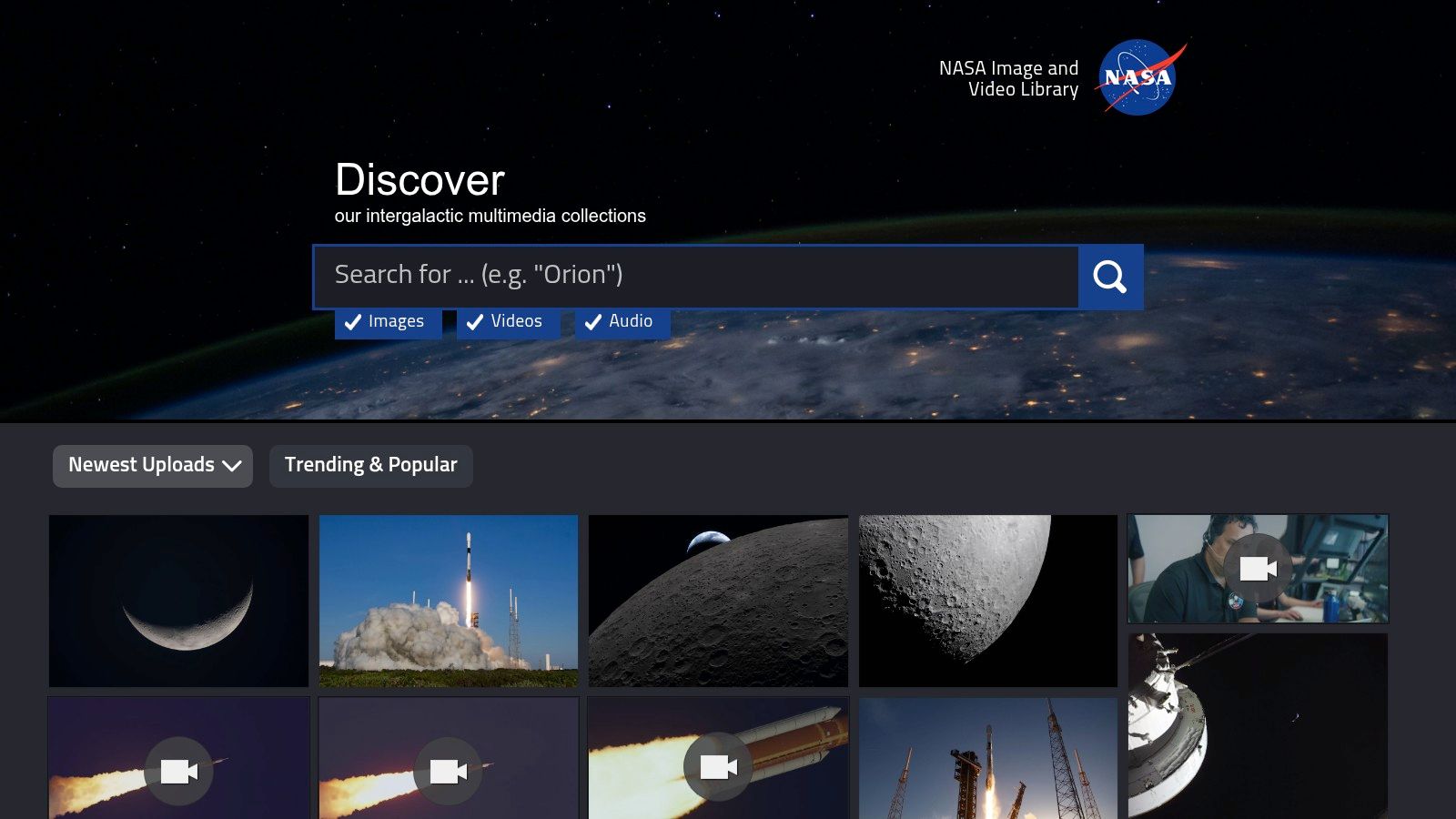
NASA's archive works well for people who want pretty backgrounds with actual visual weight. You are not sifting through generic "space vibes" uploads from ten different creators with ten different compression habits. You are browsing mission photography, telescope imagery, planetary surfaces, launch shots, and the occasional image that makes your Mac look like it belongs to someone with access to a very serious keycard.
Why it earns a spot here
The big draw is aesthetic specificity. NASA is excellent for cosmic wallpapers that feel real, not stylized into mush. Nebulae, lunar terrain, Earth from orbit, aging spacecraft, black sky with one ridiculous burst of color. Those images hold up well on a desktop because they usually have clear focal points and enough negative space for icons to remain readable.
That last part matters more than wallpaper people like to admit. A background can be gorgeous and still make your desktop feel like a junk drawer.
If you want that look with motion instead of a static image, the space aesthetic live wallpaper collection is a good companion option.
The trade-offs
NASA's library is an archive first. That is why the material is so good, and why the browsing experience can feel a little clinical. Search matters. Resolution checks matter. A beautiful image thumbnail does not automatically mean it will look sharp on a Retina display.
That extra effort is the price of getting backgrounds with more personality than the usual wallpaper roundup filler. For space-heavy setups, few sources look this good without feeling cheesy. It is hard to beat a photo of an actual galaxy when the alternative is "abstract neon astronaut wolf."
Website: images.nasa.gov
Top 7 Pretty Desktop Backgrounds Comparison
A pretty wallpaper stops being "just decoration" the second you have to look at it for eight hours. Some sources are great for clean photos. Some are better for weird niche aesthetics, space shots, or motion that does not make your Mac feel like it joined a gaming chair cult. This table separates those jobs so you can pick the right source faster.
| Item | Setup difficulty | Resource use | What you get | Best for | Why pick it |
|---|---|---|---|---|---|
| 4K Live Wallpapers for Mac (gifPaper) | Very easy. Install the app, preview, set wallpaper | High. 4K video uses more CPU, GPU, and battery. One-time $5 cost after trial | Retina-ready 4K looping video wallpapers, with optional ambient audio | Mac users who want animated desktops and lock screens | Native-feeling video wallpaper setup, fast previews, one-time purchase |
| Unsplash | Very easy. Search, download, set | Low. Static high-resolution images, optional Unsplash+ | Polished photos and illustrations with a modern editorial look | Clean, tasteful desktops that need flexibility | Strong curation, good search, broad style range |
| Pexels | Easy. Fast filters and simple downloads | Low. Static images and some video assets, free for most uses | Large mix of high-resolution wallpapers across common styles | Quick wallpaper hunting without much fuss | Free licensing, lots of variety, easy browsing |
| Wallhaven | Moderate. Tags and filters take a minute to learn | Low for images. API support helps with automation | Huge range of desktop-focused wallpapers, including ultrawide and multi-monitor sizes | Very specific aesthetic searches and unusual monitor setups | Excellent filtering, strong desktop-first catalog, niche coverage |
| Wallpaper Abyss by Alpha Coders | Easy to moderate. Browse categories and choose resolution | Low. Image downloads, free with ads or optional premium | Massive library across fandoms, themes, and multiple resolutions | Anime, games, franchises, and very specific interests | Broad subject coverage, lots of size options, active community uploads |
| Simple Desktops | Very easy. Pick one and download | Very low. Lightweight static files | Minimal wallpapers with clean shapes and plenty of breathing room | People who want icons to stay readable and their desktop to calm down | Focused minimalist style, curated collection, crisp results |
| NASA Image and Video Library | Moderate. Search matters, and some assets need a quick usage check | Low to moderate. Many files are very large | Real space and Earth imagery with serious visual presence | Space-heavy setups and anyone who wants something less generic | Authentic imagery, high-resolution files, strong focal points |
No single source wins every category, which is the whole point. Unsplash and Pexels are the easiest all-around picks. Wallhaven and Wallpaper Abyss get much more specific. Simple Desktops is great if visual silence is the goal. gifPaper covers the animated side that most wallpaper roundups barely mention, and NASA remains the choice for "I want my desktop to look expensive, but in a telescope way."
A Quick Word on Live Wallpapers
Static images are still great. A sharp photo, a good minimalist illustration, a properly framed abstract. No complaints. But your Mac can do more, and this is the point where most wallpaper roundups get strangely shy.
Live wallpapers make sense because people already spend a lot of time on these screens. That's not a niche hobby for three forum users with RGB keyboards. People clearly care what sits behind everything else.
The trick is doing motion well.
Most live wallpaper apps feel bolted on. They sit on top of the system, look a little off, and can be clumsy enough that you stop using them after the novelty wears off. gifPaper for Mac takes a different route. It uses Apple's native system, the same format Apple uses for its own video wallpapers, so the effect feels like macOS rather than an improv performance happening on top of it.
That matters most on the lock screen. Wake your Mac and the wallpaper is already there, alive, then slowing down as you log in. One click sets the same wallpaper on both lock screen and desktop. The desktop can stay on a beautiful still frame by default, which is smart for power use, and you can switch full animation on when you want the motion back.
The web gallery currently has over 150 4K looping scenes, from neon cityscapes to calm nature scenes. That's enough range to build an actual mood instead of settling for whatever giant JPEG happened to be least offensive. You also don't have to fiddle with resizing, loop quality, or awkward setup hacks. That's the whole pitch. Fewer hacks, prettier screen.
And the price is refreshingly unserious in a good way. It's a one-time $4.99 purchase during launch, not another subscription lurking in your bank statement like a tiny vampire. There's a 7-day free trial with all features and all wallpapers, plus a 30-day money-back guarantee. For an unnecessary but delightful Mac upgrade, that's about the right level of ridiculous.
If you want your Mac to look less like factory settings and more like a machine a human enjoys using, gifPaper is the easiest place to start. Browse the wallpaper gallery for free, pick a scene with a personality, then try gifPaper for Mac and put it on your lock screen, desktop, or screen saver. It's a small indulgence. Your screen gets prettier. Your coworkers get mildly jealous. Everybody wins.